
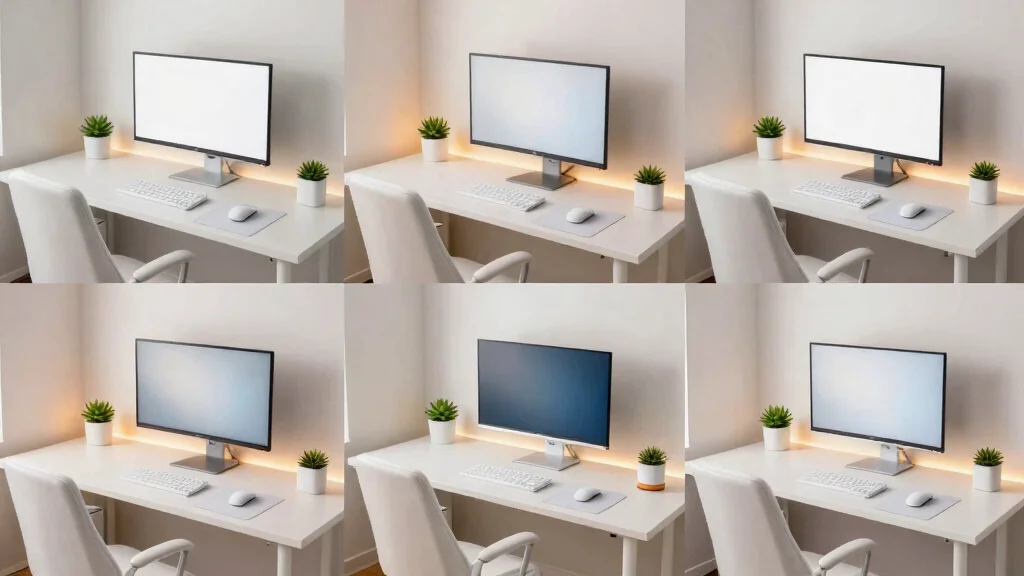
Creating the perfect gaming setup can feel like a daunting task. With so many styles and colors to choose from, it’s easy to get overwhelmed. That’s why I decided to put together this post on white gaming setups. White has a way of creating a clean, calming, and aesthetically pleasing environment that can boost your gaming experience. Whether you play for fun or competitively, having an inviting space is crucial.
If you love gaming and appreciate a polished, minimalist aesthetic, this guide is for you. You’ll find inspiration for a variety of setups that will keep your gaming space looking fresh and organized. I’ve gathered nine stunning ideas that will not only enhance your gameplay but also serve as a beautiful backdrop for your gaming adventures. Each suggestion focuses on functional design while maintaining an aesthetic appeal that reflects your style.
Get ready to dive into some sleek designs, clever organization tips, and ambient lighting ideas that will transform your gaming room into a true sanctuary. By the end of this post, you’ll have actionable ideas to create a white gaming setup that is not just visually appealing but also tailored to your personal gaming needs.
Key Takeaways
– Sleek White Desk and Dual Monitors: A simple desk setup can significantly enhance your gaming experience, especially with dual monitors for multitasking and immersive gameplay.
– Cozy Corner Gaming Nook: Utilize a small space for a dedicated gaming nook. This cozy corner can be personalized with comfortable seating and essential gaming accessories.
– Monochromatic White Aesthetic: Embrace a uniform look by choosing white furniture and decor. This creates a serene atmosphere that can help you focus better during intense gaming sessions.
– Ambient Lighting for Gaming Atmosphere: Incorporating soft, ambient lighting can set the mood for gaming. Look for LED strips or smart bulbs that can change colors to match your in-game action.
– Organized White Cable Management: Keeping cables tidy not only looks better but also makes your setup safer and more functional. Invest in cable management solutions that blend seamlessly with your white decor.
1. Sleek White Desk and Dual Monitors
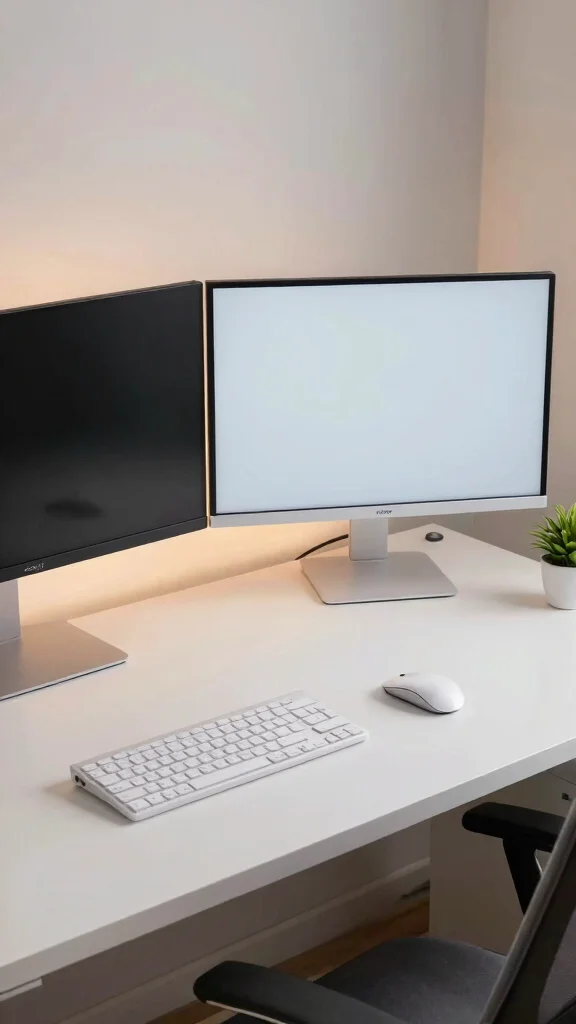
A sleek white desk paired with dual monitors creates a modern, functional gaming space that enhances your multitasking capabilities. This setup not only looks stunning but also provides an immersive experience, allowing you to dive deep into your favorite games while managing multiple tasks effortlessly. Imagine a spacious white desk supporting two slim monitors, perfectly positioned for optimal viewing.
To implement this elegant design, consider a few practical tips. Opt for a desk with built-in cable management to keep things tidy. You can find budget-friendly monitors with thin bezels that complement a clean aesthetic. Incorporate subtle ambient lighting behind your monitors to reduce eye strain and create a cozy vibe.
– Choose a spacious white desk for ample workspace.
– Invest in quality, slim-bezel monitors for a modern look.
– Install soft backlighting behind the monitors for atmosphere.
– Use a minimalist mouse and keyboard in white to maintain style.
This thoughtful arrangement not only boosts your gaming efficiency but also elevates the overall aesthetic, making your space inviting and stylish.
Sleek White Desk and Dual Monitors
Editor’s Choice

DUMOS 32 Inch Office Small Computer Desk Modern Simple Style Writing Stu…


Bezel Free for 21-35″ Monitors Curved Screens (1 Piece of Standard Version)
2. Cozy Corner Gaming Nook
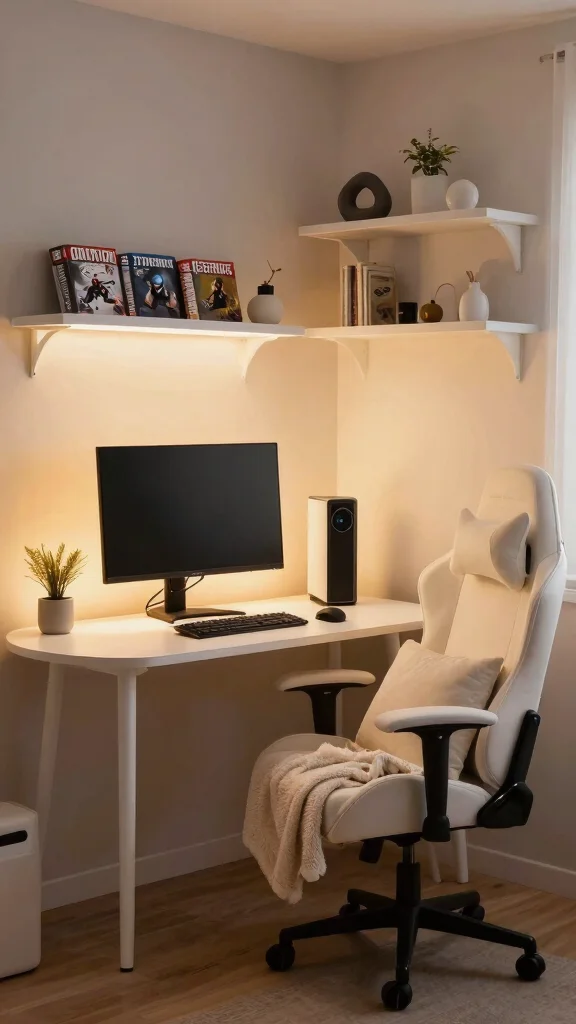
Transforming a corner of your room into a cozy gaming nook is a delightful way to maximize space and create an inviting atmosphere. Picture a small, round white desk paired with a comfortable white gaming chair, forming a perfect retreat for relaxed gaming sessions. This setup allows you to immerse yourself in your games while enjoying a sense of comfort and personalization.
To enhance your cozy nook, consider adding floating white shelves above your desk for organization and visual interest. Personal touches like framed art or photos can make the space uniquely yours. Ambient lighting, such as floor lamps or LED strips, adds warmth to your nook, while a soft throw blanket and cushions provide extra comfort.
– Incorporate floating white shelves for organized storage.
– Add personal art or photos to customize the space.
– Use floor lamps or LED strips for a warm glow.
– Include a soft throw blanket for added comfort.
This cozy nook not only serves as a perfect gaming zone but also becomes a charming space for other activities, enriching your home decor.
Did you know a compact 4×4 ft corner is enough for a white gaming setup? Add a round white desk, a white gaming chair, and floating shelves above for tidy storage and a calming, minimalist retreat.
🛏️ Transform Your Bedroom Today!
Elevate your gaming setup with our cozy room design workbook, perfect for minimalist aesthetics!
Cozy Corner Gaming Nook
Editor’s Choice

Big and Tall Office Chair, Flip Armrests for Pets & Cross Legged Sitting…

SEDETA 79″ Gaming Desk, Computer Desk with 2 Fabric Drawers & LED Light,…

AMADA HOMEFURNISHING Floating Shelves, Wall Shelves for Bathroom/Living …
3. Monochromatic White Aesthetic
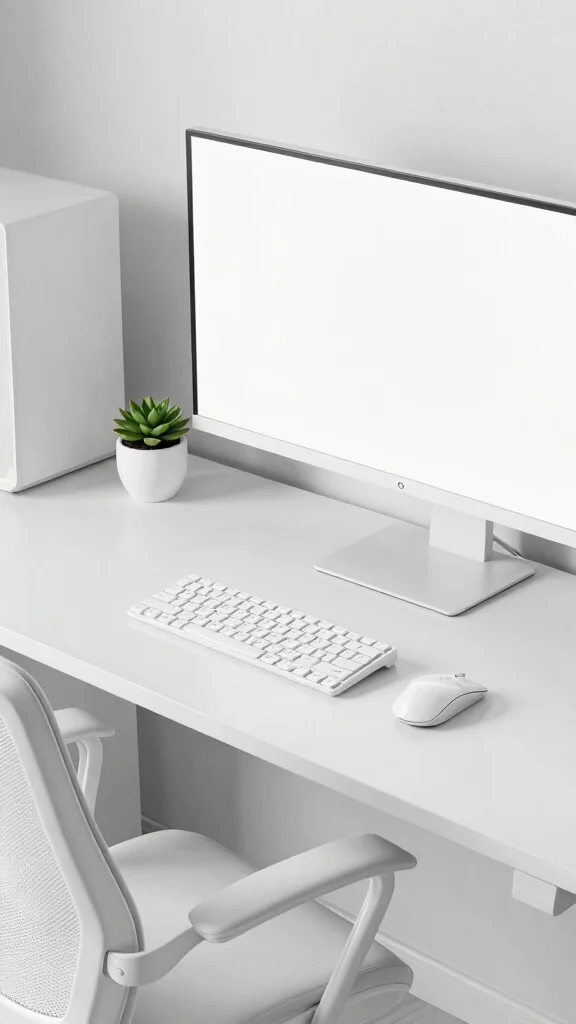
Embracing a monochromatic theme in your gaming area can create a serene and cohesive environment. Utilizing various shades of white allows for a calming backdrop that enhances focus and immersion during gameplay. Imagine a space where every element, from furniture to accessories, is thoughtfully selected to maintain consistency and simplicity.
Achieving this stunning aesthetic involves choosing all-white furniture, such as a gaming desk, chair, and shelves that blend seamlessly. Layering different textures, like matte and gloss finishes, adds depth without introducing color. Keep accessories minimal to maintain a clean look, and consider incorporating a small white planter with a succulent to break the monotony.
– Choose all-white furniture for a seamless look.
– Layer textures with matte and gloss finishes for depth.
– Opt for white accessories to maintain a clean aesthetic.
– Add natural elements like a white planter for a fresh touch.
A monochromatic setup not only looks visually stunning but also allows your gaming gear to shine, creating a truly immersive experience.
📹 Related Video: building my first gaming pc 🤍 | white aesthetic, mid-range, lian li dynamic snow mini , rtx 3060
Monochromatic White Aesthetic
Editor’s Choice

Gaming Keyboard and Mouse Combo, K1 RGB LED Backlit Keyboard with 104 Ke…

White Gaming Chair,Ergonomic Massage Computer Office Desk Chair with Foo…

Casaottima 48 Inch Small Computer Desk for Home Office, Study Writing Ta…
4. Minimalist Floating Desk Design
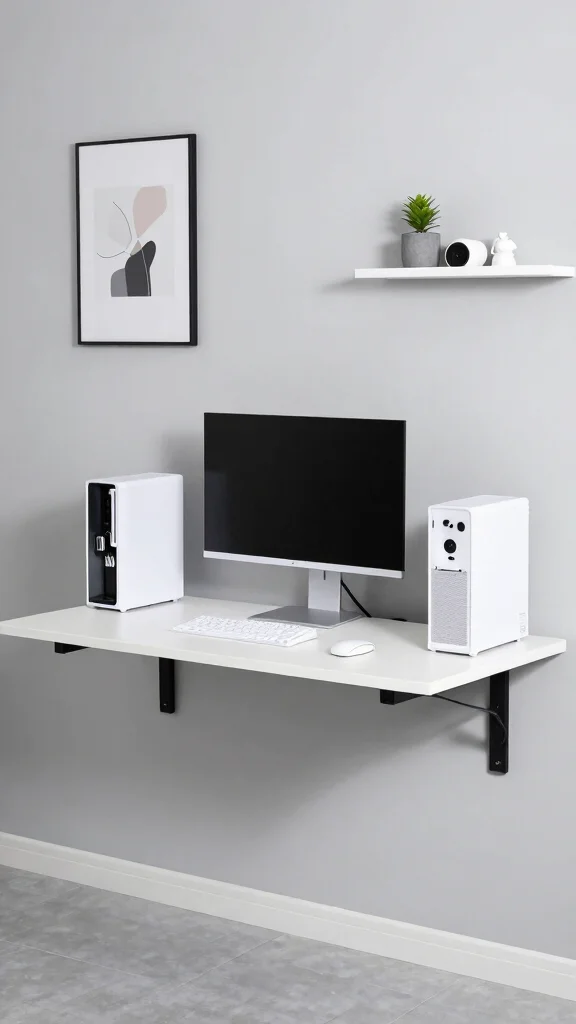
A floating desk design is a brilliant way to save floor space while adding a stylish touch to your gaming area. Mounted securely to the wall, a sleek white desk appears to float, creating a modern and airy feel. This design not only looks chic but also keeps your space open and uncluttered.
To implement this minimalist idea effectively, select the right wall mounts to ensure stability and a clean appearance. Limit your desktop accessories to a single monitor and essential peripherals to avoid clutter. Utilizing cable clips or sleeves helps maintain a tidy look, while wall art or decorative shelves above the desk adds personality.
– Choose sturdy wall mounts for secure desk placement.
– Limit accessories to essential peripherals for a clean look.
– Use cable clips to keep wires organized and off the floor.
– Incorporate wall art for added character and style.
This design not only maximizes your space but also elevates the overall aesthetic, making it perfect for a minimalist approach.
Minimalist Floating Desk Design
Editor’s Choice

Nettbe 60 PCS 6 Inches Reusable Cable Ties, Adjustable Cord Straps Wire …

5. White Gaming Chair with Accent Decor
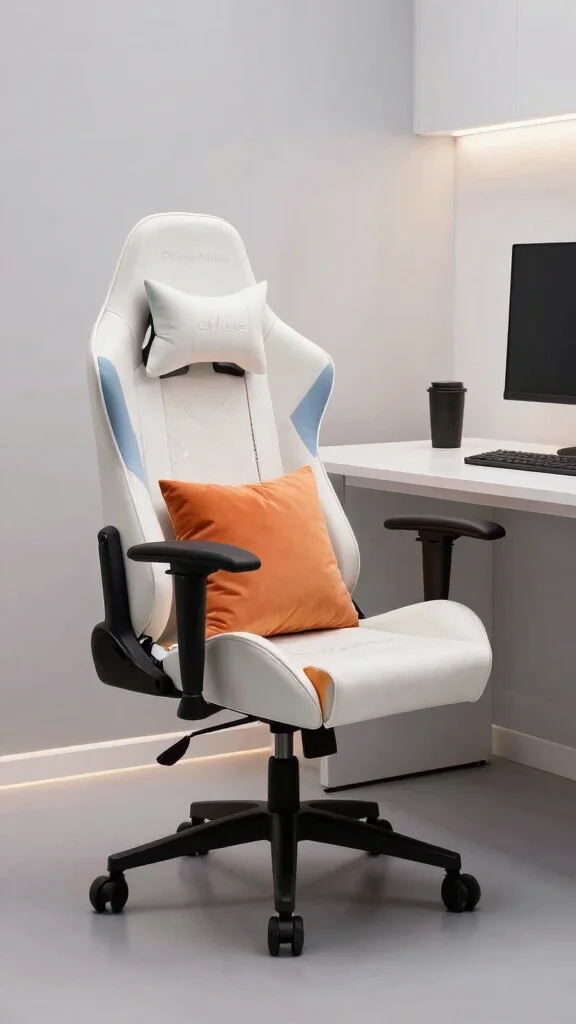
Selecting the right gaming chair can greatly enhance both comfort and style in your setup. Opt for a striking white gaming chair that serves as a focal point while complementing the rest of your decor. This chair not only supports your gaming sessions but also adds a chic touch to your space.
When integrating a chair into your gaming environment, choose ergonomic designs to ensure comfort during long hours of play. Consider adding colorful cushions or throw pillows to contrast with the white, infusing personality into your setup. Position the chair strategically for easy access to your gear while enhancing the overall aesthetic, and highlight it with ambient lighting for an extra visual effect.
– Choose ergonomic chairs for improved comfort.
– Incorporate colorful cushions to add personality.
– Position the chair for easy access to your gaming gear.
– Use LED strips around the chair for stunning lighting.
A well-chosen gaming chair not only boosts comfort but also enhances your setup’s overall aesthetic appeal.
Fun fact: ergonomic chairs can reduce fatigue by up to 20% during long gaming sessions. A white gaming setup feels calmer when you add a bold accent pillow and ergonomic design, boosting comfort and style.
Cost Breakdown & Budget Planning
Planning your white gaming setup can feel overwhelming, especially when considering costs. Don’t worry! This detailed budget guide will help you navigate your spending wisely.
Cost Breakdown by Category:
– Materials/Products: Expect to spend between $500 to $2,000. This range includes desks, chairs, monitors, and accessories.
– Tools/Equipment: If you’re assembling items yourself, budget around $50 to $150 for essential tools like screwdrivers and measuring tape.
– Labor/Professional installation: Hiring a professional can cost between $100 to $500, depending on the complexity of your setup.
– Optional extras: Additional features, like ambient lighting or custom accessories, can add $50 to $300 to your total cost.
Budget Tier Breakdown:
Basic Economy Tier $
– What’s included: This option includes a simple white desk, a basic gaming chair, and a single monitor.
– Good for: Beginners or casual gamers who want a functional space without high costs.
– Limitations: You miss out on multiple screens, ergonomic chairs, and stylish accessories that enhance aesthetics and comfort.
Mid-Range Tier $$
– What’s included: A more balanced option featuring a sturdy desk, a comfortable gaming chair, dual monitors, and some minimalist decor.
– Good for: Gamers looking for comfort and aesthetics without breaking the bank.
– Best value for: Most people who want a reliable setup that looks good and performs well.
Premium Tier $$$
– What’s included: This tier includes top-quality furniture, triple monitors, ergonomic chairs, advanced cable management, and high-end accessories.
– Good for: Hardcore gamers or content creators needing the best performance and aesthetics for their work.
– Worth it if: You desire longevity and superior comfort, especially for long gaming sessions or streaming.
Money-Saving Tips:
1. Shop during sales: Look for discounts around holidays or during back-to-school sales to save on key items like desks and chairs. 💡
2. DIY Decor: Consider making your own wall art or using cheap materials for decor. This allows you to personalize your space without spending much. 🎨
3. Buy used furniture: Check local marketplaces or online platforms for gently used gaming furniture. You can find significant savings! 🔄
4. Limit electronics upgrades: Instead of buying the latest gear, hold off for a few months. Focus on essentials first and upgrade later. ⏱
Where to Splurge:
1. Chair: Investing in a high-quality gaming chair is crucial. It affects your comfort and health during long gaming sessions. A good chair can reduce back pain and improve posture. 🪑
2. Monitors: Better monitors can enhance your gaming experience, providing clearer visuals and smoother gameplay. If you’re into competitive gaming, this is an area worth spending on. 🖥️
3. Ambient Lighting: Quality lighting can transform the atmosphere of your gaming room. It adds to your overall aesthetic and can improve your mood while gaming. 💡
Creating a stunning white gaming setup isn’t just about spending money; it’s about making smart choices. Use this guide to plan your budget effectively. Happy gaming! 🎮
White Gaming Chair with Accent Decor
Editor’s Choice

Dowinx Big and Tall Office Chair with Pocket Spring Cushion,High Back Co…

DOBUONO Cat Paw Cushion Cute Chair Cushion Kawaii Plush Seat Cushions 28…
6. Bright and Airy Gaming Room
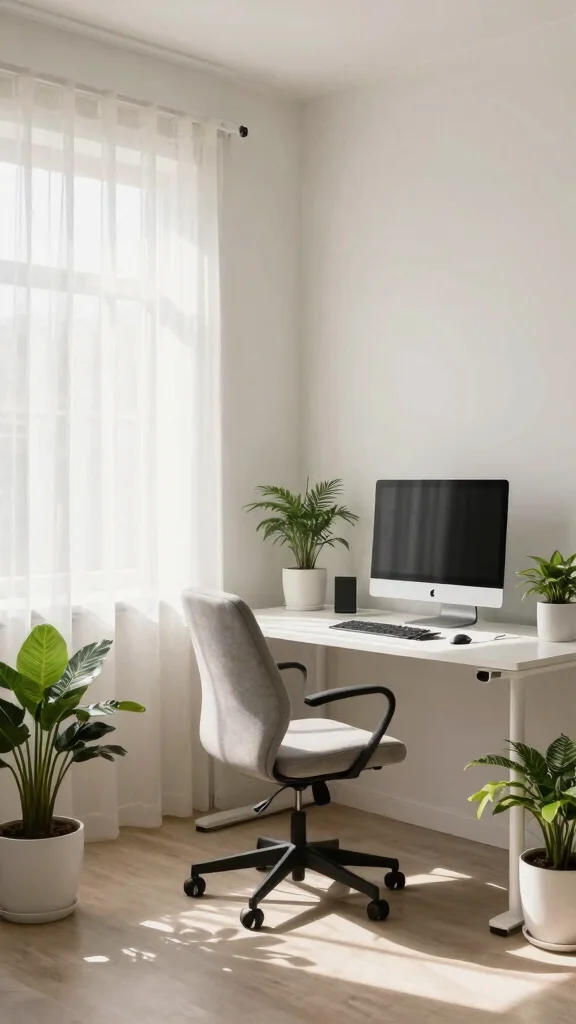
Creating a bright and airy gaming room can significantly enhance your experience and mood. The combination of white furniture and ample natural light fosters a refreshing environment that inspires creativity and focus. Picture a space where light floods in, making it feel open and inviting.
To achieve this airy aesthetic, maximize natural light by keeping windows unobstructed. Light, sheer curtains help diffuse sunlight, creating a soft glow. Reflective surfaces, like glass or mirrors, can amplify brightness, while sticking to bright white walls and furniture keeps the space feeling spacious. Adding a few houseplants in white pots introduces a lively touch and enhances the freshness of the room.
– Maximize natural light by keeping windows clear.
– Use sheer curtains to soften sunlight and enhance ambiance.
– Incorporate reflective surfaces for added brightness.
– Add greenery in white pots for a fresh vibe.
This setup not only feels energizing but also promotes better focus and creativity during your gaming sessions.
Bright and Airy Gaming Room
Editor’s Choice

HOMEIDEAS Non-See-Through White Privacy Sheer Curtains 52 X 84 Inches Lo…

VISIONTEX 2 Panels Sheer Curtains 84 Inches Long, White Floral Leaf Embr…

HOMEIDEAS Non-See-Through White Privacy Semi Sheer Curtains 84 Inches Lo…

SnugNiture Set of 2 Round Tall Planters 22 Inch, Large Planter for Indoo…

Worth Garden 20″ Tall Planters Set of 2 – Large White Tapered Plastic Fl…
7. Organized White Cable Management
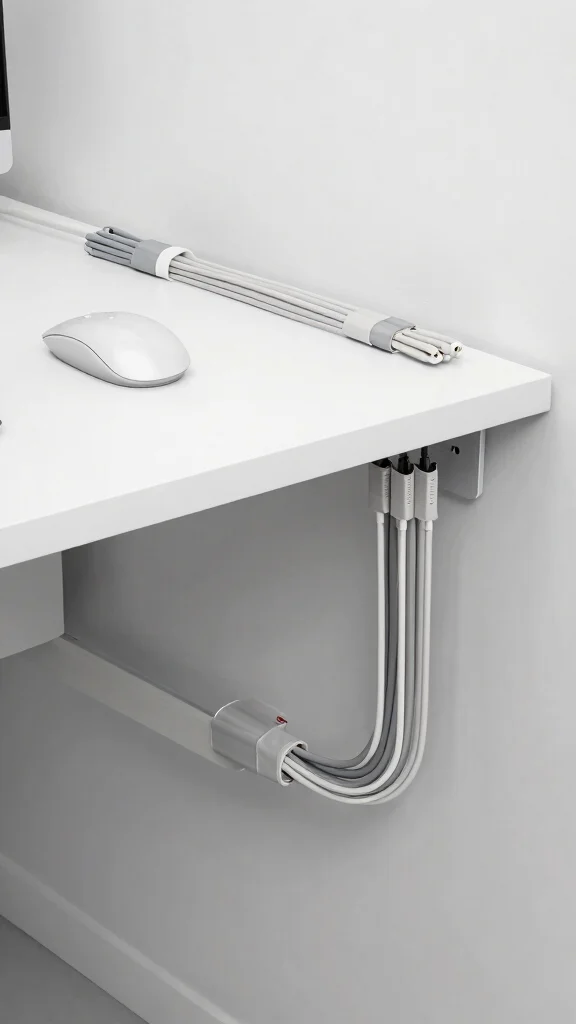
Maintaining an organized space is essential for any gaming setup, especially when using light-colored furniture. Effective cable management ensures a clean and polished look while enhancing the overall aesthetic of your gaming area. Picture a tidy setup where cables are hidden from view, allowing your decor to shine.
To manage cables effectively, consider installing a cable tray under your desk to keep wires out of sight. Labeling cables can save time during troubleshooting, while cable clips and sleeves help bundle wires neatly. Aim to run cables along the back of the desk and down the wall to minimize visible clutter.
– Install a cable tray under the desk for hidden wires.
– Label cables to simplify troubleshooting.
– Use clips and sleeves to keep cables organized.
– Run cables along the back to maintain a clean appearance.
An organized gaming space not only looks better but also allows for easy adjustments, creating a more enjoyable gaming experience.
Organized White Cable Management
Editor’s Choice

Under Desk Cable Management Tray, Expandable 25.2″–38.6″ Heavy Duty Carb…

Univivi No Drill Under Desk Cable Management Tray, 36″ Cord Organizer fo…

Univivi Under Desk Cable Management Tray – 32″ Steel Cord Organizer, No-…

Under Desk Cable Management Tray – Under Desk Cord Management – Clamp/Sc…

Cable Management, 25” Cable Management Under Desk No Drill, Metal Cord …
8. Ambient Lighting for Gaming Atmosphere
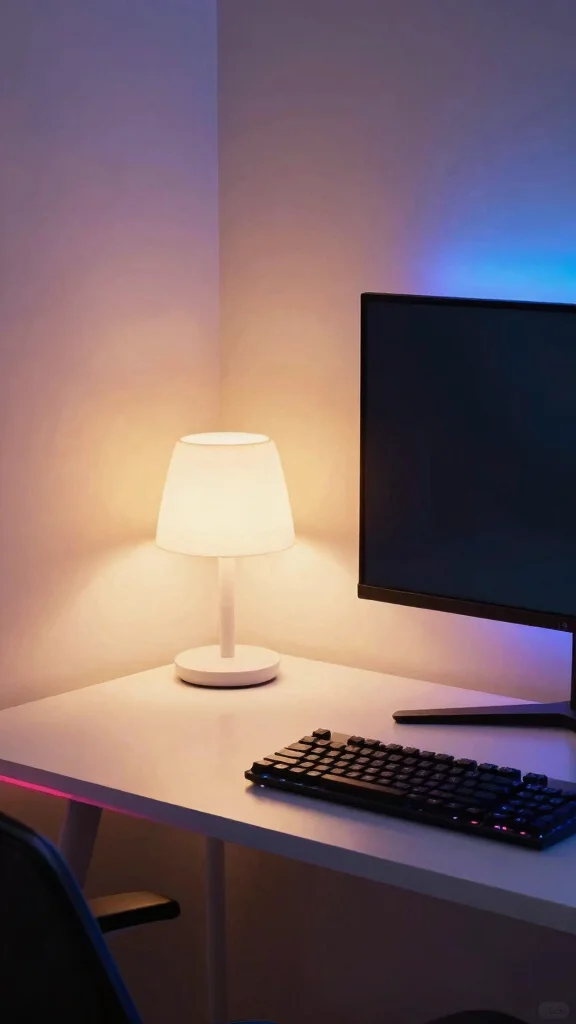
Ambient lighting is crucial for enhancing the mood of your gaming setup. Soft, warm lights help immerse you deeper into your gaming world without straining your eyes. Imagine a space where the lighting perfectly complements your gaming experience, creating an inviting atmosphere.
To create this ambiance, consider installing RGB LED strips around your desk or monitor for a captivating effect. A stylish white table lamp can provide additional lighting while elevating your decor. Incorporate smart bulbs to adjust colors and brightness based on your mood or the game you are playing. Layering different light sources, like floor lamps and desk lamps, adds depth and richness to your setup.
– Install RGB LED strips for dynamic lighting effects.
– Use a stylish table lamp for additional illumination.
– Incorporate smart bulbs for customizable lighting.
– Layer various light sources for depth and richness.
Ambient lighting not only enhances the aesthetics of your space but also improves your overall gaming experience.
9. Custom White Accessories
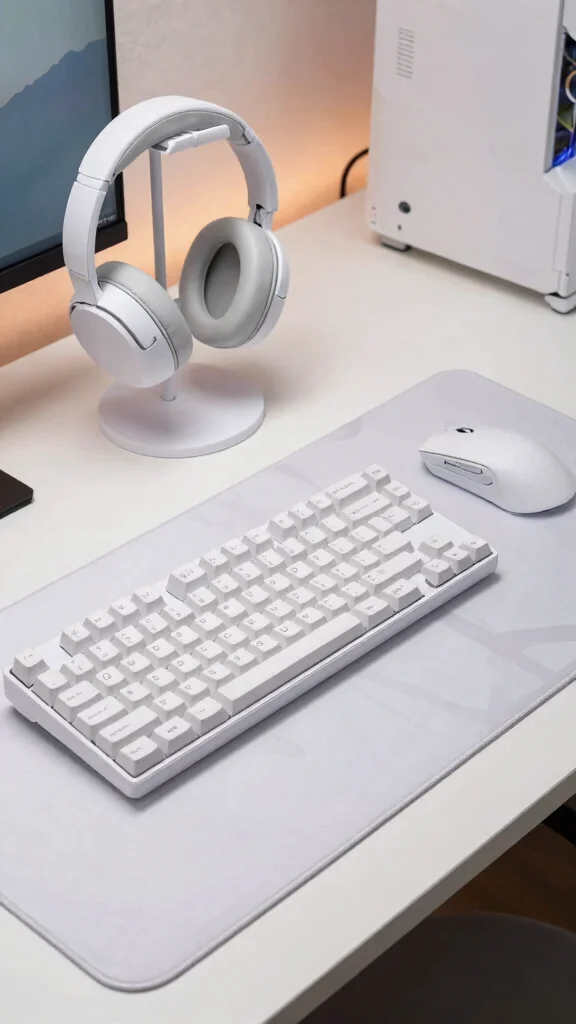
Incorporating custom accessories can elevate your white gaming setup, allowing you to express your personality while maintaining a cohesive aesthetic. Think about unique items that complement your minimalist theme and enhance your gaming experience.
When choosing the right accessories, opt for a large, thin white mouse pad with a subtle design to boost both style and comfort. Look for gaming-themed decor items in white, such as figurines or wall art, that resonate with your gaming style. Consider a custom mechanical keyboard with white keys and RGB lighting for both aesthetics and functionality. A stylish white headphone stand not only keeps your desk tidy but also showcases your gear beautifully.
– Opt for a large white mouse pad with subtle designs.
– Look for gaming-themed decor to personalize your space.
– Choose a custom keyboard with white keys for style.
– Use a white headphone stand to keep your desk organized.
Selecting accessories that align with your aesthetic while reflecting your unique style will create a cohesive and inviting look.
Fun fact: A large, thin white mouse pad with a subtle design can boost comfort and precision by up to 15% during long gaming sessions. Pair it with white decor—figurines or wall art—that echo your minimalist vibe for a cohesive white gaming setup.
Conclusion
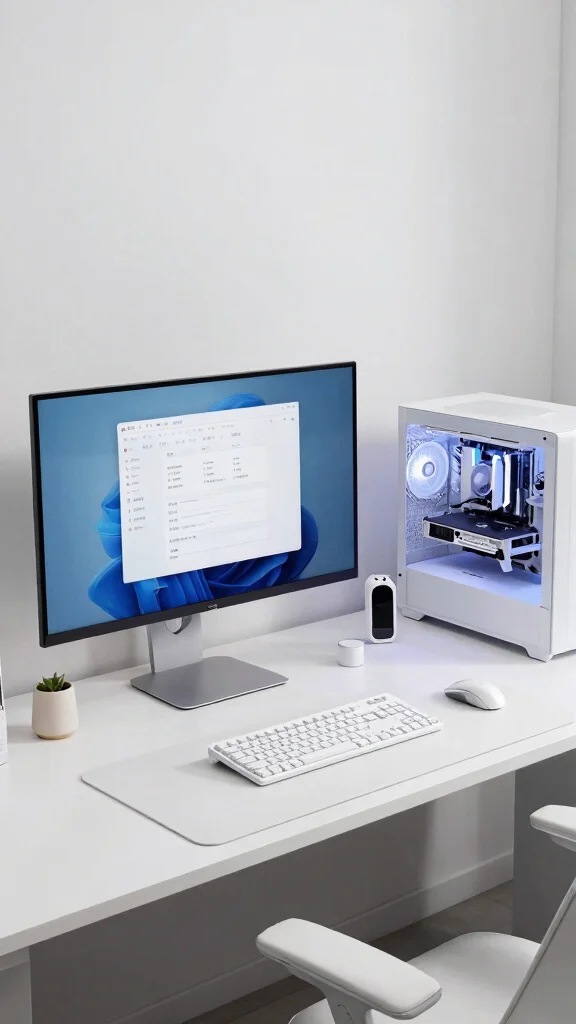
Creating a beautiful white gaming setup is all about balance and personal flair. With the right combination of furniture, accessories, and ambient lighting, your gaming space can become an aesthetic haven.
By incorporating minimalist principles, you can maintain an organized and visually appealing environment that enhances your gaming experience. Don’t hesitate to play around with these ideas and make them your own!
Note: We aim to provide accurate product links, but some may occasionally expire or become unavailable. If this happens, please search directly on Amazon for the product or a suitable alternative.
This post contains Amazon affiliate links, meaning we may earn a small commission if you purchase through our links, at no extra cost to you.
Frequently Asked Questions
How can I create a white gaming setup that looks like an aesthetic gaming setups and stays minimalist?
Start with a clean base: a white desk and light walls set the foundation for your white gaming setup.
Limit your accent colors to one or two soft tones to keep the space cohesive with minimalist gaming room vibes. Keep the desk surface clear by using a cable tray and hidden channels for cables, and opt for a wall-mounted monitor arm to free up space. Choose furniture with matte finishes and simple textures to maintain a calm, aesthetic gaming setups look.
What are the best tips for gaming space organization in a minimalist gaming room with white desks?
Start with clear zones: a play area, a storage area, and a display area. Pick a slim white desk with built-in cable management, and use drawer organizers or wall shelves to store controllers, cables, and games. Invest in a monitor arm and an under-desk drawer to keep the surface pristine, and use labels or clear bins to maintain the tidy look of your white desk decor. Keeping clutter minimal is key to gaming space organization.
Which ambient lighting ideas work well with a white desk decor to elevate the room without clutter?
Use layered lighting: a dimmable ceiling light, a soft desk lamp, and RGB or warm LED strips for ambience. Place LED strips behind the monitor or along shelves to add depth without causing screen glare. Choose bulbs around 2700K–3500K for a cozy, non-distracting glow that complements white desk decor. Smart controls let you adjust brightness during long sessions while maintaining an aesthetic gaming setups vibe.
What essential items should I include in my white desk decor to support a gaming space organization?
Prioritize clutter-reducing items: a slim, cable-managed white desk, a monitor arm, and wireless keyboard/mouse. Add a small plant or decorative vase for texture, a light-colored desk mat, and a compact storage tray for controllers and accessories. Wall-mounted shelves keep the tabletop clear while preserving gaming space organization and the cohesive white gaming setup look.
How do I choose hardware and furniture to maximize space in a minimalist gaming room while keeping a white gaming setup vibe?
Measure your room and design a layout that prioritizes vertical space. Choose a slim white desk with cable management and consider a wall-mounted monitor stand to free surface area. A monitor arm can keep the screen at the right distance without a bulky base, and modular storage helps tuck away cables and devices. Pick furniture with clean lines and matte finishes in white or light neutrals to sustain the aesthetic gaming setups style across your minimalist gaming room.
Related Topics
white gaming setup
minimalist design
aesthetic gaming setups
gaming room decor
ambient lighting
gaming space organization
modern desk ideas
clean aesthetics
beginner friendly
home office
tech accessories
workspace inspiration