
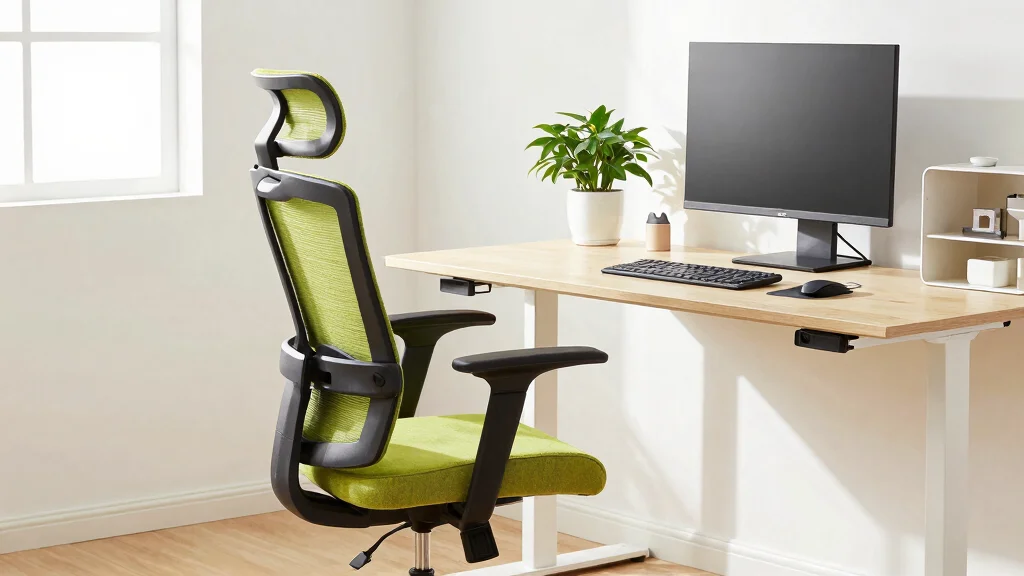
Finding the right ergonomic chair to pair with your standing desk can feel like searching for a needle in a haystack. With so many options, it’s easy to get lost in the details. I created this post because I know how essential it is to find the right balance between comfort and support while working from home. A good chair can transform your workspace into a haven of productivity, allowing you to focus on your tasks instead of your discomfort.
If you’re someone who spends long hours at a standing desk or is in the process of setting up a home office, this guide is for you. Whether you are working remotely or just need a comfortable spot to tackle your to-do list, the right ergonomic office chair can make a world of difference. I’ve compiled a list of the 7 best ergonomic chairs that not only provide excellent posture support but also enhance your overall workspace comfort. Each of these chairs has been selected for its unique features, durability, and the comfort it offers.
By the end of this post, you’ll have everything you need to make an informed decision about which ergonomic chair will best suit your needs. You’ll also gain insights into how these chairs can improve your home office setup, helping you work smarter and feel better throughout your day.
Key Takeaways
– Discover the top ergonomic chairs ideal for pairing with a standing desk, ensuring you enjoy both comfort and support while working.
– Learn about key features to consider, such as adjustable height, lumbar support, and materials that enhance your sitting experience.
– Understand the various styles available, from sleek modern designs to more traditional looks, allowing you to choose what fits your aesthetic.
– Gain tips on ensuring your workspace is tailored to your needs, maximizing productivity and comfort as you transition between standing and sitting.
– Find out how investing in a quality ergonomic office chair can positively affect your posture and overall well-being, making your home office a more pleasant place to work.
Recommended Products

Ergonomic Drafting Chair:The ergonomic design adapts seamlessly to high drafting tables and standard office desks. The adjustable lumbar support benefits designers, architects, engineers, and office professionals by reducing fatigue over long work sessions.

Adjustable Drafting Chair:This high rotary drawing chair has a foot stool with adjustable height, and the 90 degree overturned armrest design can save a certain amount of space, which is very suitable for standing desks, sitting desks and bars; Equipped with a round foot ring can help you move your feet more frequently, reduce the pressure on the back of your legs and improve comfort.
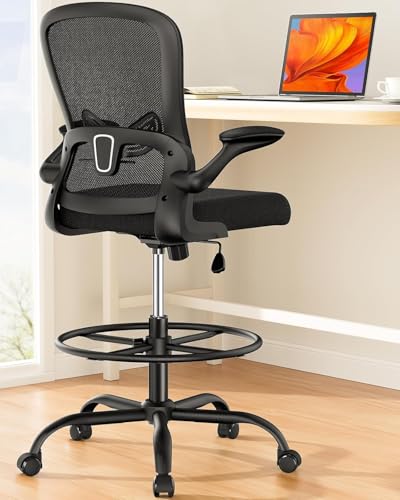
[Adjustable Foot Ring]: The high desk chair is equipped with a wide 19.7″ foot ring to provide a comfortable resting place for your feet. The foot ring is height adjustable by 5″, allowing you to securely lock it at your preferred height without sliding down.
1. Herman Miller Aeron Chair
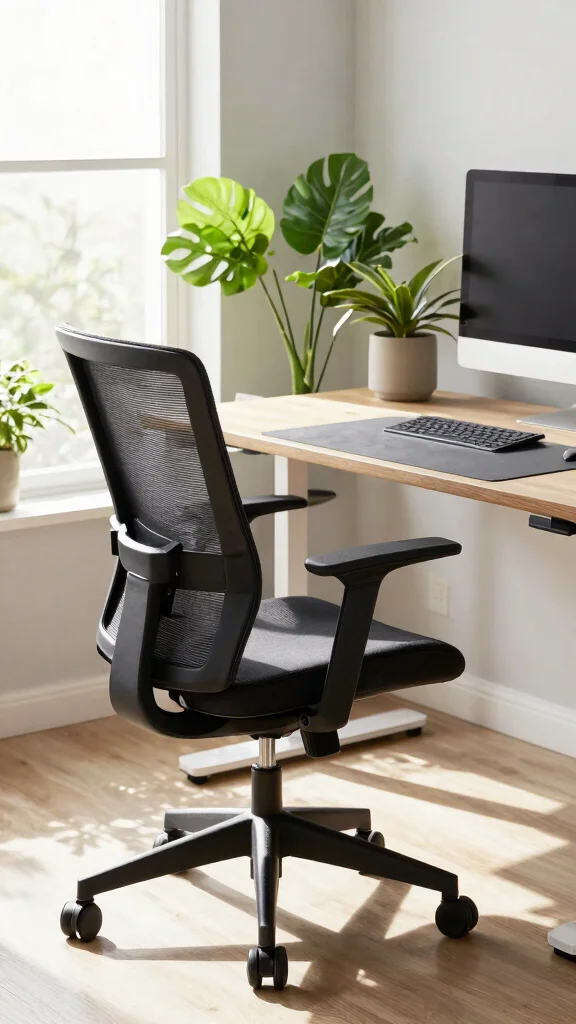
The Herman Miller Aeron chair remains an iconic choice for creating a stylish and comfortable workspace. Its combination of breathable mesh and thoughtful ergonomics makes it a standout in any home office. This chair’s design not only looks great but also supports your back with adjustable lumbar features, allowing you to work for hours without discomfort.
To integrate this chair into your setup, consider pairing it with a sleek desk and natural lighting to enhance the overall aesthetic. If you’re on a budget, look for gently used options or check for sales that highlight its eco-friendly materials.
Consider these elements to enhance your workspace:
– Pair with a minimalist desk for a clean look
– Use a standing desk converter for flexibility
– Incorporate plants to bring life to the space
– Add a stylish mat for added comfort and design
This combination ensures not only a visually appealing environment but enhances your productivity while maintaining comfort, thanks to its thoughtful design and materials.
Fun fact: The Herman Miller Aeron chair debuted in 1994 and remains a landmark in ergonomic design worldwide. As one of the best ergonomic chairs, its breathable mesh and adjustable lumbar support keep you comfortable for hours—pair it with a sleek desk and natural light for optimal setup.
Recommended Products

Adjustable Lumbar Support: This ergonomic office chair is designed to align with the natural curve of your spine. It features a 2.4″ height-adjustable range, offering targeted relief for the lower back. The soft, enhanced lumbar pad helps ease tension and alleviate fatigue.
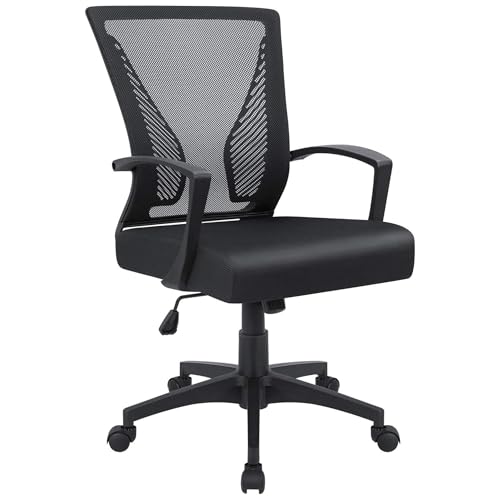
Ergonomic Design: The overall design of this office chair is ergonomic, two lumbar supports on the backside of the chair back are not only for beautiful looking, when you lean in the chair, it feels comfortable like two hands are supporting your waist, with a slightly concave design on the cushion, this chair can effectively relieve the back pain that caused by long hours of sitting, this will be a very wonderful experience for your use
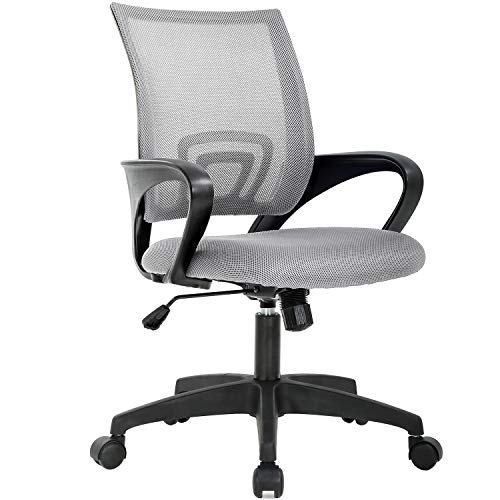
BREATHABLE MESH BACK: 100% ventilated mesh back promotes airflow to keep you cool and comfortable during long hours of sitting, ideal for home offices and workspaces, and daily use.
Herman Miller Aeron Chair
Editor’s Choice

Mount-It! Standing Desk Converter 32″ x 22″ – Sit Stand Desk Riser with …


VIVO 32 inch Desk Converter, K Series, Height Adjustable Sit to Stand Ri…

FLEXISPOT Standing Desk Converter 36″ Desk Riser, Height Adjustable Desk…
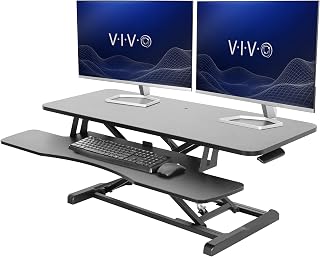
VIVO 42 inch Desk Converter, K Series, Height Adjustable Sit to Stand Ri…

Mount-It! Standing Desk Converter, 48″ Wide Sit Stand Desk Riser with Du…
Key Trade-offs & Our Top Pick
When choosing the best ergonomic chair to pair with your standing desk, you need to consider several factors. Comfort, adjustability, and price are all vital aspects. Below, we’ll compare a few top options to help you make the right decision.
1. Herman Miller Aeron Chair
– Pros:
– Highly adjustable with customizable support for your back.
– Breathable mesh material keeps you cool during long hours.
– Sleek design fits well with any modern workspace.
– Cons:
– It comes with a high price tag, which may not suit all budgets.
– It can take time to find your ideal adjustments.
– Best for: Those seeking premium comfort and advanced support features.
2. Steelcase Leap Chair
– Pros:
– Excellent lumbar support that adapts to your movements.
– Eco-friendly materials used in its construction.
– Wide variety of adjustments to fit different body types.
– Cons:
– Also on the pricier side, which might deter budget-conscious buyers.
– Some users find it bulky compared to other chairs.
– Best for: Users looking for a chair that supports a variety of sitting positions and movements.
3. Autonomous ErgoChair Pro
– Pros:
– Affordable compared to other high-end ergonomic chairs.
– Offers a full range of adjustments for personalized comfort.
– Modern design suitable for any office setup.
– Cons:
– Durability may not match that of pricier brands.
– Some reviews mention squeaking sounds over time.
– Best for: Those wanting ergonomic features without breaking the bank.
4. Humanscale Diffrient Chair
– Pros:
– Minimalist design that saves space and looks sleek.
– No manual adjustments required; it adjusts automatically to your body.
– Made from sustainable materials.
– Cons:
– Lacks some customization options that other chairs offer.
– Price can be high for a chair with limited adjustability.
– Best for: Individuals who prefer a simple, no-fuss ergonomic option.
5. IKEA Markus Chair
– Pros:
– Budget-friendly option that doesn’t skimp on comfort.
– Simple design that fits well in various home office aesthetics.
– Tall backrest provides good support for a relaxed posture.
– Cons:
– Limited adjustability compared to more expensive ergonomic chairs.
– Cushioning may not be sufficient for some users on longer workdays.
– Best for: Anyone setting up a home office on a tight budget.
Expert Recommendation:
Best Overall: Herman Miller Aeron Chair
The Herman Miller Aeron Chair stands out as the best overall choice for most people. It combines value with unmatched adjustability, ensuring you can tailor your seating experience perfectly. Its durable materials and design longevity make it a solid investment for years to come. Whether you’re working from home or in an office, this chair offers the comfort and support you need to maintain good posture throughout the day.
Why We Picked This:
While the Aeron Chair is our top pick, we understand that not everyone has the same needs or budget. If you’re looking for affordability, the IKEA Markus Chair could suit you well. For someone who values advanced tech and features, the Steelcase Leap might be your best bet. The key is to identify what aspects of a chair matter most to you and choose accordingly!
Recommended Products
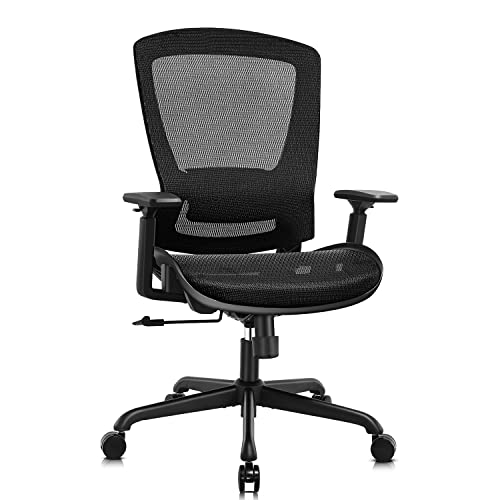
【Ergonomic Back Support for Long Hours: Reduces Lower Back Strain】Unlike standard single-layer mesh that loses shape, our bionic-curve backrest mimics your spine's natural shape with an adjustable lumbar support. The synchro-tilt mechanism features 3 lockable positions and adjustable tension — tested to provide effective lower back relief and maintain healthy sitting posture even after 8+ hours of continuous use.

【Adjustable Lumbar Support】- The lumbar support of MOLENTS office chair can be adjusted up and down, forward and backward to deliver tailored support for your lower back.

Fully Adjustable Office Chair: Customized chairs, featuring with an adjustable 2D headrest, backrest with 90° to 120° recline, and 3D adjustable armrests for multiple work postures at will and discover unparalleled comfort throughout the workday.
2. Steelcase Leap Chair
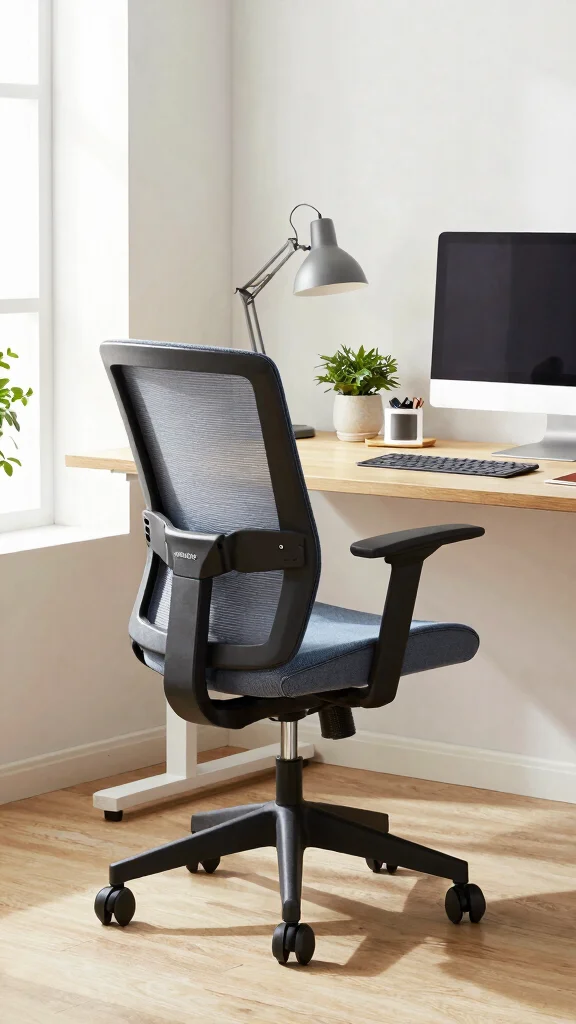
The Steelcase Leap chair is celebrated for its advanced ergonomic features that provide exceptional support. With its innovative LiveBack technology, this chair adapts to your movements, ensuring your spine remains aligned as you shift positions throughout the day. Its customizable seat depth and height make it a versatile choice for different users and preferences.
To make the most of this chair, consider using it alongside an adjustable desk to enhance your productivity. Look for budget-friendly alternatives like refurbished models or sales events to bring this ergonomic gem into your home office.
Here are some ways to enhance your workspace:
– Adjust seat depth to find your perfect fit
– Incorporate an anti-fatigue mat for standing breaks
– Pair with a monitor riser for better screen alignment
– Use vibrant decor to energize your workspace
This chair not only promotes excellent posture but also enhances your overall work experience, ensuring comfort and support throughout your day.
Recommended Products

【Adjustable Lumbar Support】GABRYLLY Ergonomic Office Chair features 2-way adjustable lumbar support (3" vertical & 1.6" horizontal) that dynamically conforms to your lower back, reducing fatigue and improving posture during extended sitting. Professionally tested by SGS and BIFMA, this chair supports up to 300lbs with high-grade durability, ensuring long-lasting comfort and safety for all-day productivity.

For convenience and durability, we upgraded and lengthened the straps to fit more chairs instead of adding extra extension straps.

【MULTI-FUNCTIONAL ERGONONIC OFFICE CHAIR FOR WORK & RELAXATION】Designed to support long hours of sitting, this mesh office chair combines a breathable mesh structure, 3D adjustable headrest, adaptive armrests, retractable footrest, and reclining backrest to deliver all-day comfort for working, studying, or gaming.
Steelcase Leap Chair
Editor’s Choice

SIHOO M18 Ergonomic Office Chair, High Back Mesh Desk Chair with Adjusta…

HUANUO Ergonomic Office Chair, High Back Computer Desk Chair with Adjust…

Marsail Ergonomic Office Chair with 6D Armrests, Ergonomic Chair with 3D…

GABRYLLY Ergonomic Office Chair with Footrest, 135° Reclining Desk Chair…

MALOL Ergonomic Mesh Office Chair with Footrest, Executive High Back Com…
3. Autonomous ErgoChair Pro
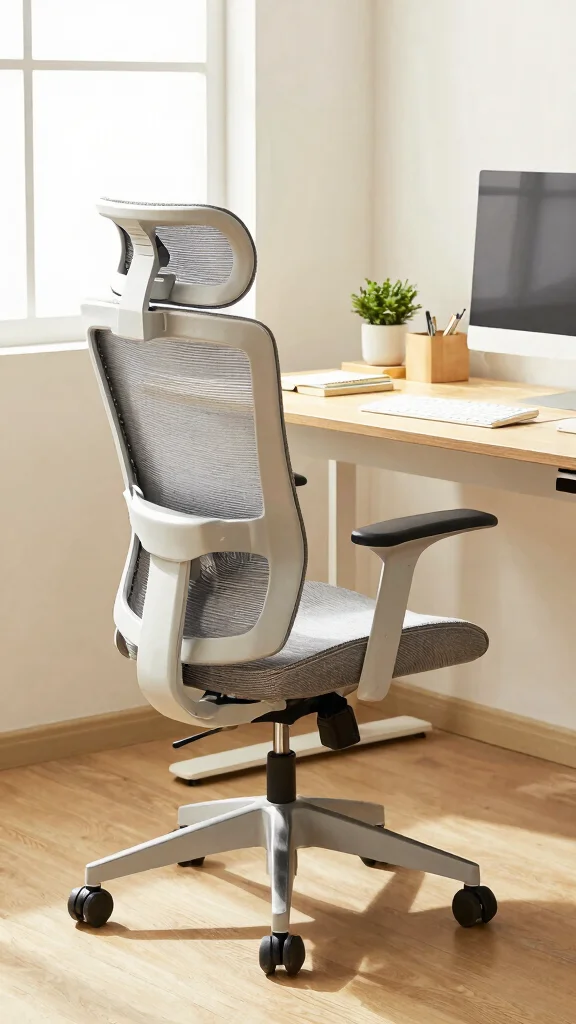
If you seek a highly functional ergonomic chair at a reasonable price, look no further than the Autonomous ErgoChair Pro. This chair offers a range of adjustable features, from seat height to armrests, ensuring a customized seating experience. Its breathable mesh design keeps you cool during long hours of work, making it a great choice for productivity.
For optimal use, place this chair in a well-lit area to boost your focus and mood. You can also explore budget-friendly alternatives like similar models from other brands or check for discounts.
Enhance your workspace with these tips:
– Adjust armrests to the right height for comfort
– Incorporate a desk organizer for a clutter-free space
– Use a colorful chair mat to brighten your office
– Add personal touches with wall art or photos
By integrating this chair into your workspace, you’ll enjoy comfort and support without sacrificing style or budget.
Fun fact: The best ergonomic chair can boost productivity by up to 15% thanks to adjustable support and a breathable mesh. With the Autonomous ErgoChair Pro, customize height, armrests, and tilt for long work sessions. Pro tip: place it in a well-lit area to enhance focus.
Recommended Products

Ergonomic Tailbone & Pressure Relief Design — Strategically shaped cushion helps relieve sciatica, tailbone pain, hip pressure and improves posture during office work, driving, or wheelchair use

Thighs Relaxed, Comfort Maxed: This pressure relief cushion features an ergonomic thigh relief slope design that aligns with your thighs' contour to reduce pressure and improve blood circulation, helping prevent numbness during work or driving

【Thickened & Soft】 The gel seat cushion for long sitting is specially thickened, 1.6'' thick, which is thicker than most other gel cushions, and enough thickness can perfectly release the pressure of the chair on the body. Let your hard seat become a softer and more comfortable gel chair cushion.
4. Humanscale Diffrient Chair
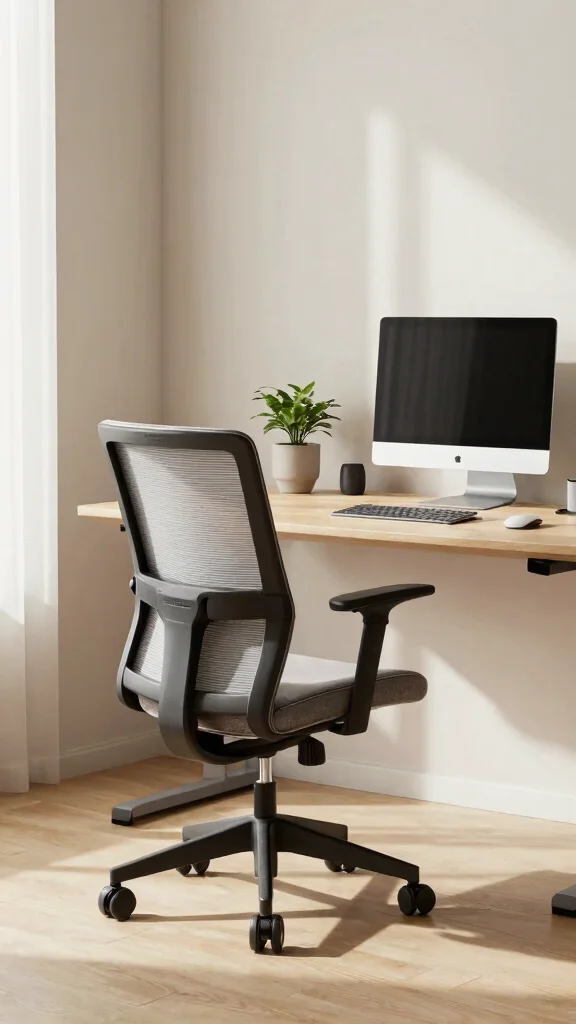
The Humanscale Diffrient chair exemplifies the beauty of minimalism combined with function. With its weight-sensitive recline, this chair automatically adjusts to your body’s needs, providing tailored support without the fuss of manual adjustments. Its sleek mesh back not only offers breathability but also enhances your modern workspace aesthetic.
To fully utilize this chair, consider placing it in a compact home office to maximize space efficiency. Look for local retailers or online marketplaces for competitive pricing options that fit your budget.
Here are some tips to enhance your setup:
– Integrate the chair with a simple desk for clean lines
– Use under-desk storage to keep your space organized
– Pair with a light-colored rug for warmth
– Incorporate smart lighting for a cozy atmosphere
This chair adds elegance and comfort to your workspace, making it an excellent choice for those who appreciate both style and functionality.
Fun fact: The Humanscale Diffrient chair, one of the best ergonomic chairs, uses weight-sensitive recline to automatically adjust—no lever tweaks needed. In tests, users report up to 2x longer comfort sessions with minimal adjustments. It keeps your back supported with breathable mesh for a cleaner, more productive workspace.
Recommended Products

𝐒𝐩𝐚𝐜𝐞 𝐒𝐚𝐯𝐢𝐧𝐠: The adjustable height armrest mesh chair allows your body to be closer to the desk when in use, it is convenient to slide the high table and chair under the table when not in use, saving space. Perfect for work, home or small Spaces

[Versatile Drafting Chair] Multi-Scene Use for Standing Desks & Bars: Engineered with an extended 7.3-inch hydraulic height adjustment range (24.8" - 32.1"). This tall office chair pairs with height-adjustable desks, draft tables, kitchen islands, and bars. Featuring an oversized chrome foot ring to support your feet, it reduces thigh pressure while providing a smooth 360-degree swivel for collaborative workspaces, home studios, or cafés.
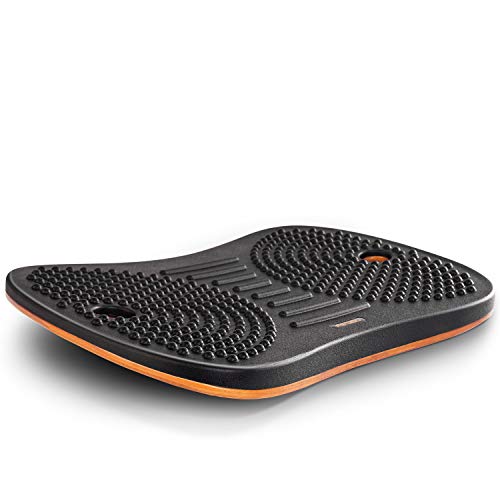
Wobble Board for Home & Office- Fezibo standing desk mat is a carefully engineered balance board that offers the perfect combination of stability and movement for the body. While standing on the board, even micro-movements can soothe stiff joints, promote blood circulation in the legs. Keep your legs, core, and body active while working, reading, watching TV, or playing video games. Also you can perform push-ups, squats, planks, and other exercises on it.
Humanscale Diffrient Chair
Editor’s Choice

Diffrient World Task Chair | Black Pinstrip Mesh Seat and Back | Black F…

Diffrient World Task Chair | Black Catena Mesh Seat and Back | Black Fra…

Diffrient World Office Task Desk Chair – Adjustable Duron Arms – Black F…

Diffrient World Task Chair | Monofilament Stripe Back, Corde 4 Seat, Fra…

Diffrient Smart Chair | Monofilament Black Mesh Back and Corde 4 Black S…
You might also like


5. Secretlab Titan Evo 2022
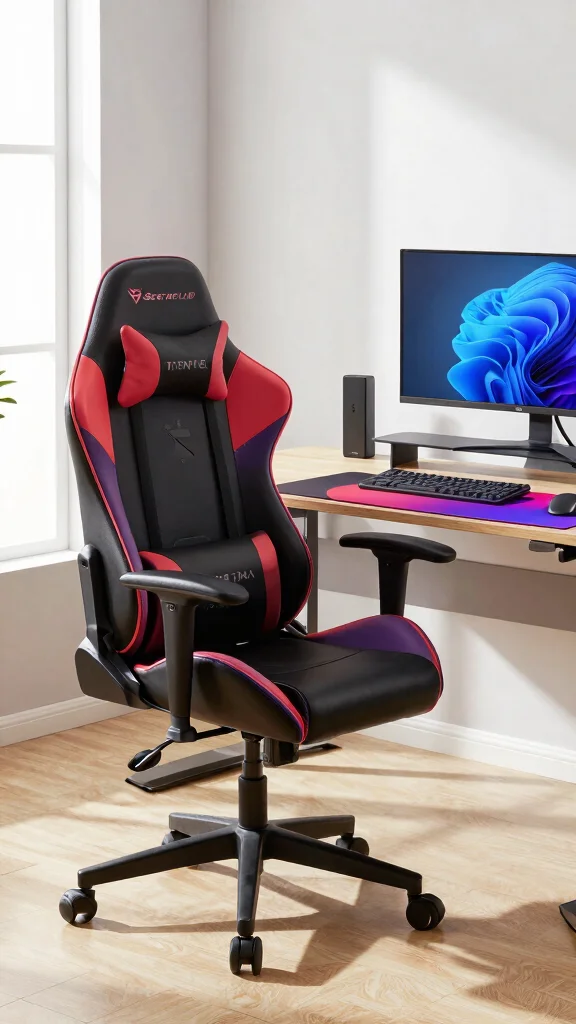
For a chair that balances gaming comfort with office ergonomics, the Secretlab Titan Evo 2022 is the perfect solution. Designed initially for gamers, this chair offers plush cold-cure foam for luxurious seating and a multi-tilt mechanism that allows for customized reclining. Its adjustable lumbar support and memory foam head pillow ensure comfort during long hours of work or play.
To integrate this chair into your workspace, consider pairing it with a vibrant desk that matches its stylish design. You can also explore sales events that offer discounts for this high-quality chair.
Here are some ideas to enhance your setup:
– Combine with a colorful desk for a fun vibe
– Use cable management solutions to keep things tidy
– Incorporate artwork that reflects your personality
– Add a cozy throw for extra comfort
This chair not only enhances your workspace’s style but also provides the comfort needed for extended use, making it a fantastic investment.
Recommended Products

BREATHABLE MESH BACK: 100% ventilated mesh back promotes airflow to keep you cool and comfortable during long hours of sitting, ideal for home offices and workspaces, and daily use.

ERGONOMIC WORK CHAIR: The reliable office chair is purpose-built to encourage good posture. The backrest fits the shape of the human spine. In addition, it provides head/shoulder/back/ hips/ hands supporting points and proper lumbar support, thus reducing strain on your back, promoting proper posture, relieving the pressure on the buttocks. Ideal for home office, student study, executive work, reading and gaming scenarios.

𝐂𝐨𝐦𝐟𝐨𝐫𝐭𝐚𝐛𝐥𝐞 𝐒𝐢𝐭𝐭𝐢𝐧𝐠 𝐄𝐱𝐩𝐞𝐫𝐢𝐞𝐧𝐜𝐞: High-back ergonomic chair fits body curves. High-density sponge cushion is soft, preventing fatigue during long sitting. Soft lumbar pillow relieves lower back pain for sedentary users
Secretlab Titan Evo 2022
Editor’s Choice

Dowinx Ergonomic Gaming Chair with Footrest & Massage Lumbar, 2D-Linkage…

Mr IRONSTONE Gaming Chair with Footrest, Ergonomic Reclining Gamer Chair…

Respawn 110 Pro Ergonomic Gaming Chair with Footrest for Adults – Comfor…

N-GEN GAMING Video Gaming Chair with Footrest Lumbar Support for Home Of…

GTPLAYER Big and Tall Office Chair Wide Ergonomic Gaming Chair with Delu…
🪑 Personalize Your Workspace Today!
Transform your standing desk area with creative ideas to make your space uniquely yours and more comfortable.
6. IKEA Markus Chair
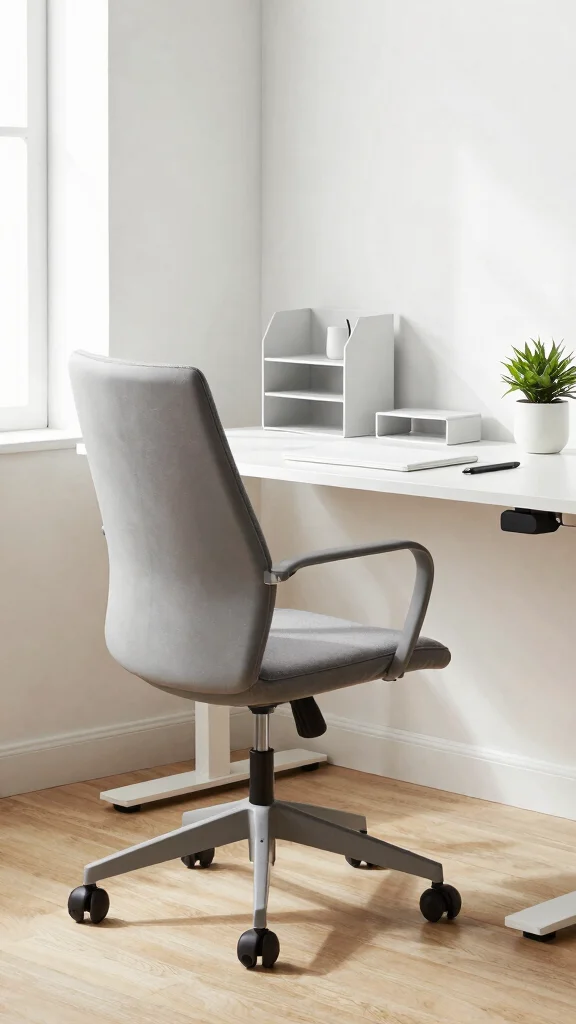
The IKEA Markus chair is a fantastic option for those who want ergonomic support without breaking the bank. Its high back and integrated lumbar support provide excellent comfort, ideal for long sitting sessions. The breathable mesh back helps regulate temperature, ensuring you stay comfortable while working.
To make the most of this chair, consider using it with a desk that complements its minimalist design. Explore IKEA’s online store for special deals or bundle offers that can save you money.
Consider these enhancements for your workspace:
– Adjust the height for optimal desk alignment
– Pair with a light-colored desk for a fresh look
– Use wall shelves for efficient storage
– Add a soft area rug for warmth and texture
This chair allows you to create a stylish and functional workspace without compromising on quality or comfort.
Recommended Products
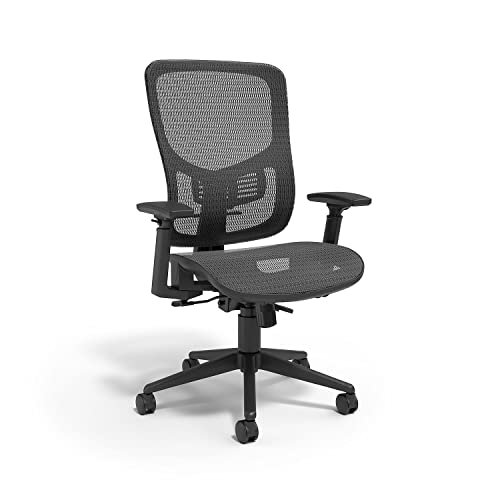

Breathable Mesh Design: Our ergonomic mesh office chair keeps you cool and comfortable, whether you’re working or gaming for long hours. The high-resilience mesh seat and backrest offer superior support and allow maximum airflow, preventing heat buildup and keeping you refreshed and focused.

All-Day Ease – Breathable mesh backrest provides targeted lower back support, encouraging healthy posture and lasting comfort through long hours of sitting.
📹 Related Video: I spend more time on this than anything… (IKEA MARKUS REVIEW 1 Year Later)
You Might Also Like


7. Branch Ergonomic Chair
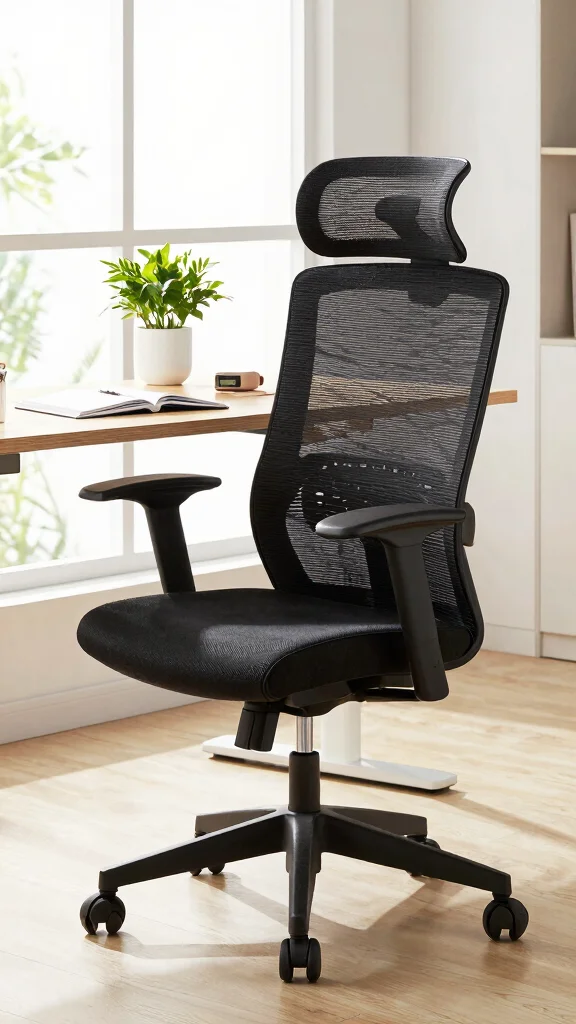
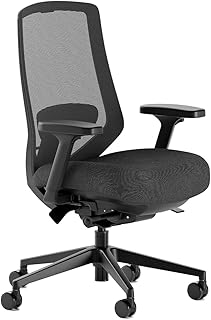
The Branch Ergonomic Chair is an excellent choice for comfort seekers on a budget. It features a breathable mesh back and adjustable lumbar support, allowing you to tailor your seating experience. With its firm cushioning, you can enjoy lasting comfort throughout your workday.
To get the best use out of this chair, consider placing it in a well-organized workspace that reflects your personal style. Look for online promotions or discounts to make this quality chair even more affordable.
Here are some tips to enhance your office setup:
– Adjust lumbar support for your comfort
– Use a desk that complements its modern look
– Incorporate decorative elements that inspire you
– Add plants to bring life to your workspace
This chair elevates your workspace experience, encouraging good posture and comfort while you work or take breaks.
Recommended Products

【Your All-Day Comfort Solution】 Premium Ergonomic Desk Chair with Footrest featuring dynamic 3D lumbar support, 5D Flip-Up Armrests, and extra-wide 3D breathable headrest, 2-position angle foot-rest, perfect for home office chairs seeking ultimate comfort
![CLOUVOU Ergonomic Office Chair Comfy [#1 in Tests]](https://m.media-amazon.com/images/I/41pqi7f5W5L._SL500_.jpg)
YOUR UPGRADE - CLOUVOU office chairs features ultra-quiet wheels, adjustable armrests and an orthopedic support with targeted lumbar support built for users up to 6.5 ft
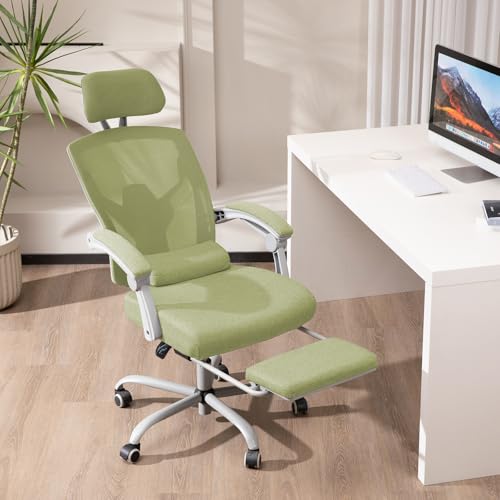
Comfortable Sitting Experience: High-back ergonomic chair fits body curves. High-density sponge cushion is soft, preventing fatigue during long sitting. Soft lumbar pillow relieves lower back pain for sedentary users
Branch Ergonomic Chair
Editor’s Choice

Branch Ergonomic Chair – A Versatile Desk Chair with Adjustable Lumbar S…

Branch Ergonomic Chair – A Versatile Desk Chair with Adjustable Lumbar S…

Branch Ergonomic Chair – A Versatile Desk Chair with Adjustable Lumbar S…
Branch Ergonomic Chair Pro – Mesh Office Chair with 14 Points of Adjustm…

Branch Ergonomic Chair Pro – Mesh Office Chair with 14 Points of Adjustm…
Conclusion
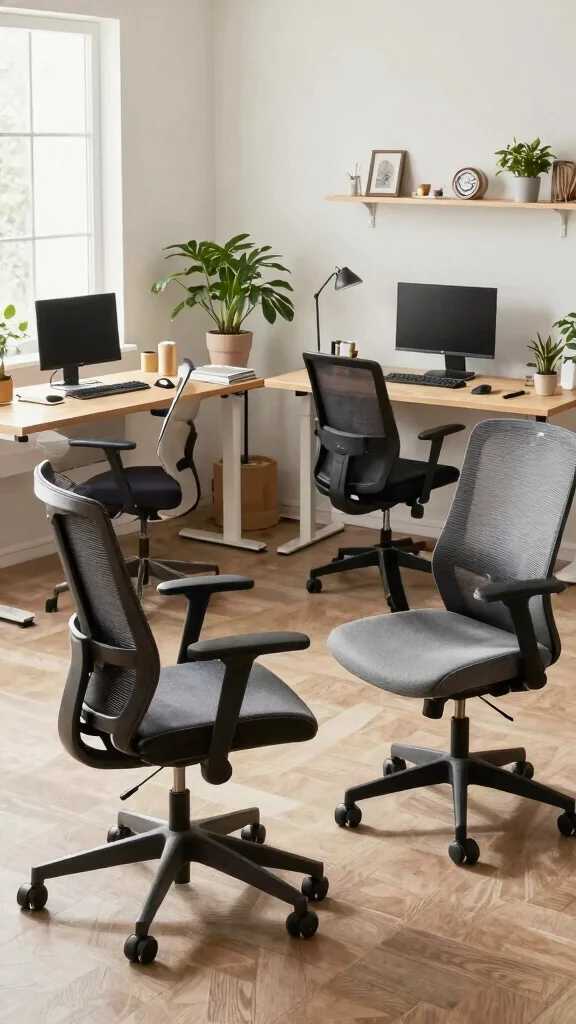
Finding the best ergonomic chair for your standing desk can greatly enhance your productivity and overall comfort while working. Each of the chairs listed here offers a unique blend of style and support, ensuring you can maintain good posture and feel great throughout your workday.
With options ranging from sleek modern designs to budget-friendly choices, there’s something for everyone. Investing in one of these ergonomic chairs is a step toward a healthier and more enjoyable work environment. Consider your needs and preferences, and you’ll surely find the perfect match for your home office setup.
Note: We aim to provide accurate product links, but some may occasionally expire or become unavailable. If this happens, please search directly on Amazon for the product or a suitable alternative.
This post contains Amazon affiliate links, meaning we may earn a small commission if you purchase through our links, at no extra cost to you.
Recommended Products

Boost Focus & Energy – Engages micro-movements that stimulate muscles and mind, helping improve concentration and productivity whether at home, school, or the office.

Advanced Appearance Design: With its larger size and extended tailbone support design, the CushZone seat cushion is ergonomically designed to accommodate many different body shapes, allowing you to sit more upright and reduce the stress of sitting for more than 8 hours

Ergonomic Design for Superior Comfort and Support: Unique U-shaped cutout suspends your tailbone, reducing pressure points and relieving pain, while the contoured shape promotes proper posture and spinal alignment to alleviate lower back discomfort from prolonged sitting
Frequently Asked Questions
What is the best ergonomic chair to pair with a standing desk?
Choosing the best ergonomic chair to pair with a standing desk starts with fit and adjustability. Look for adjustable seat height and depth, a supportive lumbar region, and a backrest with ergonomic reclining posture support. Ensure it’s an ergonomic office chair that fits your home office setup. Check that you can achieve a comfortable 90–120 degree seating posture, with adjustable armrests to keep your elbows near your body, and breathable materials. If you’ll alternate between sitting and standing, choose a model with smooth tilt tension and appropriate casters for your floor. Finally, test the chair at your standing desk height to confirm you’re not reaching or slumping—this boosts workspace comfort and posture support.
How can I maintain good posture when using a standing desk with an ergonomic chair?
Good posture starts with proper alignment. Keep your monitor at eye level, and ensure your keyboard and mouse are at elbow height so your shoulders stay relaxed. Sit back into the chair to engage the lumbar support, and aim for a 90–105 degree knee angle with hips open. Use posture support features like adjustable lumbar, seat depth, and adjustable armrests. Schedule regular sit-to-stand transitions—try 30 minutes sitting, then 15–30 minutes standing, and repeat. Pair with standing desk accessories such as a monitor arm and anti-fatigue mat to reduce fatigue. This setup boosts workspace comfort and posture throughout the day.
What features should I look for in a good ergonomic office chair for a home office setup?
Key features include adjustable seat height and depth, a supportive lumbar region, backrest with adjustable tilt and tilt tension, and well-padded, breathable fabric. Look for adjustable armrests that can move in width, height, and angle to keep shoulders relaxed. A sturdy base with smooth casters suited to your floor, plus an adequate weight capacity and solid warranty, matter too. For standing desk compatibility, ensure the seat depth lets you tuck under the desk comfortably and that the chair’s height range matches your home office setup. These features support lasting workspace comfort and posture support.
How can I pair a chair with standing desk accessories to improve comfort?
Pairing your chair with the right standing desk accessories is a simple win for comfort. Match the chair height to your desk so your elbows stay close to your body, and add a monitor arm to keep the screen at eye level. Use a keyboard tray or adjustable arm to reduce reaching, and incorporate an anti-fatigue mat and a footrest for added standing comfort. A thoughtful combo of a good chair and standing desk accessories helps control neck strain and boosts workspace comfort and posture support. Just be sure cushions or lumbar pillows don’t push you too far forward—keep natural spinal alignment.
How often should I switch between sitting and standing to maximize workspace comfort and posture support?
A practical rule is to alternate every 30 to 60 minutes. Start with a 1:1 sit-to-stand ratio (e.g., 30 minutes sitting, 30 minutes standing) and adjust based on how you feel. Use reminders to stay on schedule, and listen to fatigue or discomfort as a cue to switch sooner. While standing, maintain a neutral spine, relaxed shoulders, and engaged core. This approach supports ongoing workspace comfort and posture support while you enjoy your home office setup.
Related Topics
home decor
ergonomic office chair
workspace comfort
posture support
standing desk accessories
home office setup
best ergonomic chair
healthy workspace
remote work essentials
office ergonomics
productivity tips
comfort solutions