
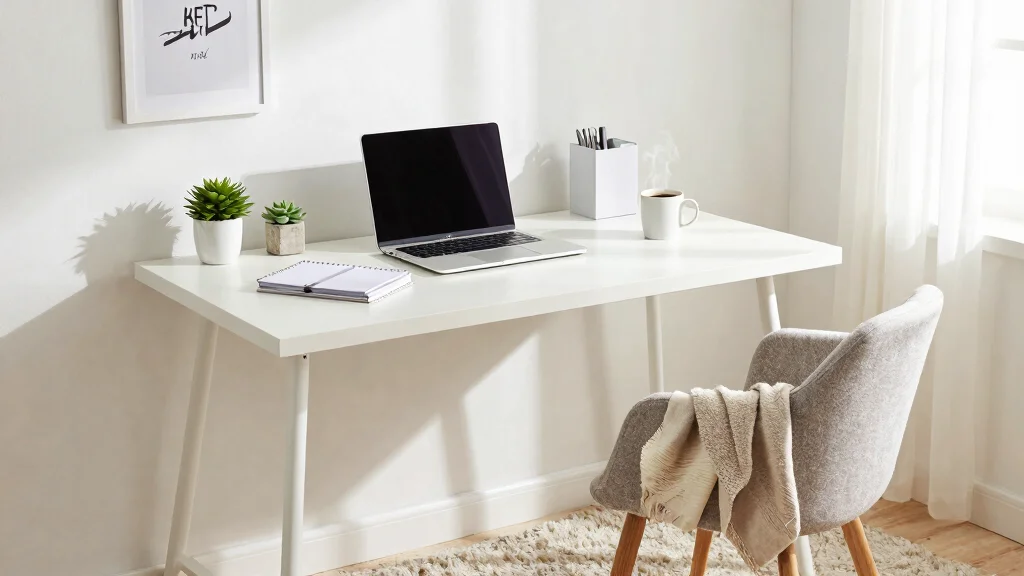
Working from home has become a new normal for many of us, but let’s be honest: it can be filled with distractions. Maybe the laundry is calling your name, or perhaps your favorite show is just a click away. I created this post to help you tackle those distractions head-on. If you’re struggling to maintain focus in your home office, you’re definitely not alone.
This guide is perfect for anyone wanting to improve their home office organization and boost productivity. Whether you’re a seasoned remote worker or just trying it out for the first time, you’ll find practical tips that resonate with you. I pulled together eight strategies that are simple, effective, and designed to help you avoid distractions while working from home.
By the end of this post, you will have actionable insights to create a focused workspace, manage your time wisely, and keep those pesky distractions at bay. Let’s dive into these strategies to transform your work-from-home experience!
Key Takeaways
– Designate a Dedicated Workspace: Choose a specific area in your home solely for work. This helps your brain associate that space with productivity.
– Declutter Your Home Office: Keep only essential items on your desk. A tidy space can lead to a clearer mind and better focus.
– Set Clear Boundaries: Communicate your work hours to those around you. This helps minimize interruptions and keeps you on track.
– Embrace Time Management Techniques: Utilize methods like the Pomodoro Technique to break down your work into manageable chunks, allowing for regular breaks.
– Limit Digital Distractions: Use apps to block distracting websites and notifications during your work hours to maintain concentration.
Recommended Products

Fully Adjustable Office Chair: Customized chairs, featuring with an adjustable 2D headrest, backrest with 90° to 120° recline, and 3D adjustable armrests for multiple work postures at will and discover unparalleled comfort throughout the workday.
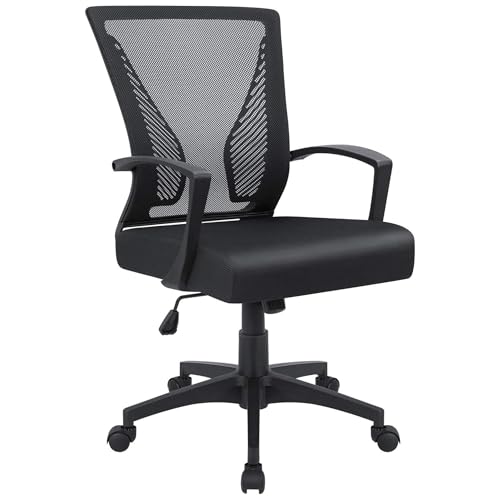
Ergonomic Design: The overall design of this office chair is ergonomic, two lumbar supports on the backside of the chair back are not only for beautiful looking, when you lean in the chair, it feels comfortable like two hands are supporting your waist, with a slightly concave design on the cushion, this chair can effectively relieve the back pain that caused by long hours of sitting, this will be a very wonderful experience for your use

Breathable Mesh & Back Support – Elastic mesh keeps air flowing and offers gentle support, while the contoured backrest promotes upright posture and stability.
1. Designate a Dedicated Workspace
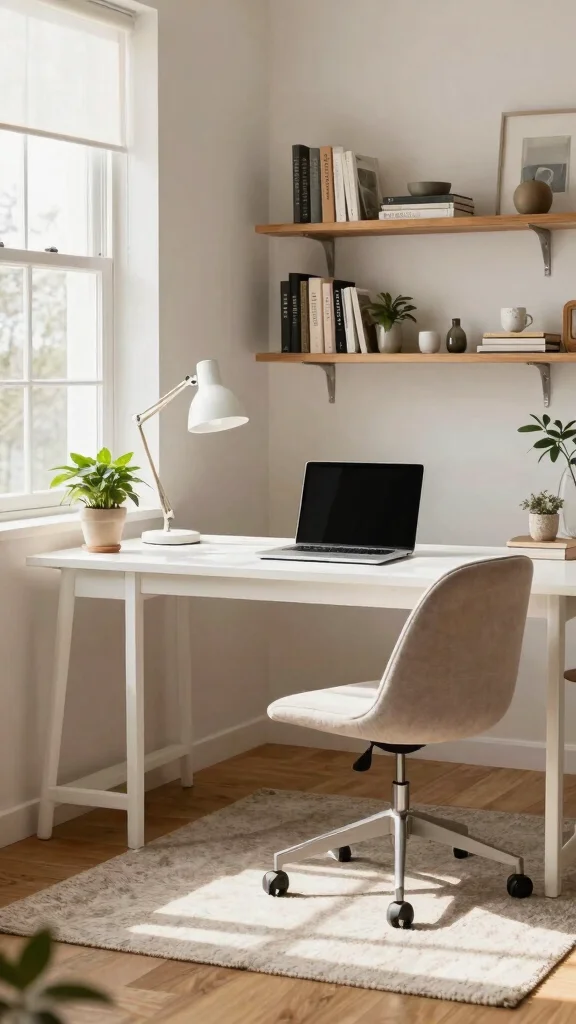
Establishing a dedicated workspace in your home is crucial for minimizing distractions and enhancing your productivity. Whether you choose a quiet corner in your living room or a spare room, ensure it’s a space solely for work. This separation helps your brain identify when it’s time to focus. For instance, pairing a sturdy desk with a comfortable chair creates an inviting atmosphere that encourages concentration.
To make the most of your workspace, consider practical tips to personalize and organize it. You don’t need to break the bank; affordable items can transform your area. Adding some greenery or artwork can inspire creativity, while keeping the space tidy will help maintain focus.
Consider these elements to create your ideal workspace:
– Pair a stylish desk with a supportive ergonomic chair
– Install shelves for organizing books and supplies
– Use decorative organizers to keep essentials within reach
– Incorporate a desk lamp to enhance lighting
A dedicated workspace not only boosts productivity but also fosters a sense of professionalism. Embracing different textures and materials can elevate your work environment even further.
Recommended Products

All-in-One Desk Organizer: WALI multi-tier desk organizer features 4 letter trays, a vertical file folder organizer, 2 metal pen holders and a sliding divided drawer, keeping your office supplies for desk tidy and maximizing desktop space, ideal for ideal for women and men as office desk accessories

Multi-Functional: Organize everything from notebooks, pens, pencils, sticky notes, markers, clips, staplers to scissors. Perfect for home offices, school, or dorms

【ENOUGH CAPACITY】: This desk organizer set of 6 tilt compartments, 4 flat bottom compartments slots, 1 tray compartment, and 1 drawer, to store a wide variety of items. Multifunction help you arrange the desk gadgets and stationary clean and tidy.The best and safest storage option for you. Perfect Size:9.33*8.5*3.54inch.
Designate a Dedicated Workspace
Editor’s Choice

VIVO 32 inch Desk Converter, K Series, Height Adjustable Sit to Stand Ri…


Fizzin Ergonomic Office Chair, 400 LBS Computer Chairs with Adjustable L…

WALI Desk File Organizer, 4 Tier Desktop Paper Letter Tray Organizer wit…
2. Declutter Your Home Office
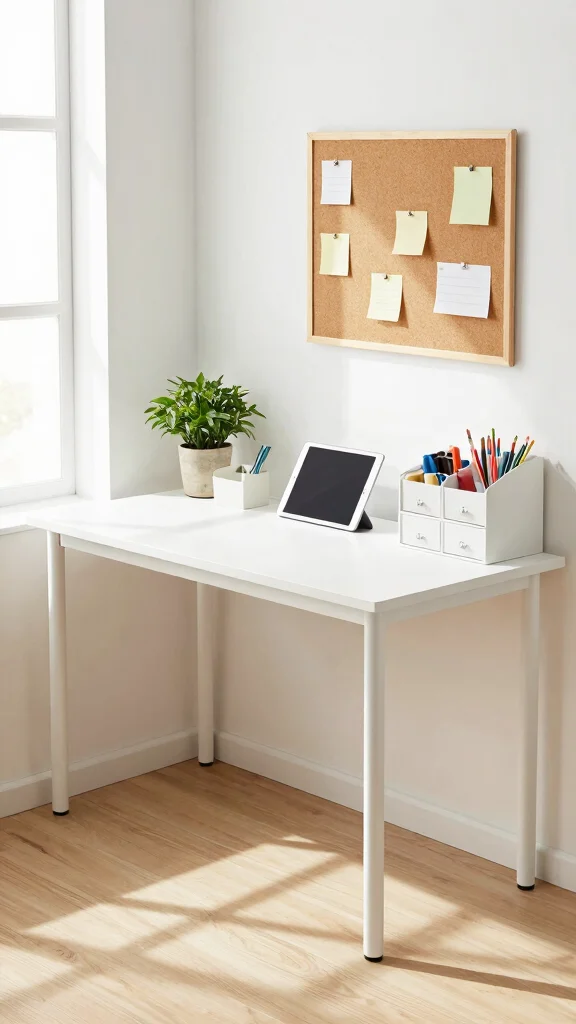
A clutter-free home office leads to a clearer mind, allowing you to focus better on your tasks. Start by organizing your desk and removing items that you don’t use regularly. Creating an orderly environment will help you feel more in control and less overwhelmed.
Implementing simple decluttering strategies can make a significant difference. For instance, using drawer organizers keeps small items sorted, while digitizing documents can drastically reduce paper clutter. Regular maintenance is key to a tidy space, so schedule routine decluttering sessions.
Here are some effective decluttering tips:
– Use drawer organizers to keep stationery neat
– Digitize important documents to save space
– Implement a ‘one in, one out’ rule for new items
– Schedule weekly decluttering sessions for upkeep
By maintaining a clean office, you’ll not only increase focus but also create an environment that feels more inviting and inspiring.
Did you know clutter can shave 7 minutes off your focus per hour? Decluttering your desk and digitizing papers can reclaim hours each week, helping you avoid distractions working from home.
Recommended Products

☀【Flexible panel & easy to storage】Our room divider is made up of six panels of the same size, which can move the shape of your space or block the part of your room as needed. Completely folded up for storage.

【CREATE A PRIVACY SPACE】- The screen room divider can section off space into separate areas as a temporary wall. Max expanded size is 120"W x 17.7"D x 72"H. Recommend to use in a zig zag shape with available width 100"~110"

Move and Store Freely:This office room divider is lightweight, so it's easy to store without taking up much space. Also it is flexible, and you can change or move it freely.
3. Set Clear Boundaries
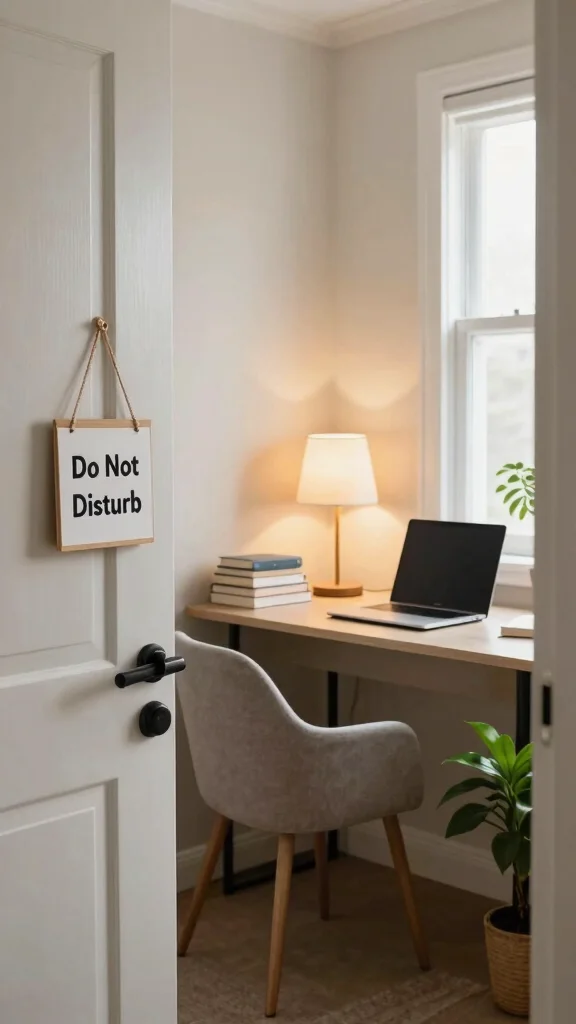
Establishing clear boundaries at home is vital to minimize interruptions while working. Communicate your working hours to family members or housemates, emphasizing the importance of your focus time. This mutual understanding fosters a more productive environment for everyone.
You can easily create these boundaries with a few practical strategies. For instance, using visual cues like a closed door or a ‘do not disturb’ sign can signal your need for concentration. Setting specific work hours and sticking to them will help reinforce your commitment to your tasks.
Implement these techniques to maintain boundaries:
– Use visual signals like a closed door or sign
– Set firm working hours and adhere to them
– Communicate openly about your needs for support
When everyone respects these boundaries, it helps create an atmosphere conducive to productivity while allowing everyone to manage their time effectively.
Recommended Products

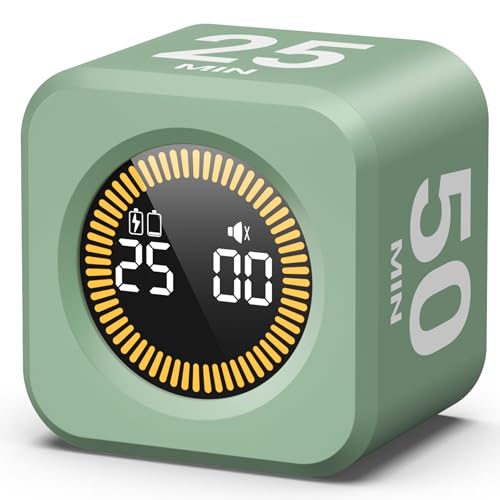
Unique design: The Printersjack pomodoro timer is designed to make your life more efficient and relaxing. It features six preset countdown times—3, 5, 10, 25, 30, and 60 minutes—that are activated with a simple flip. Additionally, you can customize the countdown using the M and S buttons below, which allow you to increase the time. This clock helps you manage your time effectively and take control of your day.

Unique design: The Printersjack pomodoro timer is designed to make your life more efficient and relaxing. It features six preset countdown times—3, 5, 10, 25, 30, and 60 minutes—that are activated with a simple flip. Additionally, you can customize the countdown using the M and S buttons below, which allow you to increase the time. This clock helps you manage your time effectively and take control of your day.

Set Clear Boundaries
Editor’s Choice

Teenyyou 100 Pcs Door Hanger Sign Bulk 3”x 6” Please Do Not Disturb Bo…

Hotel DND Do Not Disturb sign hanger for door, Sold in bulk Pack of 100 …

BusyBox S smart sign | Bluetooth | Battery Powered | Home Office | Wirel…

Modern Office Sign 11″ x 6″ Double-Sided Wall-Mounted Office Door Sign F…

Room Divider 6FT Portable Room Dividers and Folding Privacy Screens, 88’…
📝 Personalize Your Home Office Space
Transform your workspace with creative ideas that boost productivity and make working from home enjoyable.
4. Embrace Time Management Techniques
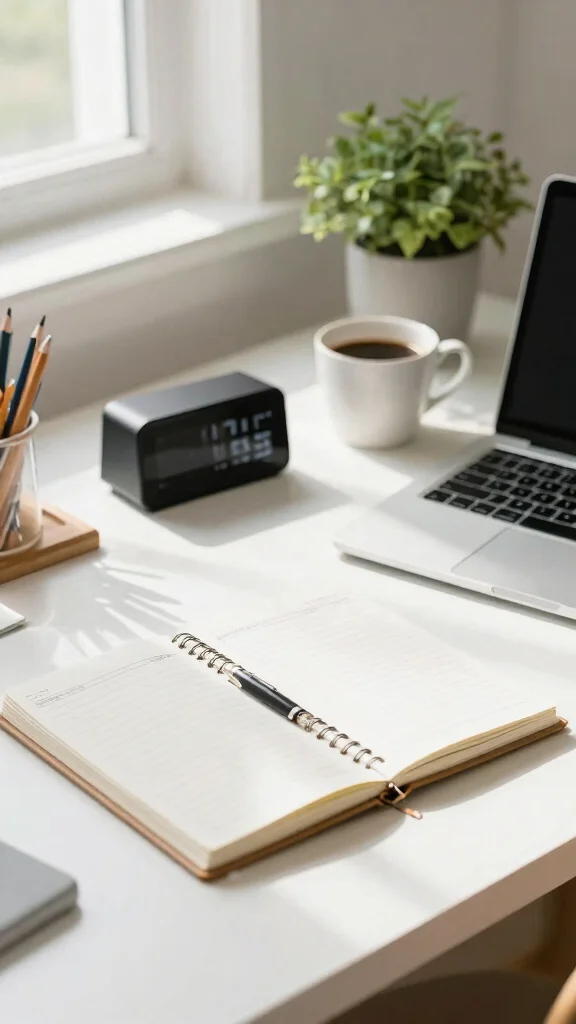
Mastering time management is essential for successful work-from-home experiences. Techniques like the Pomodoro Technique can help you stay focused and make the most of your work hours. By working in 25-minute intervals followed by short breaks, you keep your mind fresh and engaged.
Consider adopting additional strategies to enhance your productivity. Creating a daily to-do list helps prioritize tasks, while timers or apps can remind you when it’s time for a break. This approach prevents overwhelm and ensures you stay on track throughout the day.
Here are some time management strategies to implement:
– Create a daily to-do list to prioritize tasks
– Use timers to remind you when to take breaks
– Set realistic goals for each work session
With effective time management, you’ll reduce distractions and maximize your productivity, making your work hours more enjoyable.
Recommended Products

Take Back Control of Your Screen Time: Brick is a physical device that temporarily removes distracting apps and their notifications from your phone by creating real world friction. When you're ready to reconnect, return to your brick and tap to unblock your apps. Includes 1 grey Brick.
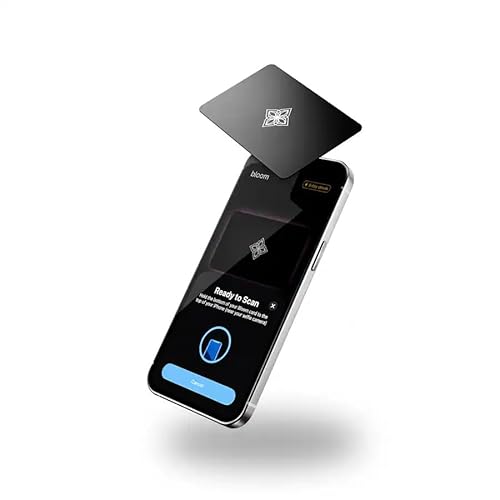
LOCK APPS AND WEBSITES INSTANTLY - Bloom is a stainless steel NFC keycard that blocks your most distracting apps (TikTok, Instagram, YouTube, etc.) and websites. Just tap the card to your phone to start a focus session.

Take Control of Screen Time: ALAFLY Phone Access Blocker provides a simple physical way to create distance from digital distractions. By adding a small step before accessing selected apps, it helps build more intentional phone habits and supports focused moments throughout your day
Embrace Time Management Techniques
Editor’s Choice

Jack Pomodoro Timer – Productivity Cube, Visual Focus Timer, Mute & Vibr…

Pomodoro Timer, Magnetic Visual Timer with Flip Countdown, Silent & Alar…

Ticktime Pomodoro Timer, Productivity Timer Cube, 5/15/25/30/45/60 Min P…

TK3 Pomodoro Timer Cube, Desk Productivity Timer with 5/10/30/60 Min Pre…

Pro Timer P2 – Elegant Wooden Pomodoro Timer – an Original Productivity …
📹 Related Video: How to gain control of your free time | Laura Vanderkam | TED
5. Limit Digital Distractions
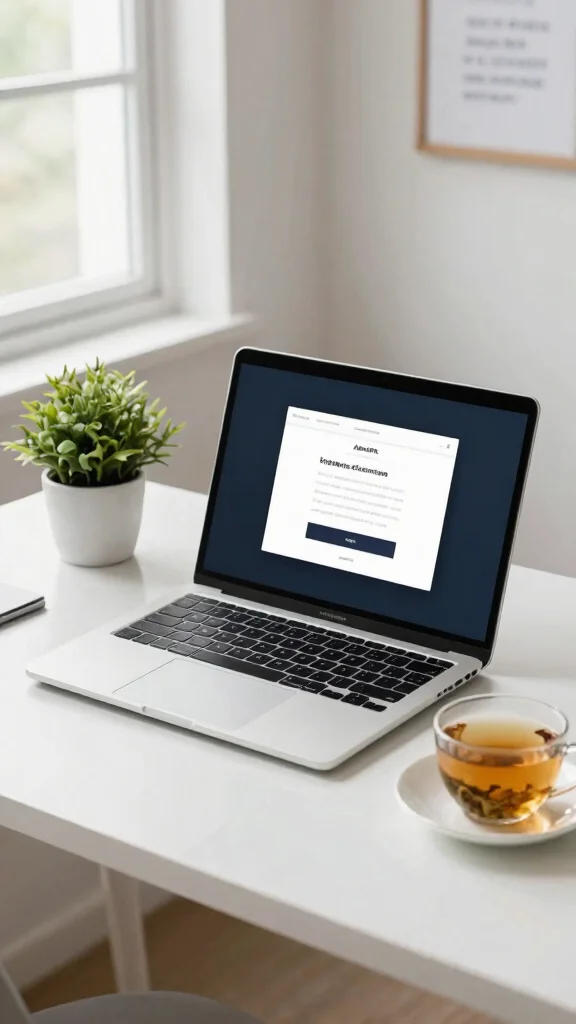
In our digital age, managing distractions from devices is vital for maintaining focus. Social media, emails, and personal messages can easily pull your attention away from important tasks. Taking control of your digital environment will help you stay on track.
Consider implementing strategies to limit these distractions. Using apps that block distracting websites during work hours can be a game changer. Additionally, turning off non-essential notifications creates a quieter workspace, allowing for greater concentration.
Try these methods to limit digital distractions:
– Use apps to block distracting websites during work
– Turn off non-essential notifications on devices
– Designate specific times for checking emails
By reducing digital noise, you’ll cultivate a workspace that truly supports your focus and productivity.
❝ Did you know the average adult checks their phone 96 times a day? To avoid distractions working from home, turn off non-essential notifications and use website-blocking apps during work hours—your focus will thank you. Try a quiet-hour routine to reclaim 45 minutes of productive time.
Recommended Products

ERGONOMIC WORK CHAIR: The reliable office chair is purpose-built to encourage good posture. The backrest fits the shape of the human spine. In addition, it provides head/shoulder/back/ hips/ hands supporting points and proper lumbar support, thus reducing strain on your back, promoting proper posture, relieving the pressure on the buttocks. Ideal for home office, student study, executive work, reading and gaming scenarios.

BREATHABLE MESH BACK: 100% ventilated mesh back promotes airflow to keep you cool and comfortable during long hours of sitting, ideal for home offices and workspaces, and daily use.

Multi-Adjustable Office Chair: Designed for customized comfort, this ergonomic office chair features a 2D adjustable headrest, a backrest that reclines from 90° to 120°, and 3D adjustable armrests. Adjust your gaming chair to support multiple work postures throughout the day.
Limit Digital Distractions
Editor’s Choice

Bloom Card – App Blocker & Screen Time Tool – As Seen On Shark Tank – Su…

BestSelf Helm Focus Device – Premium NFC-Powered Phone Distraction Block…

Phone Access Blocker Device, Smart Focus Pad with Free App, NFC App Bloc…

ZenTag Phone Jail Compatible with iOS 17+ – NFC App Blocker for Deep Foc…

Scrolly Physical App Blocker – Subscription-Free Phone Lock, Reduces Scr…
6. Invest in Ergonomics
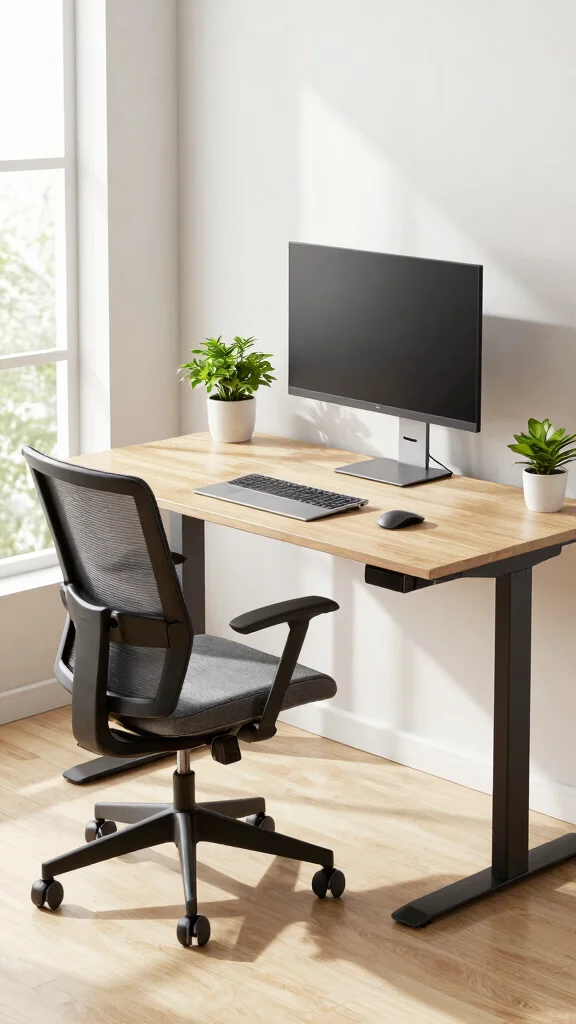
Your comfort directly impacts your ability to concentrate while working. Investing in ergonomic furniture can enhance your work-from-home experience and prevent physical strain. By prioritizing your physical wellbeing, you set the stage for improved focus and productivity.
When selecting ergonomic furniture, consider adjustable chairs that support your back and desks that accommodate your sitting position. Accessories like footrests and keyboard trays can further enhance your posture and comfort.
Here are some ergonomic essentials to consider:
– Choose an adjustable chair that supports your back
– Ensure your desk height suits your sitting position
– Incorporate accessories like footrests for better posture
Focusing on ergonomics not only boosts your productivity but also promotes your overall health, making it easier to stay on task.
Recommended Products

All-in-One Desk Organizer: WALI multi-tier rose gold desk organizer features 4 letter trays, a vertical file folder organizer, 2 metal pen holders and a sliding divided drawer, keeping your office supplies for desk tidy and maximizing desktop space, ideal for women and men as office desk accessories

🎁【Multi-Functional Office Organization】Get your work area in order with the OPNICE Desk Organizer! Featuring 4 spacious trays, a vertical file organizer, 2 convenient hanging pen holders, and a sliding drawer, you can store all your office supplies, classify and organize them, and keep your desktop tidy

ALL-IN-ONE DESKTOP ORGANIZER: Not only will this holder keep your game controllers, safe and secure and your desk and game space tidy and clutter-free, it also keeps everything you need on a day-to-day basis, and within easy reach, or, you can simply slide it out of the way when you need a little extra room.
Invest in Ergonomics
Editor’s Choice

LiberNovo SE Dynamic Ergonomic Office Chair with Footrest, Comfy Home Of…
![CleverSeat Ergonomic Office Chair Comfy [#1 in Tests] Ergonomic Chair wi...](https://m.media-amazon.com/images/I/71CcbjOOkQL._AC_UL320_.jpg)
CleverSeat Ergonomic Office Chair Comfy [#1 in Tests] Ergonomic Chair wi…

Ergonomic Office Chair, Mesh Computer Desk Chairs with Adjustable Lumbar…

ErGear Height Adjustable Electric Standing Desk, 48 x 24 Inches Sit Stan…

StrongTek Ergonomic Under Desk Footrest, 3 Adjustable Heights Wooden Off…
How To Create a Focused Workspace
Creating a focused workspace at home is essential for avoiding distractions and boosting your productivity. A well-organized home office can make a big difference in how efficiently you work. Here are some key strategies to help you set up a workspace that minimizes distractions.
1. Choose the Right Location
Select a spot in your home that is quiet and away from high-traffic areas. This helps reduce noise and interruptions. Ideally, find a corner or a room where you can close the door. If possible, pick a place with natural light to keep your mood elevated and energy levels high.
2. Invest in Good Furniture
Your desk and chair should be comfortable and functional. Choose a desk that provides enough surface area for your computer and other essentials. Make sure your chair supports your back well. Ergonomic furniture can minimize discomfort during long hours of work, making it easier to concentrate and remain productive.
3. Keep It Organized
Declutter your workspace to avoid visual distractions. Use organizers for papers, pens, and other supplies. A tidy space reduces stress and allows you to focus on your tasks. Regularly assess what you need on your desk and remove unnecessary items. Aim for a clean, inviting workspace that promotes focus.
4. Personalize Your Space
Incorporate personal touches like photos or artwork that inspire you. A few decorative items can make your workspace feel more comfortable and motivating. However, avoid over-decorating, as that can lead to more distractions. Balance is key when personalizing your environment.
5. Use Ambient Sounds
Sometimes, silence can be distracting. Consider using ambient noise or soft music to help you focus. There are many apps available that provide white noise or nature sounds. Test different types of background sounds to see which ones help you concentrate best.
6. Set Clear Work Hours
Establish a routine by setting specific work hours. This helps signal to yourself and others when you are in “work mode.” Communicate your schedule to family or housemates to minimize interruptions. Sticking to a routine can help you create a rhythm that enhances productivity.
Pro Tip: Keep a notepad nearby to jot down distracting thoughts or tasks that come to mind while you work. This allows you to address them later, keeping your focus on your current task.
By applying these strategies, you can create a focused workspace that helps you avoid distractions while working from home. With the right environment, you’ll find it easier to maintain your productivity and stay on track with your goals.
Recommended Products

Create Private Space: Our room divider is ideal for you to create your own space,can play a good role in rooms to functionally partitions. It can not only provide you with a private space, the simple and generous screen can also be used as decoration or background board in the home.

UL-94 VTM-0 Certified Fireproof Document Box - The fireproof document box is constructed with 0.8mm premium fire-retardant, non-irritating silicone-coated fiberglass that resists fire and has passed UL-94 VTM-0 flammability testing.

【Extra-Wide Privacy Screen】10% wider than average room dividers! This 6FT tall 4-panel screen room partition in 79.9", near-full coverage for studio apartment separation, home office partitions, or outdoor patio privacy
7. Incorporate Breaks Wisely
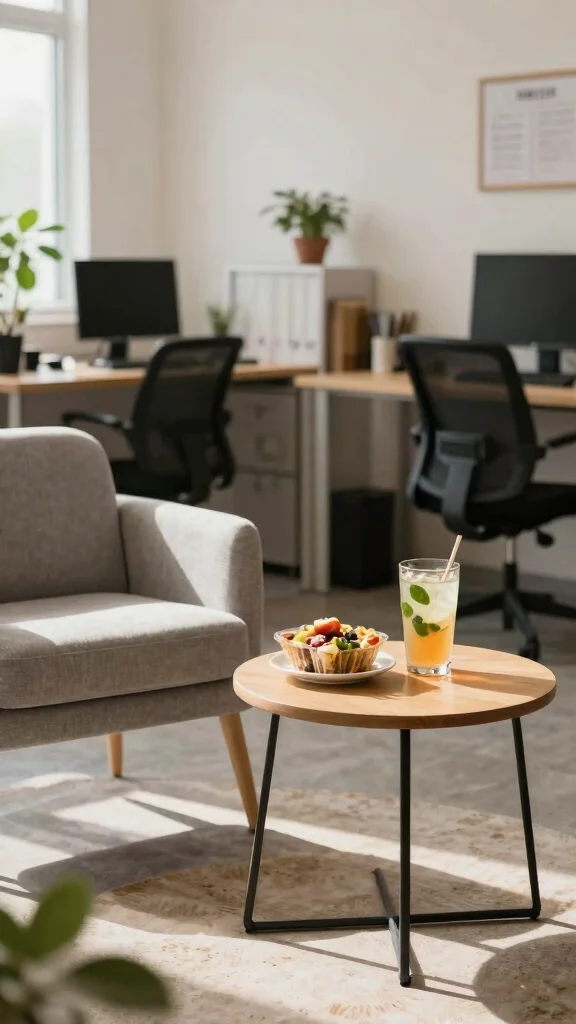
Regular breaks are essential for maintaining focus and productivity throughout your workday. However, the way you take breaks can significantly influence your overall performance. Instead of mindlessly scrolling through social media, opt for activities that genuinely refresh your mind.
Engaging in physical activities like a short walk or light stretching can help clear your mind and relieve tension. Nutrition plays a role too; having a healthy snack can keep your energy levels up and ready for the next task.
Here are some effective break ideas:
– Take a short walk outside to enjoy fresh air
– Do light stretching or yoga to relieve tension
– Snack on healthy options to boost energy
Incorporating breaks wisely rejuvenates your mind, helping you return to your tasks with renewed focus and energy.
Fun fact: a quick 5-minute walk boosts focus by up to 30% and reduces fatigue. When you avoid distractions working from home, deliberate breaks—stretching, a healthy snack, or a short stroll—refresh your mind and keep momentum.


Conclusion
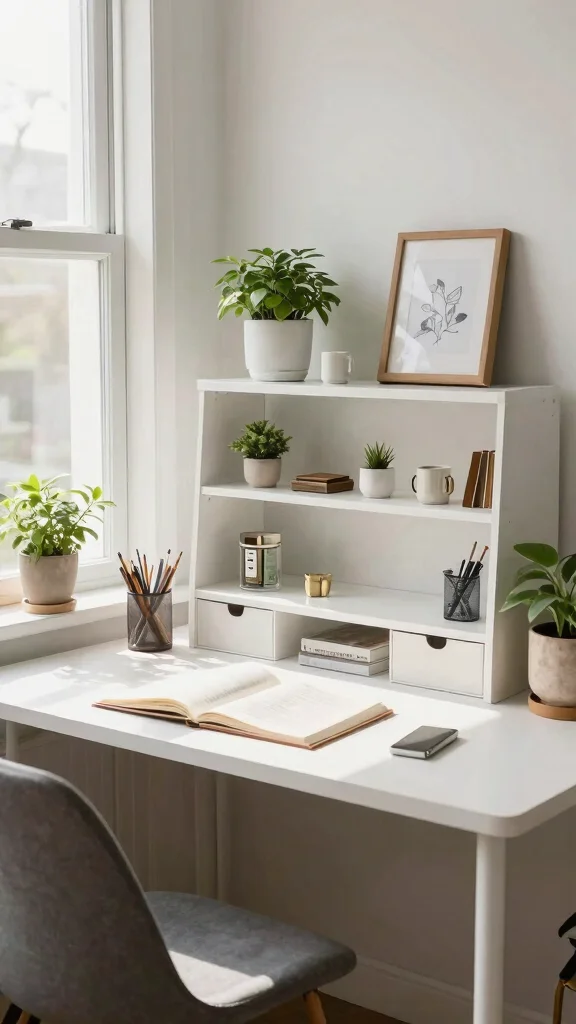
Transforming your home office into a distraction-free zone is absolutely achievable with the right strategies. From establishing clear boundaries and decluttering your space to embracing time management techniques, each step contributes to a more productive work environment.
By implementing these tips, you’ll not only enhance your focus but also cultivate a workspace that motivates you every day. So, grab your planner and start designing your ideal home office today!
Note: We aim to provide accurate product links, but some may occasionally expire or become unavailable. If this happens, please search directly on Amazon for the product or a suitable alternative.
This post contains Amazon affiliate links, meaning we may earn a small commission if you purchase through our links, at no extra cost to you.
Recommended Products

#1 PHARMACIST RECOMMENDED MEMORY SUPPLEMENT BRAND: Focus Factor is the #1 Pharmacist Recommended Brand based on the results of the U.S. Pharmacy Times Survey of Pharmacists’ OTC Recommendations for “Memory Support” dietary supplement, 2025-2026.

Take Control of Screen Time: ALAFLY Phone Access Blocker provides a simple physical way to create distance from digital distractions. By adding a small step before accessing selected apps, it helps build more intentional phone habits and supports focused moments throughout your day

Wide Compatibility: The ALAFLY phone access blocker works with both iOS and Android devices. Compatible with iPhone 17/16/15/14/13/12 series, Samsung Galaxy S26/S25/S24/S23/S22/S21 series, Google Pixel series, and other Android phones. Whether it’s your phone, your partner’s phone, or your child’s device — can support multiple users without platform limitations or extra purchases.
Frequently Asked Questions
What are the top strategies to beat distractions while working from home and stay productive?
Staying focused while juggling chores and meetings can be tough. Here are practical ways to beat distractions while working from home and stay productive.
First, set a dedicated workspace and maintain home office organization so everything you need is within reach and clutter won’t steal your attention. Next, build a consistent routine—same start time, a clear daily plan, and time management strategies that align with your energy highs. Use time blocks or the Pomodoro method to create focused work sprints and scheduled breaks. Turn off non-work notifications or enable Do Not Disturb during deep work sessions to minimize digital interruptions. Finally, optimize your environment with a focused setup: good lighting, a comfortable chair, and minimal visual clutter to support creating a focused workspace at home. Remember, avoid distractions working from home is a system you build, not a one-time fix.
How does home office organization help avoid distractions while working from home?
Great question. When your space is organized, your mind can focus instead of wandering. Start with home office organization: designate a primary work zone, add smart storage, and keep only what you truly need in sight. A tidy desk and visible file system reduce surface clutter that begs for attention. Create a simple layout with a dedicated filing spot and cable management to prevent cords from grabbing your focus. Regularly declutter: a quick 5-minute reset at the end of the day helps sustain decluttering your home office and keeps you aligned with creating a focused workspace. All of this adds up to practical productivity tips for remote work.
What are practical time management strategies to create a focused workspace at home?
Time is your best tool when you’re building a focused workspace at home. Try time management strategies like time blocking, batching similar tasks, and prioritizing MITs (most important tasks) at the start of the day. Pair this with clear boundaries: set a specific work window, communicate it to household members, and minimize interruptions during critical blocks. Use short, focused sessions (25–45 minutes) with regular breaks to maintain momentum. Keep digital distractions in check by turning off non-work notifications and using a simple task list aligned with productivity tips for remote work. These steps help you avoid distractions working from home.
How can decluttering your home office boost focus and productivity for remote work?
Decluttering your home office isn’t just tidying up; it’s mental clarity in action. Start with a quick 3-minute desk reset, then tackle three zones: your main desk, file storage, and digital workspace. When you remove unnecessary items and keep only what you truly use, you reduce decision fatigue and free space for focus. This habit supports decluttering your home office and makes room for a truly creating a focused workspace mindset. Pair with a weekly mini-cleanup and a digital declutter (close unused browser tabs) to sustain home office organization and time management strategies for remote work.
What simple decor and setup changes can help create a focused workspace to avoid distractions while working from home?
Small decor and setup tweaks can have a big impact. Choose calm, productive colors and warm lighting to reduce eye strain and boost concentration. Add a few practical elements: an ergonomic chair, a height-adjustable desk, and task lighting for focused work. Keep decor minimal on the wall behind your screen to limit visual distractions, and bring in one or two plants for freshness without clutter. Use shelving to hide cables and store supplies, reinforcing creating a focused workspace. These simple changes support home office organization and avoid distractions working from home.
Related Topics
home office organization
avoid distractions
productivity tips
focused workspace
declutter home office
time management
remote work strategies
work from home
minimalist workspace
easy organization
beginner friendly
work-life balance