
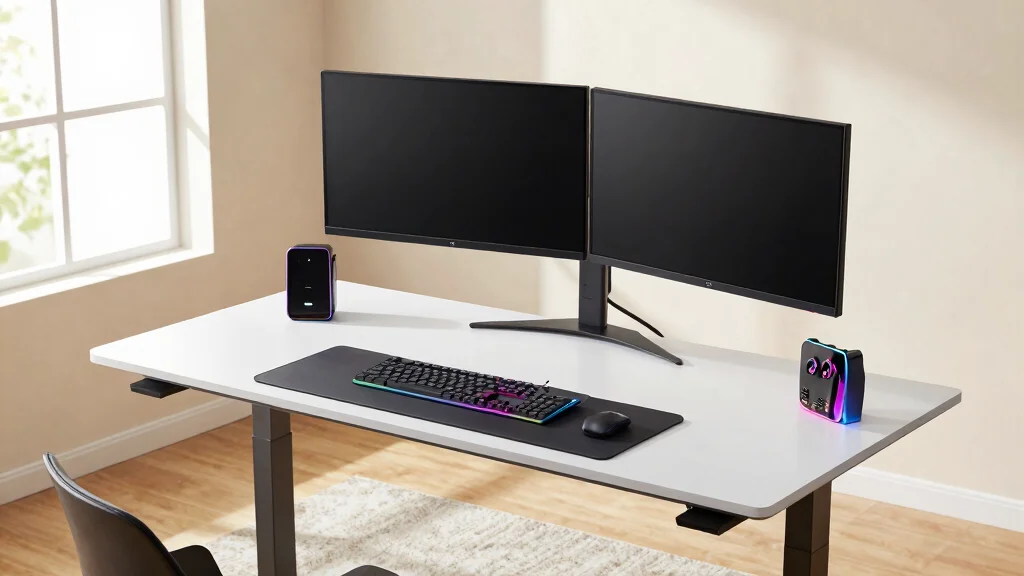
Creating the perfect workspace has never been more crucial, especially with the rise of remote work and gaming. If you’re craving a setup that combines functionality with style, you’re in luck! This post is all about standing desk dual monitor setups that’ll elevate your home office experience. Whether you’re a gamer seeking the ultimate battle station or a professional striving for that ergonomic desk setup, I’ve gathered some inspiring ideas tailored just for you.
This guide is designed for anyone eager to optimize their workspace. If you love to blend comfort with aesthetics, and you want your desk to reflect your personality while boosting your productivity, this post is for you. I’ve compiled nine unique standing desk setups featuring dual monitors. Each one will provide you with creative inspiration and practical organization tips to help you create a home office that’s not just a workspace but a reflection of who you are.
Get ready to dive into setups that are sleek, cozy, or even a little quirky. You’ll discover how to organize your workspace effectively while infusing it with your personal style. These setups promise not only to enhance your productivity but also to keep you comfortable during long hours of work or play. Let’s get inspired!
Key Takeaways
– Diverse Designs: Explore nine distinct standing desk setups that cater to different styles, from minimalist to gamer-centric.
– Ergonomic Benefits: Understand the importance of an ergonomic desk setup, specifically how dual monitors can help reduce strain and improve posture.
– Workspace Organization: Learn practical tips on how to keep your workspace organized, ensuring that your dual monitor arrangement maximizes efficiency.
– Home Office Decor: Discover decor elements that can enhance your home office, complementing the functionality of your standing desk and dual monitors.
– Boosting Productivity: Find out how each setup can contribute to a productivity boost, allowing you to work smarter and enjoy your space more.
Recommended Products

Efficient Desktop Organization: The electric standing desk maximizes organization with two desktop drawers to store items out of sight and an open storage cubicle for your keyboard, mouse, and other accessories. With a spacious 48″ desktop, you also have plenty of room to display your favorite decorations and collectibles.

Electric Height Adjustment – Sit or Stand Any Time: Quiet motor (under 52 dB) with memory presets. Easily switch between sitting and standing from 28.3" to 46.5" to help reduce sedentary time
1. The Sleek Minimalist
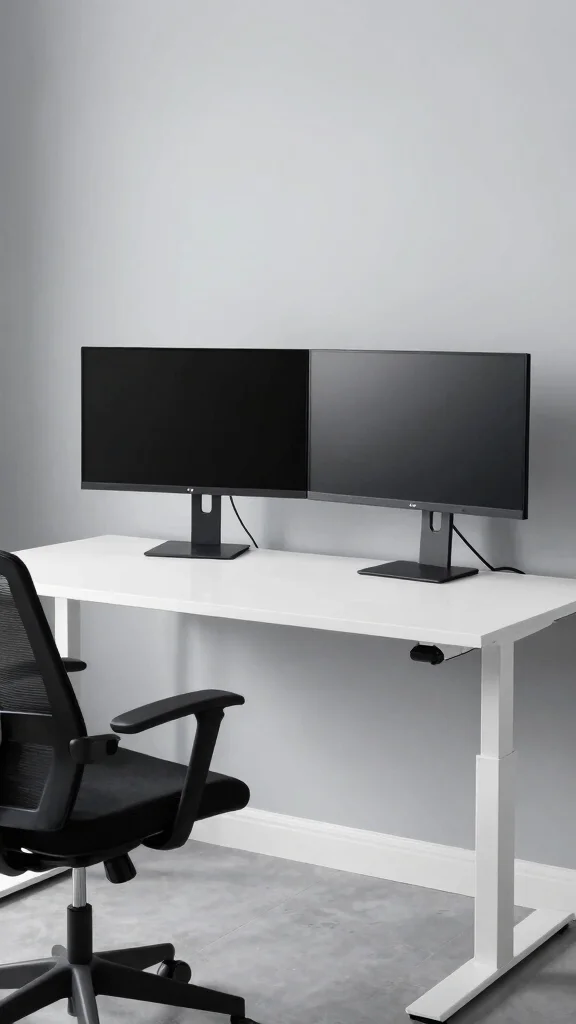
Embracing simplicity, the sleek minimalist setup creates a workspace that feels refreshing and uncluttered. This design relies on clean lines and a neutral palette, fostering a calming environment perfect for focused tasks. By positioning dual monitors side by side on a standing desk, you can enjoy an immersive view without distractions.
To bring this vision to life, consider incorporating elements that enhance both style and function. Affordable options like using laminate finishes or DIY cable management solutions can keep your space looking pristine without breaking the bank. This design approach aligns with the growing trend of minimalism, promoting clarity and productivity.
Consider these elements to enhance your minimalist setup:
– Pair neutral-colored furniture with light wood accents.
– Install an adjustable keyboard tray for ergonomic comfort.
– Use cable organizers to hide unsightly wires.
A minimalist aesthetic not only uplifts your mood but also allows for a serene workspace, where every texture and material adds to the overall harmony.
Even a clean, minimalist desk can power your focus with a standing desk dual monitor setup. When monitors sit side by side on a calm, neutral backdrop, distractions fade and productivity feels effortless. Pro tip: start with a single cable tray to stay uncluttered.
Recommended Products

Universal Monitor Desk Mount - The dual monitor mount fits flat and curved screens 4.4lbs - 17.6 lbs in weight and 17-32 inches diagonal; compatible with VESA patterns 75x75 mm and 100x100 mm. Double-monitor users need a break, too. Let's not let the strain be in the neck and back regions of the body. Enjoy the benefits of monitors that float above your desk and see how much space and productivity you can gain.

Keep Your Desk Organized: By lifting 2 screens off the desktop, this computer monitor arm opens up valuable space for your keyboard, notebook, docking station or a simple, clutter-free work area. Built-in cable management guides wires along the arms, keeping cords out of sight and out of the way. Enjoy a tidy, modern workstation that looks as good as it feels to use.

Fits 13" to 27" Screens: Freestanding dual monitor mount holds two screens 13” to 27” and up to 22 lbs with 75x75mm or 100x100mm backside mounting holes. Keep power and AV cables clean and organized with detachable cable clips on the arms and center pole
📹 Related Video: Architect’s Clean & Minimal Mac/PC Hybrid Desk Setup
The Sleek Minimalist
Editor’s Choice

TEAMIX Wood Monitor Stand Riser-2 Pack, 2 Tier Adjustable Monitor Stand …


N NOROCME 192 PCS Cable Management Kit 4 Wire Organizer Sleeve,11 Cable …
2. The Gamer’s Paradise
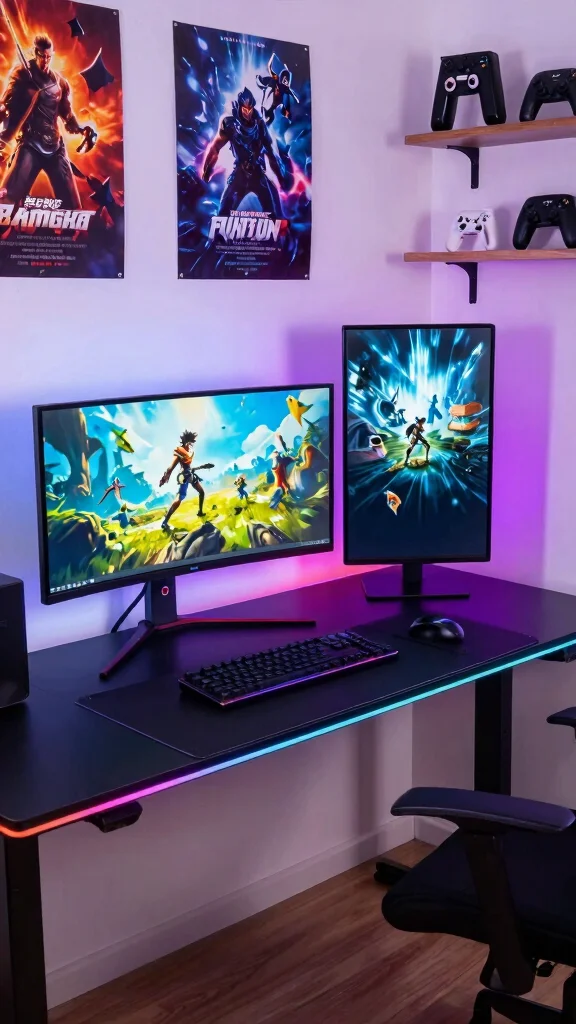
Transforming your workspace into a gamer’s paradise combines functionality with vibrant flair. This setup thrives on energetic RGB lighting and unique gaming peripherals, making it a lively space for both work and play. The standing desk allows for easy transitions between sitting and standing, keeping your energy levels high during long sessions.
To make this gaming haven a reality, focus on integrating budget-friendly tech and decor that reflects your gaming style. Look for sales on RGB accessories or DIY projects that add personal touches without overspending. This setup not only enhances your gaming experience but also allows for seamless multitasking.
Enhance your gaming workspace with these features:
– Install LED strips behind monitors for ambient lighting.
– Arrange monitors for optimal viewing angles during gameplay.
– Showcase your favorite gaming collectibles as decor.
This vibrant setup keeps you engaged and comfortable, whether you’re immersed in your favorite game or tackling work projects.
Recommended Products

Saves Desk Space: This 26.8” (32.5" including clamps) x 11” under-desk keyboard tray holds your keyboard, mouse, and other small accessories below the desktop for added work space --Patent Pending--

Two Installation Options: Cross beams? Problem solved! This keyboard tray under desk fits both flat desk bottom and desks with cross beams (such as electric standing desks). It includes two specially-designed brackets for cross-beam installation (fits beams up to 2″ in height). If your desk has a cross beam, please verify its size before purchasing.
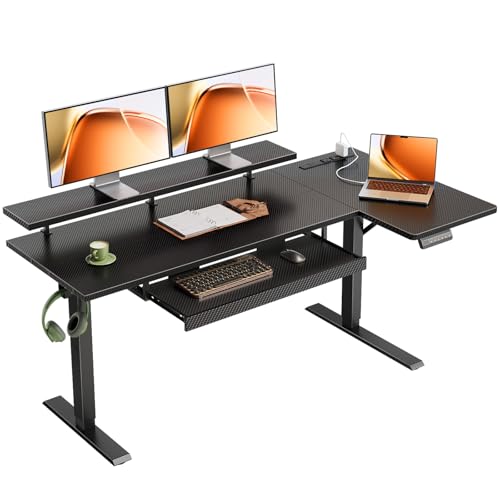
【Smooth Electric Height Adjustment & Memory Control】The electric L shaped standing desk adjusts smoothly from 28.4" to 47.2", making it easy to switch between sitting and standing throughout the day. A stable motor operates at around 50 dB (no-load) for quiet use, while 3 programmable memory presets let you save preferred heights for quick, personalized adjustments.
The Gamer’s Paradise
Editor’s Choice

Redragon K580 VATA RGB LED Backlit Mechanical Gaming Keyboard with Macro…
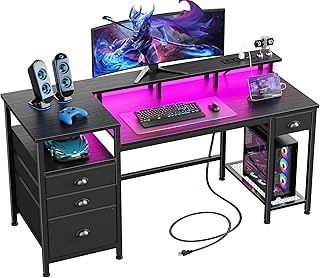
Furologee 60″ Black Computer Desk with 4 Drawers and Printer Space, Gami…

ErGear Single Monitor Arm, Fully Adjustable Monitor Mount for 13–34 In…
3. Cozy and Rustic
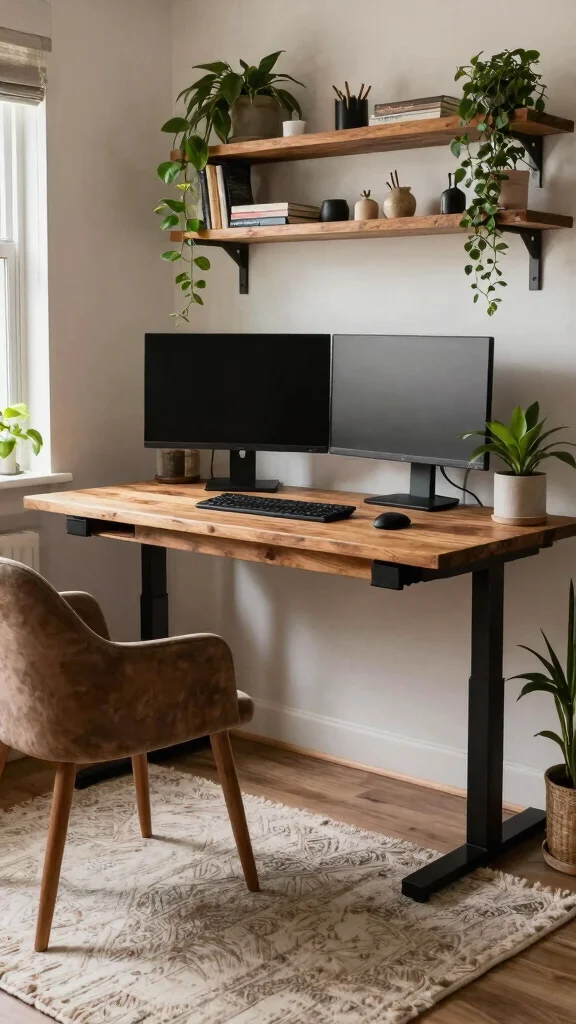
A cozy rustic setup invites warmth and comfort into your workspace, making it a welcoming retreat. This design blends natural wood tones with soft textiles, creating a space where you can work or play for hours without feeling drained.
To implement this aesthetic, focus on choosing materials that evoke a sense of nature. Look for budget-friendly decor options like second-hand furniture or DIY projects to achieve that rustic charm. This approach enhances creativity while providing a comfortable atmosphere.
Bring the cozy rustic vibe to life with these ideas:
– Choose a standing desk made from reclaimed wood.
– Use a plush rug and ergonomic chair for added comfort.
– Incorporate potted plants to bring nature indoors.
This inviting setup not only boosts productivity but also transforms your workspace into a personal refuge that inspires creativity.
Cozy and rustic vibes make work feel like a retreat. With a standing desk dual monitor, you can switch between tasks without losing focus, all while warm wood and soft textiles keep your energy steady.
Recommended Products

Cable Management Kit: 4pcs Cable Sleeves( 20 in L x 0.4 in w), 20pcs reusable wire ties,35Cable Clips 11 Cord Holders, 2 Self Adhesive Cable Tie Rolls(The length of each roll is 118 in), 20Pcs Cable Zip Tie Mounts(3.54L*1.1in W),100 Cable Fastening Ties (size of every : 7.87in L x0.12in W)

Transform Your Workspace with EVEO Cable Management: Sleek cable raceway ensures perfect under desk cable management, creating a clutter-free, professional wire management environment.

Maximum flexibility: the cable management under desk vertebrae can be shortened and moved silently as desired
📝 Personalize Your Workspace Today!
Transform your home office with creative ideas that enhance your ergonomic setup and style for ultimate productivity.
Cozy and Rustic
Editor’s Choice

Costa Farms Live Indoor House Plants (3-Pack), Hand Selected Easy to Mai…

ErGear Height Adjustable Electric Standing Desk, 48 x 24 Inches Sit Stan…

SHACOS Soft Cozy Fluffy Arch Pattern High-Low Pile Textured Area Rug 5’3…
4. Industrial Chic
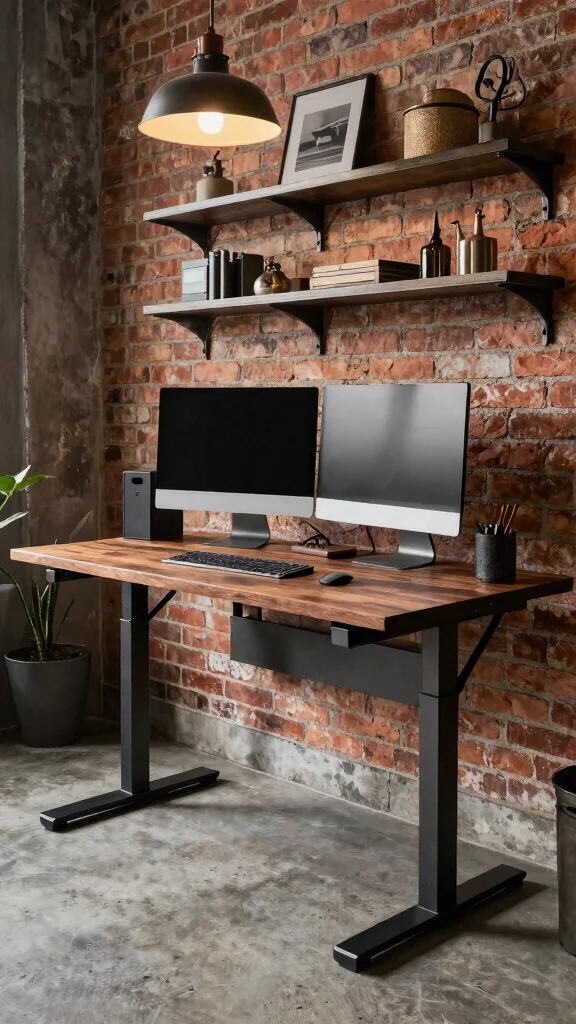
For those who appreciate an edgy aesthetic, the industrial chic setup combines raw materials for a striking workspace. This design features elements like metal and wood, resulting in a modern yet rugged environment. A standing desk with metal accents can elevate the overall look while maintaining functionality.
To achieve this distinct style, consider sourcing industrial materials at local flea markets or online marketplaces. Mixing vintage with modern pieces can create a cohesive yet unique workspace that reflects your personality.
Infuse your industrial setup with these elements:
– Use metal shelving and light fixtures for a cohesive look.
– Choose dark paint colors or exposed brick for character.
– Implement stylish storage solutions to keep the space organized.
This chic workspace enhances productivity, providing an inspiring backdrop that showcases your unique style.
Recommended Products

Fits 13" to 30" Screens - Dual monitor mount fitting two screens 13” to 30” in size and up to 22 lbs in weight each with VESA 75x75mm or 100x100mm backside mounting holes. Cable management clips are provided along the arms and center pole.

Compatible with Wide Screens: The ErGear heavy-duty dual monitor arm is designed to fit most 13″–32″ flat or curved monitors, supporting up to 19.8 lbs, and it's compatible with VESA mounting patterns of 75x75mm or 100x100mm. Be sure to verify your monitor’s VESA pattern, size, and weight before purchasing to ensure a perfect fit.
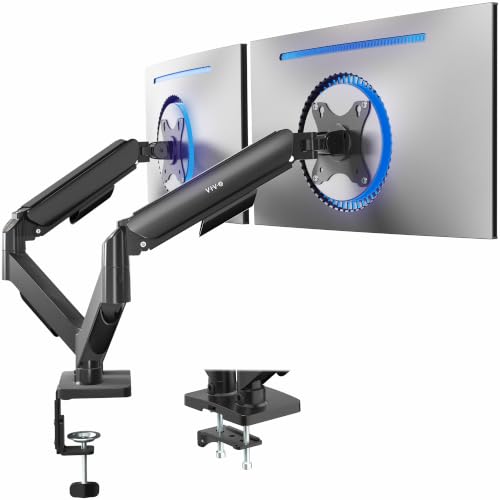
Screen Compatibility: Universally compatible with most 17-inch to 32-inch flat and curved screens weighing from 4.4 lbs to 19.8 lbs each with VESA 75x75mm or 100x100mm mounting patterns
Industrial Chic
Editor’s Choice

Music Guitar Table Lamp,Steampunk Table Lamp,Retro Guitars Steampunk lam…
5. The Color Pop
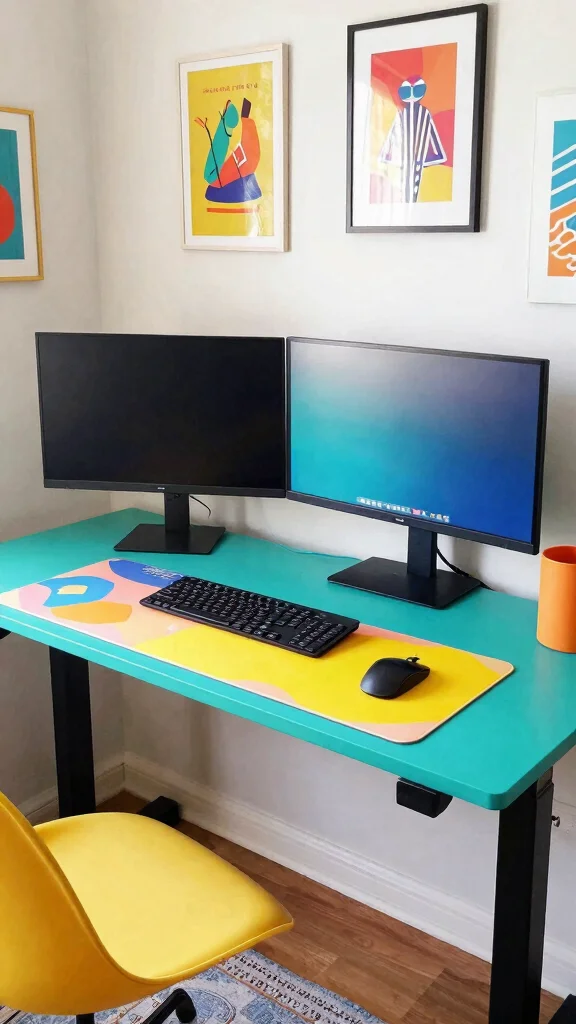
Brighten your workspace with a color pop setup that energizes and inspires creativity. This design approach uses vibrant hues to make your standing desk arrangement feel lively and inviting. By incorporating bold colors, you can transform your workspace into a more enjoyable environment.
To implement this fun aesthetic, look for colorful furniture and accessories that resonate with your personality. Affordable options like paint or colorful desk organizers can significantly enhance your space without overspending. This vibrant atmosphere can boost your mood and productivity.
Bring joy to your workspace with these features:
– Choose a standing desk in a bright color like teal.
– Use colorful accessories like mouse pads and desk mats.
– Hang lively artwork that sparks inspiration.
This setup not only keeps your workspace energetic but also makes work feel more enjoyable and engaging.
Recommended Products

Extra Usage Space: This OffiGo U shaped standing desk features a dual corner design that provides more workspace for your essentials. The spacious desktop allows you to place more items and provides more ideas for studying, working and gaming
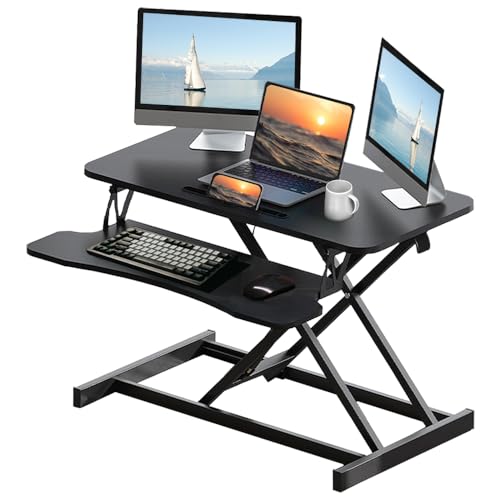
Sturdy & Stable: Solid structure holds up to 30 lbs, ensuring wobble-free dual-monitor or laptop use.

【Spacious Work Area】: The top surface measures 31.5” x 15.7” providing plenty of space for single monitor, dual monitor, and laptop + computer monitor setups. Raises up to 19.8 inches and lowers down to 4.3 inches making this ideal for you no matter your height.
Key Trade-offs & Our Top Pick
Option 1: The Sleek Minimalist
– Pros:
– Clean design that fits seamlessly into modern decors.
– Reduces clutter, making it easier to focus.
– Cons:
– Limited storage options for accessories.
– May lack ergonomic features for prolonged use.
– Best for: Those who love a clean aesthetic and have fewer items to organize.
Option 2: The Gamer’s Paradise
– Pros:
– Features RGB lighting for a lively atmosphere.
– Ample space for gaming gear and dual monitors.
– Cons:
– May not fit well in a professional setting.
– Typically more expensive due to specialized features.
– Best for: Gamers who want an impressive setup that doesn’t compromise on style.
Option 3: Cozy and Rustic
– Pros:
– Warm wood finishes create a welcoming feel.
– Ideal for blending with home decor.
– Cons:
– May not provide the best ergonomic support for long hours.
– Heavier and harder to move if you want to change layouts.
– Best for: Those who value comfort and a homely aesthetic over strict productivity.
Option 4: Industrial Chic
– Pros:
– Sturdy materials that last a long time.
– Unique design that stands out in any room.
– Cons:
– Can feel cold and uninviting for some users.
– Typically heavier and less adjustable.
– Best for: Users who appreciate a rugged design without sacrificing functionality.
Option 5: Tech-Savvy Haven
– Pros:
– Equipped with built-in cable management systems.
– Offers high-tech features like motorized height adjustments.
– Cons:
– Can be more complex to set up and operate.
– Higher price point due to advanced technology.
– Best for: Tech enthusiasts who desire cutting-edge features and seamless integration.
Expert Recommendation:
Best Overall: The Gamer’s Paradise
This option strikes a balance between style and functionality. It provides ample space for dual monitors while adding personality to your workspace with RGB lighting. Its durability means it can withstand the wear and tear of long gaming sessions. Plus, it offers versatility for transitioning from gaming to productivity.
Why We Picked This:
We believe the Gamer’s Paradise setup is ideal for most people because it accommodates both work and play. However, if you prefer a minimalist style, the Sleek Minimalist is a good alternative. For those who want a warm, cozy feel, Cozy and Rustic will meet your needs. Each option has its unique strengths, ensuring there’s something for everyone. Whatever your choice, you can create a standing desk dual monitor setup that enhances both comfort and productivity.
Recommended Products

Compatible with Wide Screens - To ensure compatibility with the dual monitor mount, your each monitor must meet three conditions at the same time: First, computer screens size range: 13 to 32 inches. Second, screen weight range: 4.4 to 19.8 lbs. Third, the back of the monitor screen must have VESA mounting holes with a pitch of 75x75mm or 100x100mm.

Improved Stability for Ultrawide Monitors: The upgraded dual monitor stand combines solid aluminum arms, a larger base, and a unique dual C-clamp design – built to support heavier monitors. It securely holds two 13″ – 40″ screens weighing up to 26.4 lbs and supports VESA 75×75mm or 100×100mm.
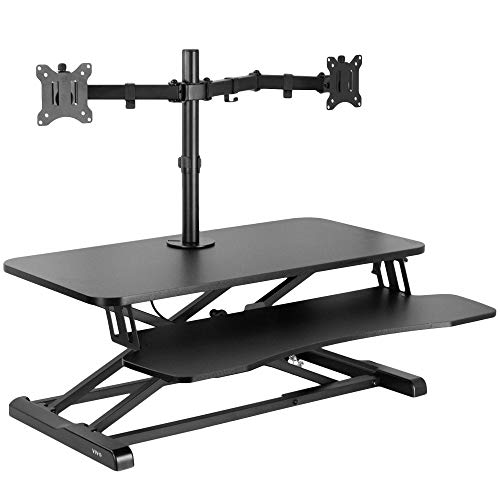
32" Desk Riser with Dual Monitor Mount: Elevate your productivity and comfortable viewing angles with this desktop riser and dual monitor mount! The stand fits two 13” to 30” screens up to 17.6 lbs each with VESA 75x75mm or 100x100mm patterns --Patented--
6. Zen Retreat
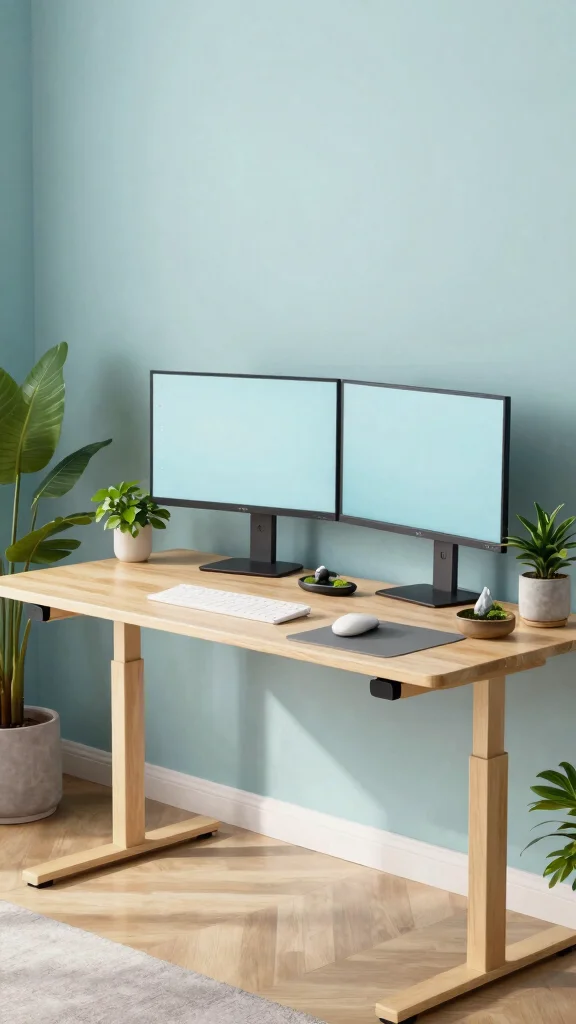
Create a serene oasis in your home office with a Zen retreat setup that encourages tranquility and focus. By blending natural elements with soothing colors, you can transform your workspace into a calming sanctuary ideal for both work and gaming.
To achieve this peaceful atmosphere, consider incorporating budget-friendly options like bamboo furniture or soft textiles that evoke nature. This design promotes mindfulness and balance, helping to keep stress levels low.
Foster a peaceful workspace with these ideas:
– Use a standing desk made from light wood or bamboo.
– Choose calming colors such as soft greens and blues.
– Add decor like a small zen garden or indoor fountain.
This design not only enhances productivity but also creates a harmonious environment that promotes relaxation.
Recommended Products

Large & Practical Size – This full-size keyboard tray measures 25" × 9.84" (635 × 250 mm). It is ideally suited for keyboards measuring approximately 17.3" × 5.5" (440 × 140 mm) or smaller, with additional space for a mouse. Before purchasing, please compare your keyboard dimensions with the tray size and make sure you are comfortable with the remaining space available for mouse use. An included wrist rest provides added comfort during use. (Item weight: 10 lbs.)

❗️ CHECK DESK COMPATIBILITY BEFORE PURCHASE – This under-desk keyboard tray won’t work with desks that have curved, beveled, or rounded edges, or crossbars/support beams underneath. Please check the product images to ensure your desk has a flat, unobstructed underside for clamp installation

Outstanding Stability: This electric standing desk has a sturdy solid steel frame with aerospace-grade lifting column connectors (still stable & secure after testing 100,000 times). The Electric Standing Desk is a firm foundation for work, even at full height
Zen Retreat
Editor’s Choice

Kalona Tabletop Waterfall Fountain 3 Bowls with LED Light, Soothing Wate…


Bamboo Laptop Desk for Bed, Adjustable Height and Angle, Foldable Lap De…
7. Retro Vibes
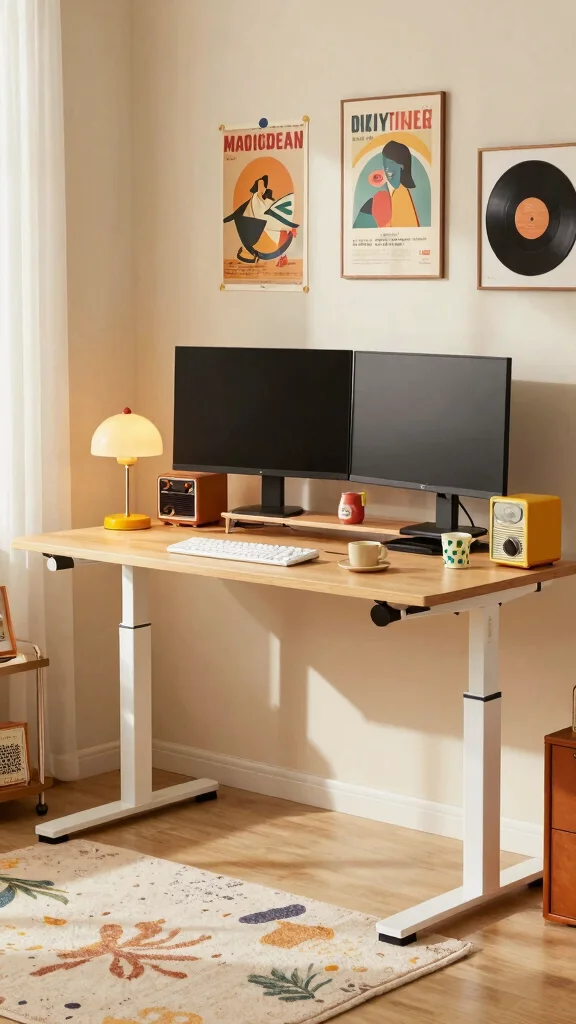
If nostalgia speaks to you, a retro-themed workspace can infuse charm and character into your office. This setup incorporates vintage furniture and decor, creating a warm atmosphere that inspires creativity and comfort.
To bring this nostalgic vibe to life, seek out thrift stores for unique finds that fit your aesthetic. Personal touches like vintage decor can make your workspace feel inviting and inspiring.
Create a charming retro setup with these elements:
– Opt for a standing desk with classic features like tapered legs.
– Incorporate vintage lamps and retro tech as decor.
– Hang retro posters or framed records for a playful touch.
This setup not only reflects your personality but also ignites creativity, making your workspace a delightful place to be.
Recommended Products

【25'' Large Size】The 25'' cable management provides enough space for all your cables. Desk cable management can withstand a weight of approximately 15 lbs. This cable tray perfect for your standing desk and home.
![[313Pcs] Cable Management Kit, Reusable Computer Desk Cord Organizer, Black](https://m.media-amazon.com/images/I/51BFc07BAvL._SL500_.jpg)
11 Types Cable Clips: You will get the 67pcs adhesive cord clips in various sizes and designs. These strong, acrylic-backed clips stick easily to desks, walls, and other clean surfaces. Perfect for cord management, keeping cords in place and preventing tangles in any setting.

【No Drill Mounted】Cable management tray can be assembled in as little as 3 minutes or less-simply. Side clips easily clampe the edge of desk, pass through the holes on the sides, and secure excess cables with baskets. Desk cable management supports inward or outward installation to meet your needs in different scenarios, and provides you with great convenience when collecting and organizing wires.
Retro Vibes
Editor’s Choice

Vintage Framed Wall Art, Couch Club Ticket Canvas Wall Decor Painting, R…

TORCHSTAR Amber Glass Bankers Desk Lamp, Antique Desk Lamps with Retro W…
8. Tech-Savvy Haven
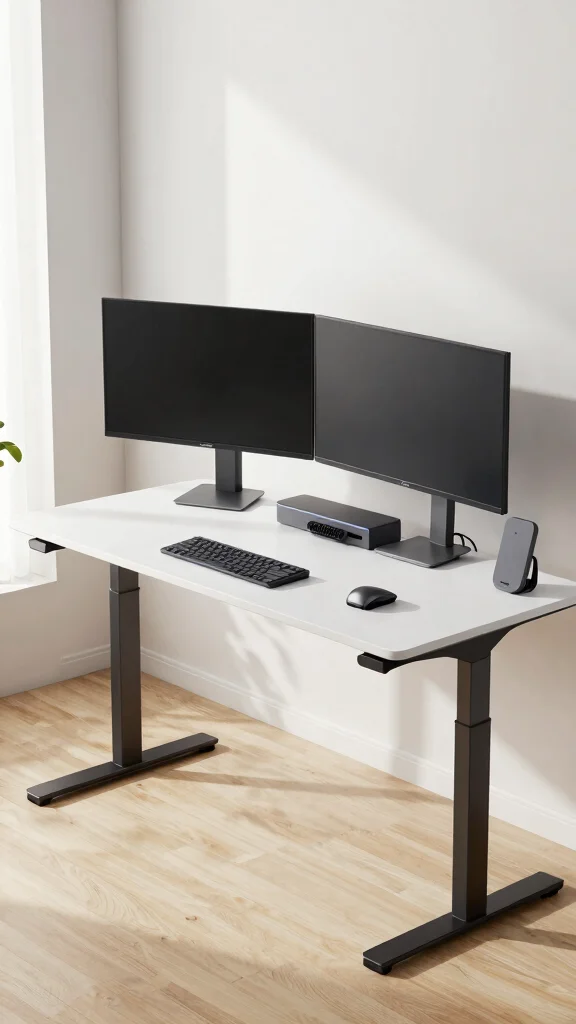
In today’s digital world, a tech-savvy haven is ideal for those who embrace modern technology. This setup focuses on utilizing the latest gadgets to create a highly efficient and organized workspace. A standing desk with smart features can elevate your work experience while maximizing comfort.
To achieve this modern look, invest in budget-friendly tech accessories that enhance functionality and organization. Look for deals on smart devices or storage solutions that keep your workspace tidy and tech-friendly.
Enhance your tech-savvy workspace with these ideas:
– Choose a standing desk with integrated smart technology.
– Utilize wireless chargers and multi-port hubs for convenience.
– Organize tech accessories with stylish storage solutions.
This modern setup not only looks sleek but also boosts productivity, catering to your gaming and work needs.
Recommended Products

Versatile Lighting Options: This LED desk lamp offers 25 light combination modes with 5 color temperatures (3000K-5500K) and 5 brightness levels (20%-100%), along with night light and reading modes, catering to various lighting needs.

Universal Dual Monitor Arm: The double monitor mount is for most 22 24 27 32 inch flat or curved monitors, screen weight range 4.4 to 19.8 lbs, with VESA patterns 75x75mm and 100x100mm, compatible with ASUS, Acer, Samsung, LG, HP, AOC, Dell, Sceptre, etc. Please verify the size, weight, and VESA pattern of your monitor before purchase.

✅ Easy to Use – One-button operation makes checking your blood pressure simple and hassle-free—no setup or calibration required. All your readings are clearly displayed on a large 3.6-inch screen.
9. The Creative Corner
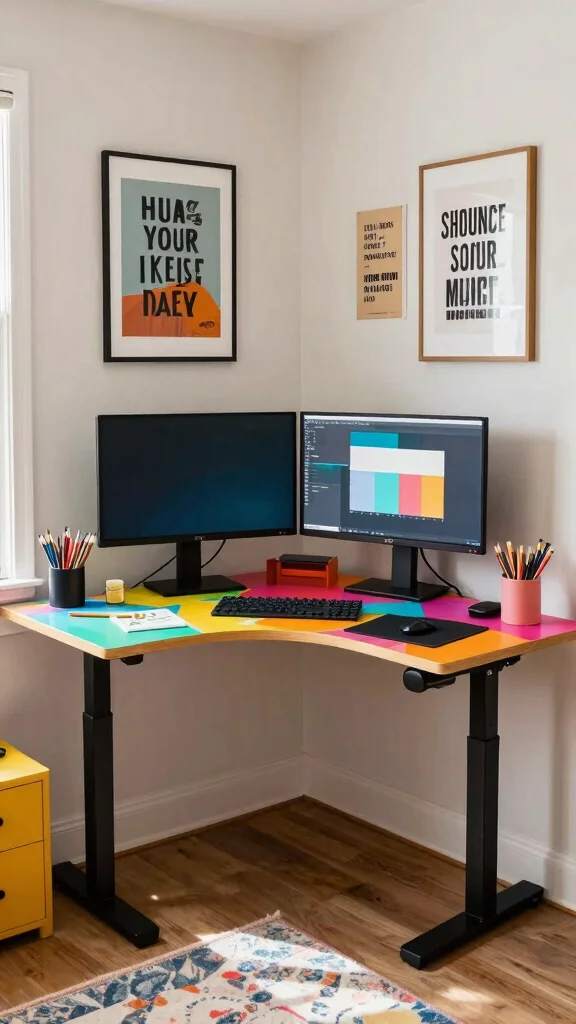
For the creatively inclined, a creative corner setup allows your imagination to flourish. By incorporating artistic elements into your standing desk arrangement, you can foster inspiration and innovation. This workspace encourages you to express yourself while tackling tasks.
To create your artistic haven, focus on vibrant colors and unique decor that reflects your style. Affordable art supplies and DIY projects can enhance your space without overspending. This setup not only makes work enjoyable but also serves as a source of motivation.
Infuse creativity into your workspace with these features:
– Use a desk with artistic designs that inspire you.
– Surround yourself with art supplies and design tools for easy access.
– Hang your artwork or motivational quotes for encouragement.
This creative corner not only enhances your workspace but also ignites your artistic spirit, making it a fun place to work.
Creativity thrives when your space feels like you. A standing desk dual monitor setup with bold colors and a few DIY accents makes tasks feel like a spark of inspiration, not a chore. Personal touches fuel imagination and keep ideas flowing throughout the day.
Conclusion
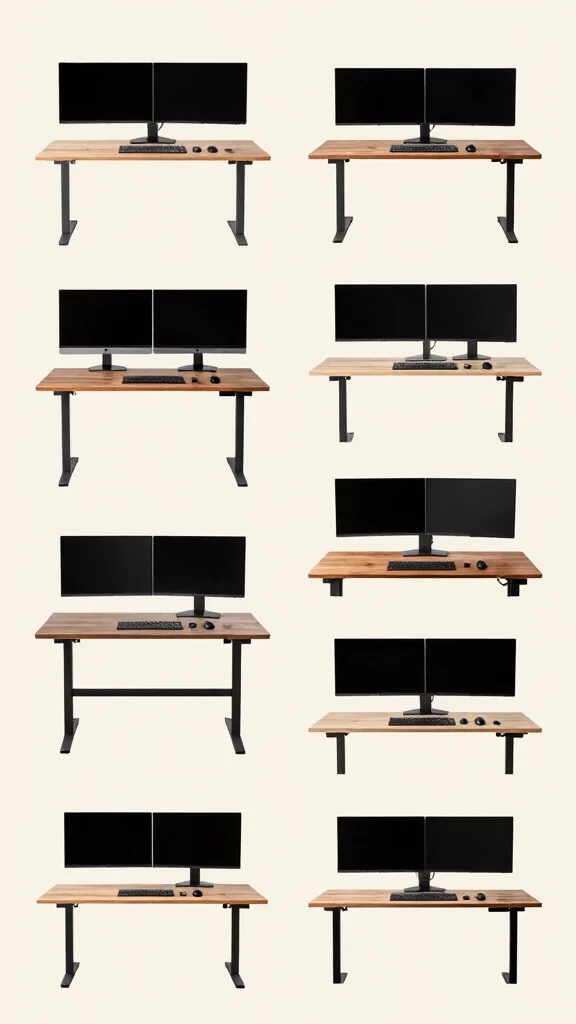
Creating the perfect workspace with a standing desk and dual monitors is all about blending style and function to fit your personality.
Whether you prefer a cozy rustic feel or a vibrant gamer aesthetic, the right setup can enhance your productivity while keeping you comfortable.
Experiment with different styles and find the one that resonates with you, and you’ll soon see how a well-organized and personalized workspace can elevate your work or gaming experience.
Note: We aim to provide accurate product links, but some may occasionally expire or become unavailable. If this happens, please search directly on Amazon for the product or a suitable alternative.
This post contains Amazon affiliate links, meaning we may earn a small commission if you purchase through our links, at no extra cost to you.
Frequently Asked Questions
What’s the best way to arrange a standing desk dual monitor setup for gamers to maximize comfort and speed?
Here’s a practical way to nail a standing desk dual monitor layout for gamers. Start with a sturdy desk and reliable dual monitor arms. Place the primary monitor directly in front of you and mount the second monitor on an arm that sits off to the side and angles toward your face. Aim for a screen distance of about 20 to 30 inches and keep the top of both screens at or slightly below eye level. This keeps your neck in a neutral position during long gaming sessions. Position the keyboard and mouse at elbow height with wrists straight, and stand on an anti fatigue mat to reduce fatigue. Finally, tweak the tilt and distance until you can switch focus between monitors without turning your head too much. A thoughtful ergonomic desk setup can deliver a real productivity boost while still looking great as home office decor. This is a solid standing desk dual monitor configuration you can customize to your space.
How can I optimize ergonomic design when creating a dual monitor arrangement on a standing desk to boost productivity?
To optimize ergonomic design, set the standing desk height so your elbows are at about 90 degrees when typing. Align the monitor tops at eye level or just below, and ensure the center of your primary screen is along your natural line of sight. Keep both monitors on adjustable arms so you can align them in a single plane and reduce neck strain. Use a comfortable anti fatigue mat and consider a footrest to relieve lower back tension during long sessions. With these adjustments you create a truly ergonomic desk setup that supports sustained focus and a steady productivity boost for gaming and work. This standing desk dual monitor approach stays adaptable to your evolving needs.
What practical tips help with workspace organization and cable management in a standing desk dual monitor setup?
Get tidy with smart workspace organization. Route cables through desk grommets or cable trays, use monitor arms with built in cable management, and label cords so reconfigurations are quick. Reserve room under the desk for a wireless keyboard and mouse to minimize desk clutter, and add a slim storage shelf for headsets or game controllers to enhance home office decor while keeping the area neat. A clean setup reduces friction when you switch between tasks on the standing desk dual monitor arrangement and helps you stay productive.
What height and placement should I aim for to achieve an ergonomic standing desk dual monitor setup?
Aim for a height where your elbows are at a comfortable 90 degree angle when typing and your wrists stay neutral. Position the top of both monitors at eye level or slightly below, with the primary monitor centered in front of you and the secondary monitor angled just enough to reduce head turning. Maintain a distance of roughly 20 to 30 inches from your eyes. If you notice glare or neck strain, adjust lighting, tilt, or screen brightness. Using adjustable monitor arms makes this fine tuning easy, keeping your standing desk dual monitor layout ergonomic and ready for long sessions.
What common mistakes should I avoid in a standing desk dual monitor configuration and how can I fix them quickly?
Common mistakes include monitors not being aligned at the same height, the primary monitor being off center, sitting or standing too close or too far, and glare from lighting. Fix them by leveling the monitor tops, centering your primary screen, keeping a 20–30 inch viewing distance, and reducing glare with lighting adjustments or an anti glare screen. Use adjustable arms to dial in height and angle, and keep the keyboard at elbow height with wrists straight. Addressing these tweaks will make your standing desk dual monitor setup comfortable for extended use and improve your productivity boost.
Related Topics
standing desk dual monitor
ergonomic desk setup
workspace organization
home office decor
dual monitor arrangement
productivity boost
gaming setup
minimalist design
advanced configurations
smart home office
remote work essentials
creative workspace