
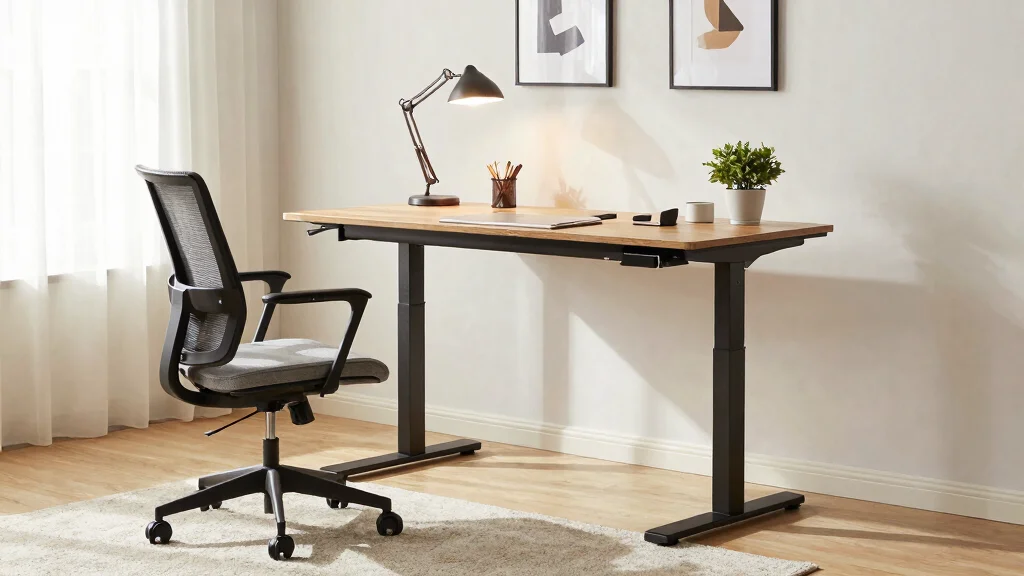
Have you ever felt that nagging ache in your back after a long day at your home office? You’re not alone. Many people are unknowingly making ergonomic mistakes that lead to discomfort and pain. This post dives into the common pitfalls of home office setups that could be hurting your back. By addressing these issues, you can create a workspace that promotes comfort and health, allowing you to focus more on your tasks and less on your pain.
If you’re someone who spends hours at a desk, or if you’re simply trying to make your home office feel more comfortable, this guide is for you. We understand that creating a functional and beautiful workspace is key to productivity and well-being. You’ll discover practical tips that help you improve your home office setup, from choosing the right furniture to enhancing your overall posture.
Get ready to learn about six major ergonomic mistakes you might be making. Each section will provide straightforward solutions, so you can achieve back pain relief while enjoying a stylish and organized workspace. With these insights, you’ll be on your way to transforming your home office into a place that fosters creativity and comfort.
Key Takeaways
– Identify the importance of selecting the right chair to support your back during long work hours.
– Discover how poor monitor placement can lead to strain and learn the correct positioning for better posture.
– Understand the significance of desk height and how adjusting it can alleviate discomfort.
– Recognize the value of foot support and how it contributes to overall body alignment while seated.
– Learn the necessity of taking breaks and staying organized to reduce stress and improve focus.
Recommended Products

【CUSTOMIZABLE INFLATABLE LUMBAR SUPPORT】 Unlike standard chairs with fixed padding that barely touches your back, this ergonomic office chair features a built-in inflatable airbag system. Simply inflate to your exact preference to fill the gap between your spine and the chair, providing targeted pressure relief and superior lumbar support. Say goodbye to back fatigue during long work or gaming sessions.
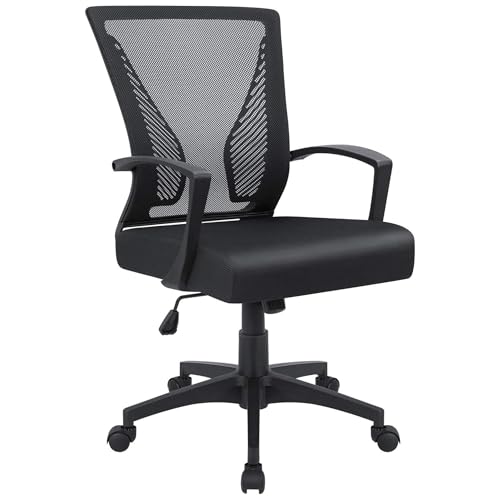
Ergonomic Design: The overall design of this office chair is ergonomic, two lumbar supports on the backside of the chair back are not only for beautiful looking, when you lean in the chair, it feels comfortable like two hands are supporting your waist, with a slightly concave design on the cushion, this chair can effectively relieve the back pain that caused by long hours of sitting, this will be a very wonderful experience for your use

For convenience and durability, we upgraded and lengthened the straps to fit more chairs instead of adding extra extension straps.
1. Skipping the Right Chair
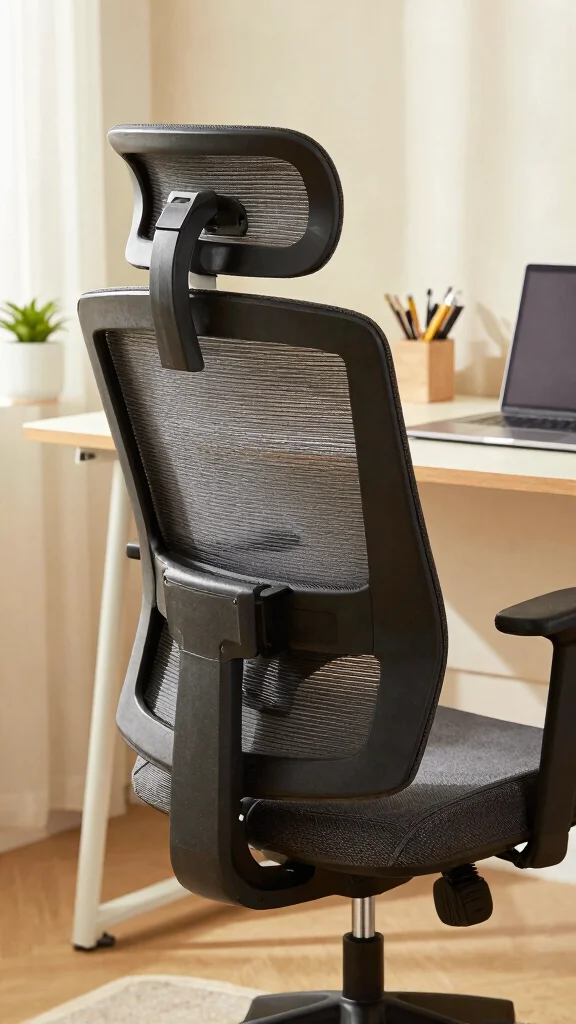
Choosing the right chair is crucial for your back health. An ergonomic chair supports your spine, offering comfort for long hours of sitting. Look for features like adjustable height, lumbar support, and a reclining option, as these elements help maintain proper posture and reduce strain.
To make the most of your chair, consider testing it in-store to find the right fit. If budget is a concern, look for budget-friendly options that prioritize breathability, such as mesh materials. Remember, a chair that promotes natural spine alignment can significantly enhance your work experience.
Consider these tips for selecting an ergonomic chair:
– Test different chairs to find your perfect fit.
– Choose breathable materials like mesh for comfort.
– Ensure your chair supports natural spine alignment.
Investing in a quality ergonomic chair is vital for your long-term comfort and productivity.
Recommended Products

Electric Height Adjustable Standing Desk for Comfortable Work - Switch effortlessly between sitting and standing with this electric standing desk. The smooth height adjustment from 28.35" to 46.46" helps promote a more comfortable working posture and keeps your energy flowing throughout the workday. Ideal for home offices, gaming setups, and productivity workspaces.

Electric Height Adjustment – Sit or Stand Any Time: Quiet motor (under 52 dB) with memory presets. Easily switch between sitting and standing from 28.3" to 46.5" to help reduce sedentary time
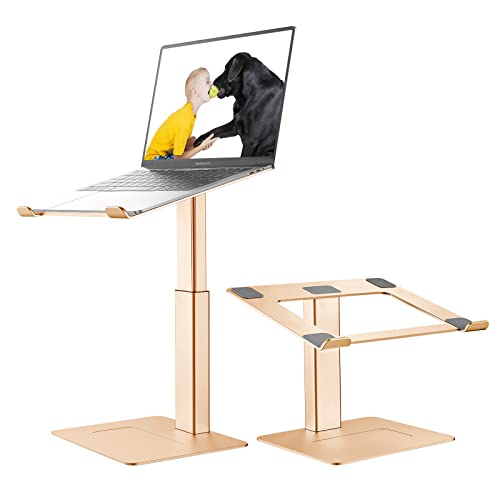
🐶【Wide Compatibility】: This laptop stand is compatible with all laptops from 10''-17'', such as Apple Macbook, Macbook, Macbook Air/Pro, Ipad, Ipad Air/Pro, Lenovo ThinkPad, Dell, HP, Samsung, Chromebook, and other notebooks.
Skipping the Right Chair
Editor’s Choice

SIHOO M18 Ergonomic Office Chair, High Back Mesh Desk Chair with Adjusta…


Ergonomic Office Chair, High Back Desk Chair with Flip-up Arms, 300 LBS …

ELABEST Ergonomic Mesh Office Chair,Comfy Computer Desk Chair – BIFMA 5….

HOLLUDLE Ergonomic Mesh Office Chair – 3D Adjustable Lumbar Support & 3D…

Ergonomic Office Chair, Desk Chair with Adjustable Lumbar Support, Breat…
2. Poor Monitor Placement
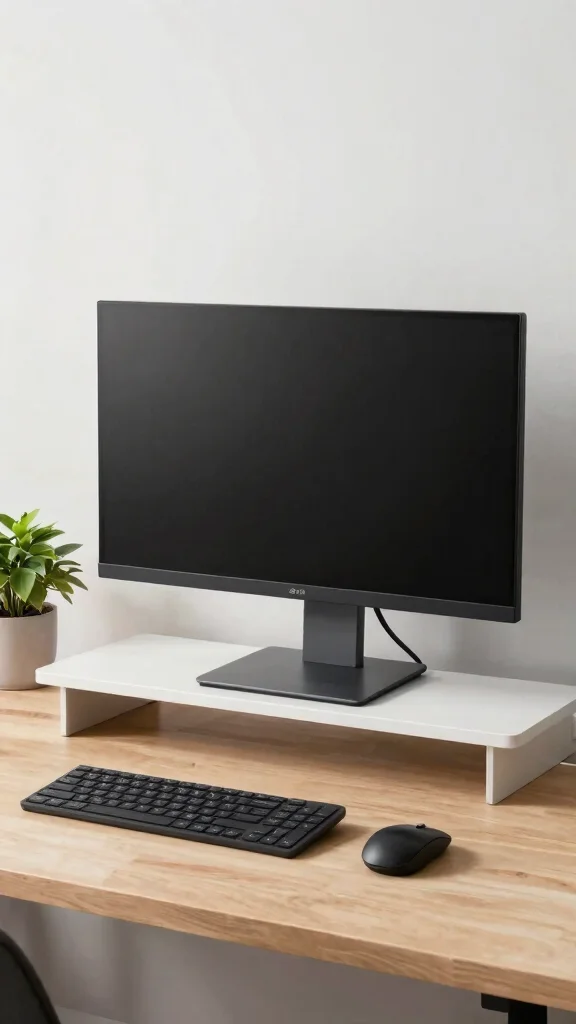
The position of your computer monitor can greatly affect your posture. If it’s too high or low, you may experience neck strain, leading to discomfort. Ideally, the top of your screen should be at eye level, allowing your neck to rest in a neutral position.
To achieve the perfect monitor height, position it about an arm’s length away. If you’re using multiple monitors, ensure they are at the same height to prevent awkward head movements. Adjusting your monitor setup is a simple yet effective way to improve your back health and overall comfort.
Here are ways to optimize your monitor placement:
– Position the monitor an arm’s length away.
– Use a monitor stand for adjustable height.
– Align multiple monitors at the same height.
Making these adjustments can lead to a more ergonomic workspace, enhancing your focus and reducing back pain.
Recommended Products

Clear Dimensions with Tapered Design: Top surface measures approx. 11.6 inches x 11 inches (W at center), with slightly narrower sides due to the tapered structure. Please review dimensions carefully to ensure compatibility with your device.

【FIT FULL-SIZE KEYBOARD】This 21.3 Inch Extra Long monitor wood monitor riser stand is made of premium eco-friendly MDF wood (0.47 inch thickness) without any air pollution. Unique and smart design with 1 tier, Max Holding Capacity is 66.14lb/30kg. We using the professional craftsman exquisitely polished & painting finish for a long-lasting life. Our monitor stand riser is perfect for using as a desktop stand, laptop stand, PS4 monitor stand or a computer stand.

COMPATIBILITY - Vertical dual monitor mount holds two screens 13” to 34” in size and 44 lbs in weight (each) with 50x50mm,75x75mm or 100x100mm backside mounting holes. Integrated cable management is included to keep cords clean and organized.
Poor Monitor Placement
Editor’s Choice

HUANUO FlowLift™ Single Monitor Mount, 13 to 32 Inch Monitor Arm, Adjust…

HUANUO Single Monitor Mount, 13 to 32 Inch Gas Spring Monitor Arm, Adjus…

VIVO Premium Single 17 to 32 inch VESA Monitor and Touch Screen Desk Sta…

MOUNTUP Single Monitor Desk Mount Holds Screen up to 32 inch, Height Adj…

Single LCD Computer Monitor Free-Standing Desk Stand Mount Riser for 13 …
📝 Personalize Your Space Today!
Transform your home office into an ergonomic haven with creative ideas that boost comfort and productivity.
How To Choose Ergonomic Furniture for Your Home Office
Choosing the right ergonomic furniture can make a huge difference in your comfort and productivity while working from home. Here’s a guide to help you pick the best options for your home office setup.
1. Assess Your Space
Before buying any furniture, measure your workspace. Know the dimensions of the area where you’ll be placing your desk and chair. This will help you choose furniture that fits comfortably without overcrowding the space. Look for furniture that allows for movement and does not cramp your style or efficiency.
2. Prioritize Chair Quality
A good ergonomic chair supports your back and promotes proper posture. Look for chairs that have adjustable height, lumbar support, and a seat depth that allows you to sit back comfortably. Ideally, your feet should rest flat on the floor when seated. The right chair can greatly aid in back pain relief, so take your time to try different models before choosing one.
3. Monitor Placement Matters
Your monitor should be at eye level and about an arm’s length away. This prevents you from straining your neck or eyes. If you can, use an adjustable monitor stand to achieve the perfect height. Having the top of the screen aligned with your eyes helps maintain good posture and comfort during long work hours.
4. Desk Height is Key
The height of your desk affects your overall posture. Ideally, your elbows should rest at a 90-degree angle when typing. If your desk is too high or too low, it can lead to discomfort. Consider height-adjustable desks, which let you alternate between sitting and standing. This can help with posture improvement and overall health.
5. Don’t Forget Foot Support
Your feet should be flat on the floor or resting on a footrest. If your chair height doesn’t allow this, invest in a footrest. A properly supported stance helps avoid back strain and keeps your circulation better. Look for footrests that are adjustable to suit your height.
6. Keep It Organized
An organized workspace reduces clutter and stress. Use shelves, drawers, and organizers to keep your desk tidy. This not only improves your focus but also makes it easier to maintain good posture since you won’t be stretching or straining to reach items. An organized space can also enhance your interior design, creating a more aesthetically pleasing home office.
Pro Tip: Invest in a good quality chair and desk first. These are the primary pieces that will impact your ergonomic setup the most. Don’t rush your decision; comfort and support are worth the investment!
By following these selection criteria, you can create a workspace that not only looks great but also supports your health and productivity. Remember, the right ergonomic furniture can significantly decrease the risk of back pain and improve your overall work experience.
Recommended Products

Desk Foot Rest with 6 Six Height Adjustment: Our foot stool can be adjusted according to your height, office chair height, and desk height, allowing you to have an ergonomic sitting posture. The adjustable foot rest comes in six different heights (3.1", 3.9", 4.9", 5.7", 6.5", 7.3") to help you find your most comfortable sitting position. The height can be adjusted by rotating the screws on both sides of the footrest under the desk, which is easy to operate.

𝐂𝐨𝐦𝐟𝐨𝐫𝐭𝐚𝐛𝐥𝐞 𝐒𝐢𝐭𝐭𝐢𝐧𝐠 𝐄𝐱𝐩𝐞𝐫𝐢𝐞𝐧𝐜𝐞: High-back ergonomic chair fits body curves. High-density sponge cushion is soft, preventing fatigue during long sitting. Soft lumbar pillow relieves lower back pain for sedentary users

Pain Relief and Support for Back, Hip, Legs, Knees & Feet – If you are working or sitting at a desk most hours of the day, you are bound to feel the effects on your body after prolonged periods of time. ComfiLife Under Desk Footrest will help reduce back and sciatica pain by easing pressure on your lower back and hips. Our footrest will also ensure proper foot placement while sitting, which will help improve blood circulation to the legs and ease pain over time.
3. Neglecting Desk Height
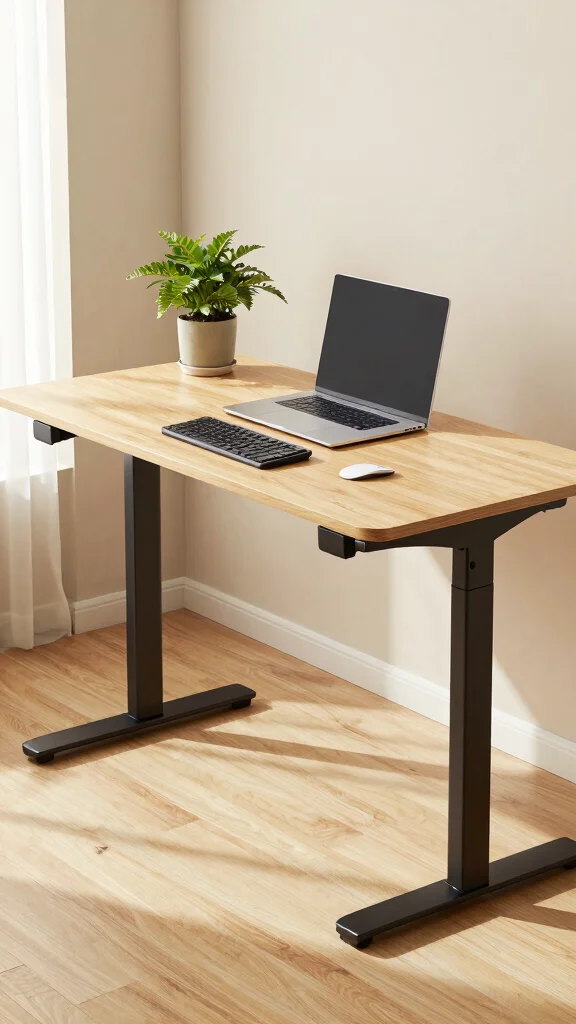
The height of your desk is a key factor in your comfort while working. An improperly adjusted desk can cause awkward wrist angles and muscle strain over time. Your desk should allow you to keep your elbows at a 90-degree angle while typing.
Sit straight with your feet flat on the ground, ensuring your forearms are parallel to the ground. If you find yourself straining or raising your shoulders, it’s time to reassess your desk height. A height-adjustable desk can be a great solution for switching between sitting and standing.
Follow these tips for achieving the right desk height:
– Sit up straight with feet flat on the ground.
– Keep your forearms parallel to the ground when typing.
– Opt for a height-adjustable desk for flexibility.
Adjusting your desk height can play a vital role in maintaining long-term comfort and productivity.
Fun fact: 75% of ergonomic mistakes come from desk height alone. If your elbows aren’t at 90 degrees and your forearms aren’t parallel, tension sneaks into shoulders and wrists. Invest in a height-adjustable desk to fix it—your back will thank you.
Recommended Products

Comprehensive Workstation Ergonomics Guide: This office ergonomics poster shows proper computer workstation ergonomics for desk setup, monitor placement, seated posture, and daily office ergonomics reminders in modern work environments

HOW IT WORKS; Working by the leverage effect, the weight of your body naturally pushes your waist for posture correction, It keeps making your body lean forward and sit straight

【Dimensions】Size: 15.75 x 2.17 x 0.83inch / 40.0 x 5.5 x 2.1cm Weight:350g/0.77lb | Mouse Pad: 4.3 x 2.7 x 0.91 inch / 11 x 7 x 2.3cm Weight: 110g/0.24 lb
Neglecting Desk Height
Editor’s Choice

FLEXISPOT EN1 One-Piece Standing Desk, Electric Adjustable with 4 Memory…

ErGear Height Adjustable Electric Standing Desk, 48 x 24 Inches Sit Stan…

HUANUO 48 x 24 Inch Electric Standing Desk, Height Adjustable Computer G…

VECELO Electric Standing Desk Adjustable Height, 48 x 24 Inch Computer D…

DUMOS 48 Inch Electric Standing Desk Height Adjustable, Sit to Stand Up …
4. Overlooking Foot Support
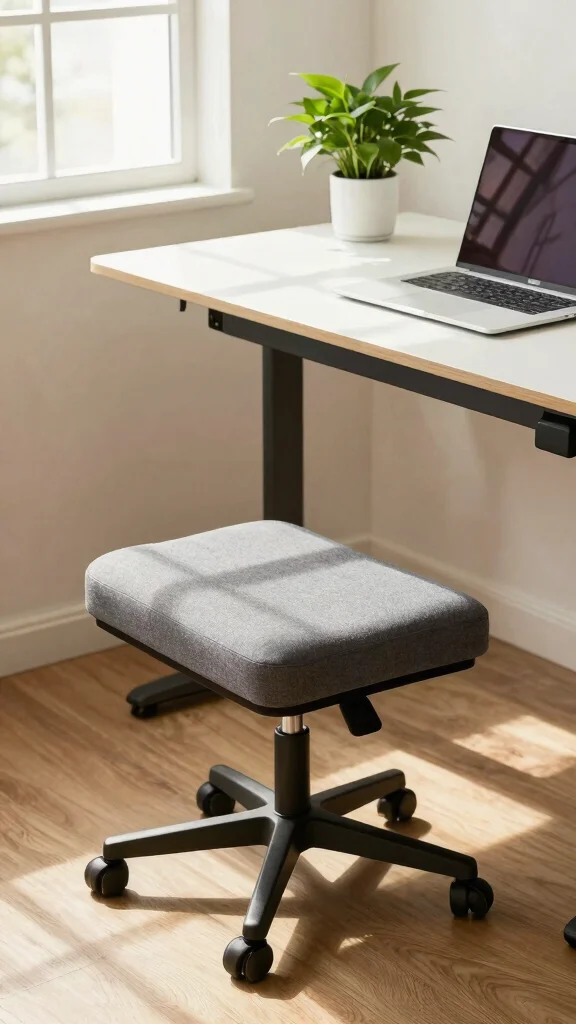
Your feet are essential for a comfortable workspace setup. If they dangle or lack support, tension builds in your lower back. A footrest is a simple addition that can help you maintain a comfortable sitting position without straining your legs.
Ensure your feet are either flat on the ground or elevated on a footrest. Your knees should be at or slightly below hip level to promote better blood circulation. Look for a footrest that allows you to shift your weight easily while working.
Implement these foot support tips:
– Keep your feet flat on the ground or on a footrest.
– Position your knees at or below your hips.
– Choose a footrest that allows for weight shifting.
Investing in foot support not only eases back pain but also enhances your overall comfort during work hours.
Fun fact: Dangling feet are one of the ergonomic mistakes, increasing lower-back pressure by up to 15%. A simple footrest can reduce strain by about 20–25%, helping you sit more comfortably all day.
Recommended Products

Fully Adjustable Office Chair: Customized chairs, featuring with an adjustable 2D headrest, backrest with 90° to 120° recline, and 3D adjustable armrests for multiple work postures at will and discover unparalleled comfort throughout the workday.

All-Day Ease – Breathable mesh backrest provides targeted lower back support, encouraging healthy posture and lasting comfort through long hours of sitting.

Multi-Adjustable Office Chair: Designed for customized comfort, this ergonomic office chair features a 2D adjustable headrest, a backrest that reclines from 90° to 120°, and 3D adjustable armrests. Adjust your gaming chair to support multiple work postures throughout the day.
Overlooking Foot Support
Editor’s Choice

ComfiLife Foot Rest for Under Desk at Work – Adjustable Height Memory Fo…

Elevate Series by Everlasting Comfort Adjustable Cloud Foot Rest for Und…

HUANUO Foot Rest for Under Desk at Work, Adjustable Footrest with Massag…

StrongTek Ergonomic Under Desk Footrest, 3 Adjustable Heights Wooden Off…

Mount-It! Tilting Footrest Under Desk | Ergonomic Office Foot Rest Adjus…
5. Ignoring Breaks
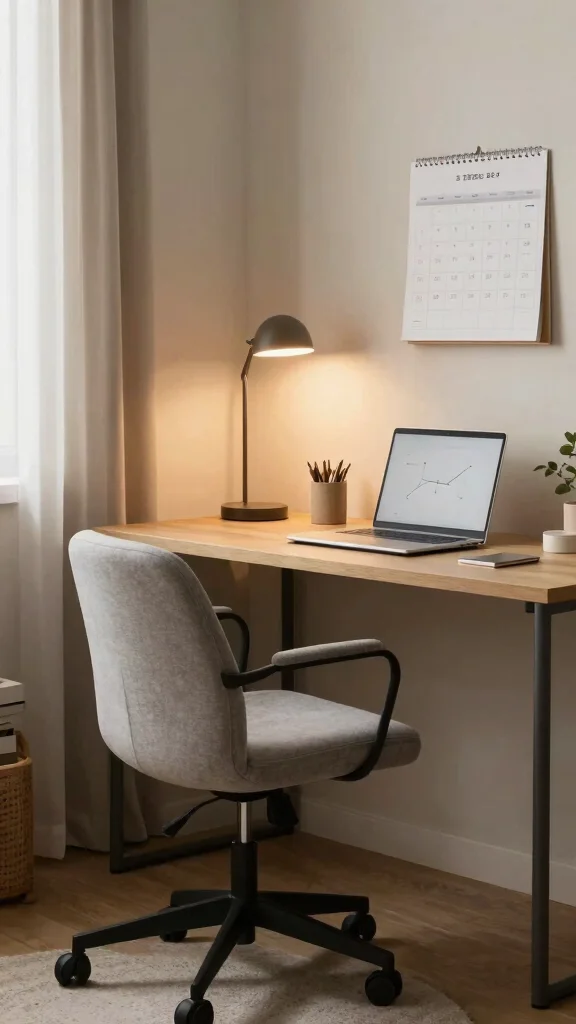
Staying seated for prolonged periods can lead to tight muscles and back pain. Taking regular breaks is essential to keep your body relaxed and healthy. Many people forget to stand up and stretch, causing unnecessary tension over time.
Incorporate breaks into your routine by setting a timer to remind you to move every 30 minutes. Use this time to walk around your space or perform light stretches to release tension. Making breaks a habit significantly aids in improving your posture and preventing back pain.
Here are some ways to include breaks in your day:
– Set a timer to remind you to move.
– Use breaks to walk around your workspace.
– Incorporate light stretches or yoga poses.
Regular breaks can rejuvenate your body, enhancing your focus and reducing discomfort.
Fun fact: chronic sitting is a common ergonomic mistake that tightens hips and back muscles by up to 40%. Breaks every 30 minutes aren’t optional; they’re your posture’s best reset. Stand, walk, stretch, and keep back pain at bay.
Recommended Products

Flexible Height Adjustment: With a simple push of the side button, you can adjust the height anywhere between 29.5" and 43.3". Whether you’re sitting on the sofa, working at your bedside, or standing for a presentation, the small standing desk adjustable height ensures the perfect fit for any activity or posture

Create Instant Active Standing - VIVO’s desk riser provides on-demand standing throughout the day for the freedom to get out of your chair and relieve muscle tension, reduce stress, and increase productivity. --Patented--

One-Touch Height Adjustment: Easily adjust the FEZIBO electric standing desk from 28.3" to 46.5". With 3 customizable memory presets, switch seamlessly between sitting and standing. Ideal for home offices, gaming setups, study areas, and productive workspaces
Ignoring Breaks
Editor’s Choice

Jack Pomodoro Timer – Productivity Cube, Visual Focus Timer, Mute & Vibr…

TK3 Pomodoro Timer Cube, Desk Productivity Timer with 5/10/30/60 Min Pre…

Mindsight Focused Activity Timer & Tracker | Promotes Work Life Balance …

Netbell-K-M2 All-in-One Plug & Play Break Bell System Web-Based Software…

TIME TIMER 12 inch Visual Timer 60 Minute Kids Desk Countdown Clock with…
6. Lack of Organization
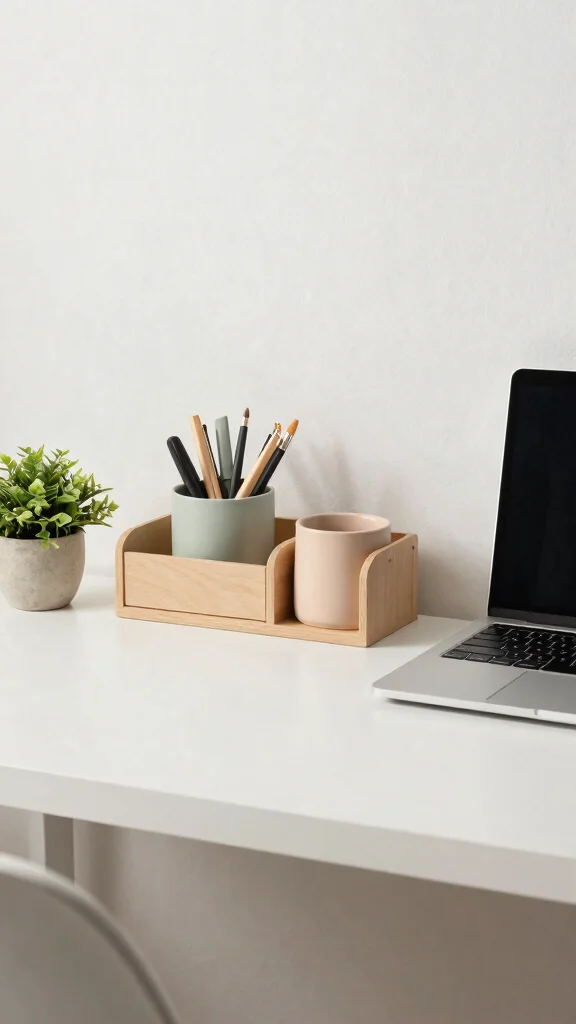
A cluttered workspace can create a chaotic environment, leading to poor posture. An organized desk helps you avoid straining while reaching for items, promoting better ergonomics. Keeping your workspace tidy allows for a more productive mindset and healthier body.
Consider using drawer organizers to keep essential items easily accessible. Make sure frequently used tools are within reach to minimize unnecessary stretching. A dedicated space for technology can also help reduce visual clutter and improve your focus.
Here are some tips for a more organized workspace:
– Use drawer organizers for easy access.
– Keep common items within arm’s reach.
– Designate a space for technology to reduce clutter.
An organized workspace not only looks appealing but also enhances your posture and reduces the risk of back pain.
Recommended Products
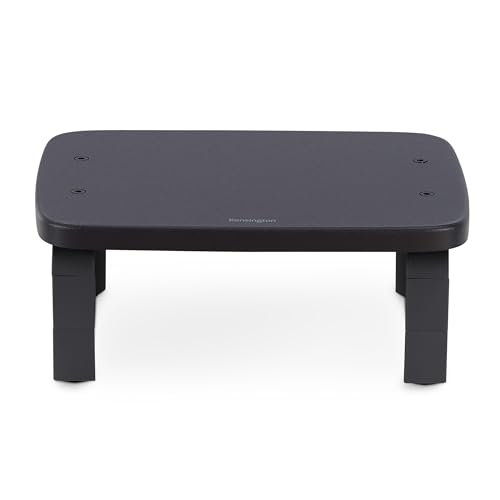
[SmartFit - Comfort Made Easy] Supports proper ergonomic eye-level viewing angles using data-driven research and a color-coded fitting chart to support quick and intuitive height-setting

Broad Compatibility: This MS01 monitor stand is with a 14.76x9.25 inch (34.5x23.5cm) board, suitable for most of flat screen displays, printers, laptops, fax machines, speakers, TV monitors, etc; with a maximum support weight up to 44lbs (20kg).

★[UPGRADED #1, 2022] - VentTech - CLOCK EVEN FASTER SPEEDS AT WORK: Monitor Stand with free cable ties & VentTech hexagonal ventilation ports end slow, lagging processing speed, while adjustable laptop stands NEW onboard cell phone tablet holder slot helps you see and do more, faster. Because the faster your device goes, the faster you go. The faster you go, the faster you get more done. Remind us…how much is YOUR time worth?
📹 Related Video: Organizing Secrets For Back Pain
Conclusion
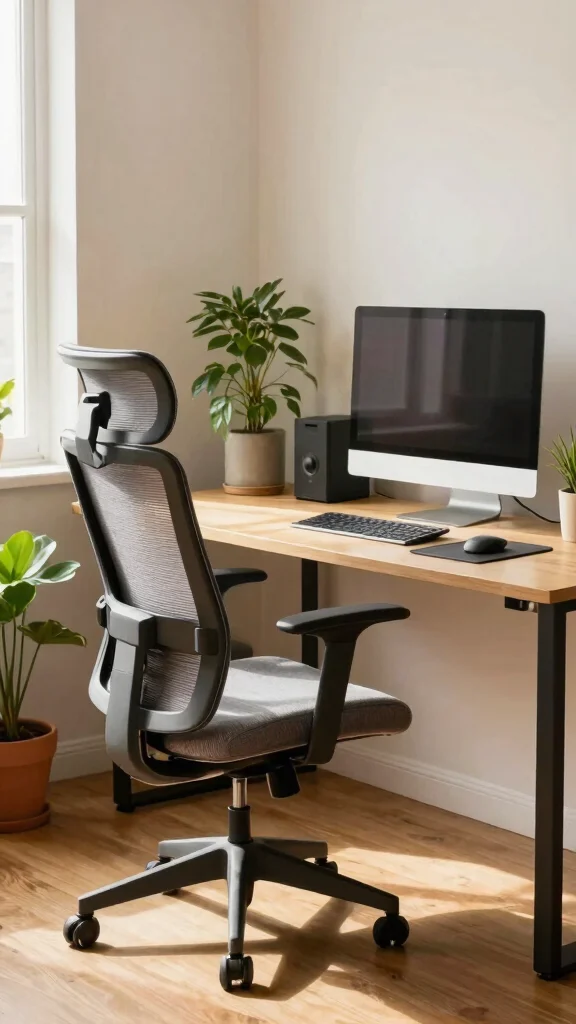
Addressing these common ergonomic mistakes can transform your home office and significantly reduce back pain. Investing in ergonomic furniture and organizing your workspace can lead to a healthier, more productive work environment.
Embrace these changes, and your back will thank you! Let’s all strive for comfort and efficiency in our home offices while enjoying stylish interior design.
Note: We aim to provide accurate product links, but some may occasionally expire or become unavailable. If this happens, please search directly on Amazon for the product or a suitable alternative.
This post contains Amazon affiliate links, meaning we may earn a small commission if you purchase through our links, at no extra cost to you.
Recommended Products

【Your All-Day Comfort Solution】 Premium Ergonomic Desk Chair with Footrest featuring dynamic 3D lumbar support, 5D Flip-Up Armrests, and extra-wide 3D breathable headrest, 2-position angle foot-rest, perfect for home office chairs seeking ultimate comfort

【MULTI-FUNCTIONAL ERGONONIC OFFICE CHAIR FOR WORK & RELAXATION】Designed to support long hours of sitting, this mesh office chair combines a breathable mesh structure, 3D adjustable headrest, adaptive armrests, retractable footrest, and reclining backrest to deliver all-day comfort for working, studying, or gaming.
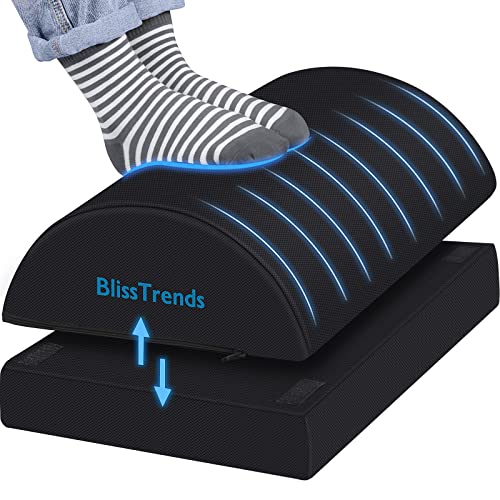
[Comfortable Experience] The BlissTrends foot rest has two layers: the lower layer measures 16.2"*9.9"*2.0", and the upper layer is 3.7" thick. The foot stool is ergonomically designed with sufficient height and curvature to better relieve the pressure on your limbs and discomfort when sitting for long periods of time
Frequently Asked Questions
What are the most common ergonomic mistakes in a home office that contribute to back pain?
Common ergonomic mistakes in a home office that contribute to back pain include: 1) chair height that doesn’t support your legs; 2) monitor that sits too low or far away; 3) keyboard and mouse placed awkwardly so wrists bend; 4) lack of lumbar support causing slouching; 5) sitting in the same position too long without breaks; 6) desk clutter forcing awkward twists. Practical fixes: set chair height so feet rest flat on the floor or on a footrest, and knees at about 90 degrees; raise the monitor so the top line is at eye level and about 20-28 inches away; place keyboard and mouse close to your torso with wrists straight; add proper lumbar support or a cushion; take short breaks every 30-60 minutes and stand or stretch; declutter desk and keep frequently used items within easy reach so you don’t twist or overreach; consider affordable ergonomic furniture like a height-adjustable desk; these steps help back pain relief and posture improvement in your home office setup.
How can I adjust my chair and desk to improve posture and back relief?
Start with chair and desk settings that support your natural alignment. First, adjust chair height so your feet rest flat and your knees are at about 90 degrees. Then tune the backrest to support the curve of your lower back and add lumbar support if needed. Make sure the seat depth leaves 2-3 finger widths between the edge of the seat and behind your knee. Set armrests so your shoulders stay relaxed and your elbows are at 90-120 degrees. For the desk and monitor, raise or lower the monitor so the top line is at or just below eye level, and keep the monitor about 20-28 inches away. Place the keyboard and mouse close enough to prevent wrist bending; consider a sit-stand option to vary posture. Keep items within reach to reduce twisting, and use a footrest if your feet don’t rest flat. Small changes add up for posture improvement and back pain relief in your home office setup.
What are practical home office design tips to reduce back strain without breaking the bank?
Good news: you don’t need a design overhaul to fix ergonomic mistakes. Start with a simple lumbar cushion or rolled towel for ergonomic furniture support, and re-arrange your desk so you can reach essentials without twisting. Use a monitor stand or sturdy riser to bring the screen to eye level, and place keyboard and mouse within easy reach. Add a basic sit-stand option or a standing stool to vary posture throughout the day. Declutter and organize cables so your space feels calmer and more efficient. Improve lighting to reduce neck strain and avoid glare on the screen. With these interior design tips, your home office setup becomes more comfortable and supportive, boosting posture improvement without a big investment.
How does interior design affect ergonomic home office setup and posture improvement?
Interior design isn’t just about looks – it guides how you work. Thoughtful layout can promote healthy posture and reduce back strain. Design zones for different tasks (sitting, standing, reading) so you switch positions naturally. Keep a comfortable chair and an adjustable desk (even if budget) to support ergonomic furniture choices and posture improvement. Use mindful color and lighting to reduce fatigue, and organize vertical storage to keep your desk clear, all contributing to a better home office setup.
What quick indicators tell me I’m making ergonomic mistakes that hurt my back?
Noticeable signs you’re making ergonomic mistakes include persistent lower back pain after long work sessions, tension in the neck or shoulders, headaches from screen glare, eyestrain, or constant repositioning. If you notice these, do a quick setup audit and fix the basics: raise the monitor to eye level, adjust chair height for feet flat and knees at 90 degrees, bring the keyboard and mouse close so wrists stay straight, and add short movement breaks every 30-60 minutes. Small tweaks add up to real back pain relief and posture improvement in your home office setup.
Recommended Products

【Dimensions】Size: 15.75 x 2.17 x 0.83inch / 40.0 x 5.5 x 2.1cm Weight:350g/0.77lb | Mouse Pad: 4.3 x 2.7 x 0.91 inch / 11 x 7 x 2.3cm Weight: 110g/0.24 lb

Friendly Reminder: The armrests of this product are crafted from durable PP plastic. Their smooth surface allows for easy wiping, ensuring lasting cleanliness during work or leisure. Featuring durability, scratch resistance, and easy cleaning, they offer both practicality and comfort.

【Dimensions】Size: 15.75 x 2.17 x 0.83inch / 40.0 x 5.5 x 2.1cm Weight:350g/0.77lb | Mouse Pad: 4.3 x 2.7 x 0.91 inch / 11 x 7 x 2.3cm Weight: 110g/0.24 lb
Related Topics
ergonomic furniture
home office setup
back pain relief
posture improvement
interior design tips
workspace ergonomics
minimalist office
remote work essentials
comfort design
beginner friendly
health and wellness
productivity hacks