
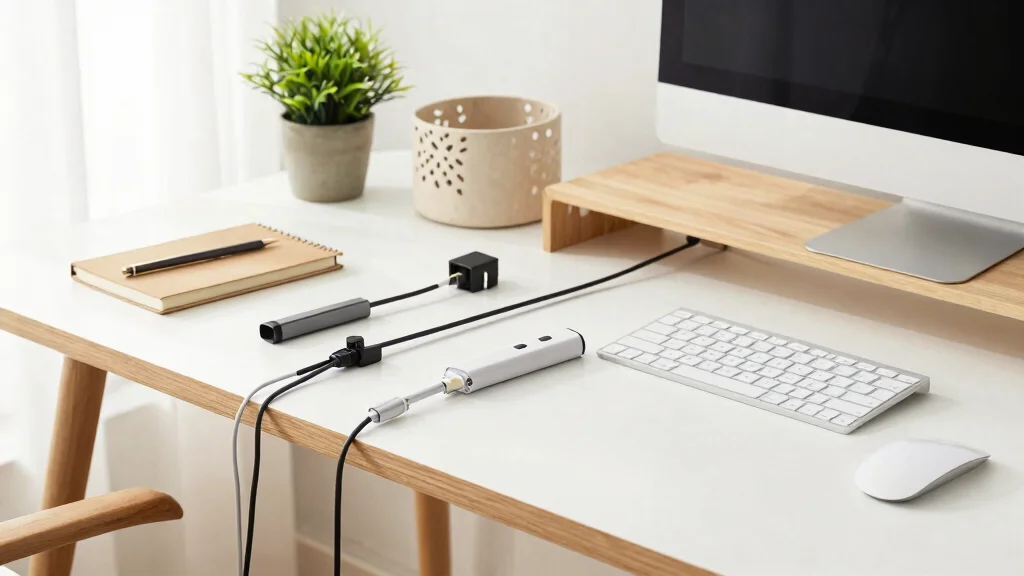
Are you tired of tangled cords and clutter taking over your workspace? You’re not alone. In today’s fast-paced world, a tidy desk can be a game-changer for productivity and focus. I created this post to help you reclaim your space with easy and effective cable organization ideas. With a clean desk, you create a calming environment that encourages clarity and creativity.
This guide is for those who value a minimalist aesthetic and want practical solutions for their home office or study area. If you’re someone who struggles with desk organization or simply wants to enhance your workspace decor, you’re in the right place. I’ve compiled nine cable organization ideas that are stylish, functional, and perfect for achieving that clutter-free look you dream of.
By the end of this article, you’ll discover various cable management hacks to transform your chaotic cords into a serene, organized setup. From simple tools to creative DIY solutions, these tips will not only tidy up your desk but will also add a touch of elegance to your home office decor. Let’s dive into these cable organization ideas and get your workspace in order!
Key Takeaways
– Using cable clips helps keep cords neatly in place, avoiding tangles and creating a clean look.
– Investing in cable sleeves can bundle cords together, reducing visual clutter while protecting them.
– Cable management boxes hide excess cables and power strips, contributing to a more streamlined desk appearance.
– A wall-mounted solution frees up desk space by routing cables along walls, keeping your workspace open and airy.
– Embracing a minimalist approach not only simplifies your desk organization but also enhances the overall aesthetic of your home office.
1. Use Cable Clips for a Clean Look
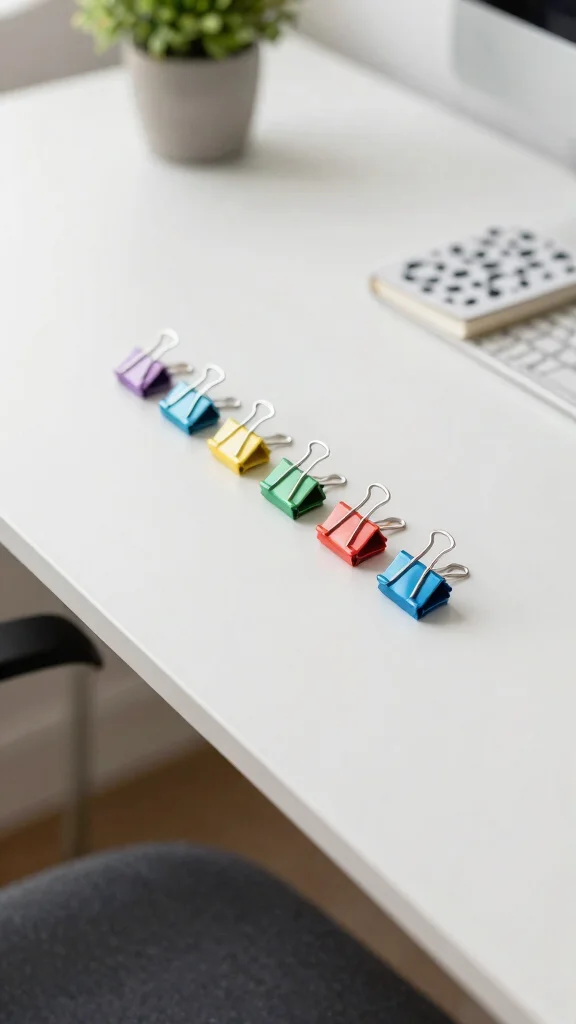
Cable clips offer a practical and aesthetically pleasing solution for managing your cords. By securing them to the back or side of your desk, you can keep cables organized and hidden, contributing to a serene workspace. Their versatility in colors and sizes means you can select options that seamlessly fit your decor. This not only reduces the chances of tangling but also enhances the visual appeal of your office setup.
Implementing cable clips is straightforward and budget-friendly. Look for clips with strong adhesive that won’t damage your surfaces upon removal. Group similar cables together for easy identification, and place clips near devices to minimize excess cable length. Labeling your cords can further improve organization.
Consider these tips to maximize the impact of cable clips:
– Pair clips with matching colors to your desk style.
– Install them along the edges to keep cords out of sight.
– Use multiple clips to create a neat layout.
– Incorporate cable clips into your decor by choosing decorative options.
This solution not only streamlines your desk but also adds a touch of elegance to your workspace.
Use Cable Clips for a Clean Look
Editor’s Choice



EUREKA ERGONOMIC Metal 316 PCS Cable Management Organizer Kit Cable Race…

Magnetic Zip Tie Mounts 22mm, 50 Pack Cable Tie Mount Bases with 200 Zip…

30FT Split Braided Sleeve Cable Management, 1 Inch Wire Loom Tubing Cord…

Label Maker Machine with-Tape, Heat Shrink Label Maker Waterproof-Labels…
2. Invest in Cable Sleeves
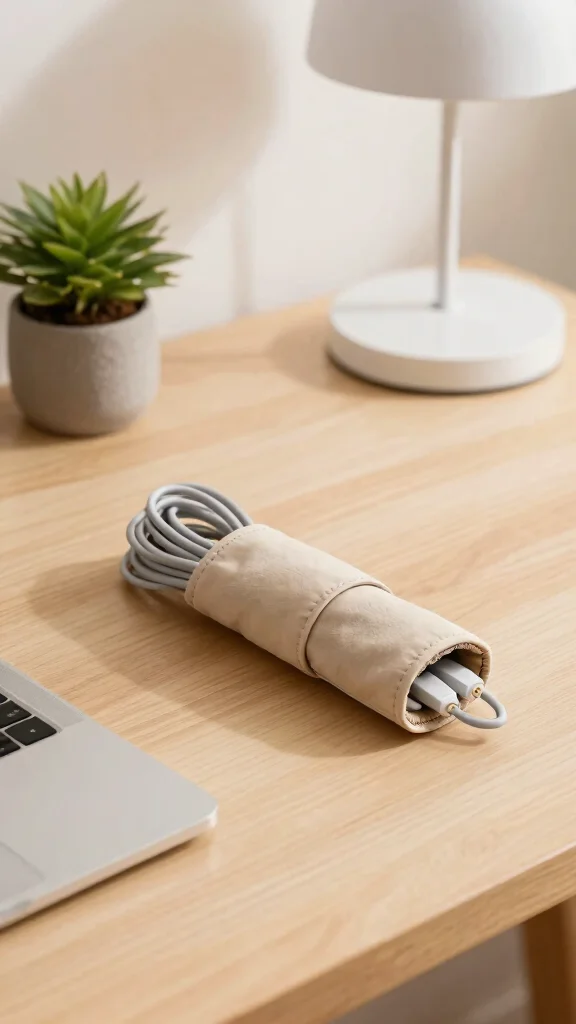
For a chic and organized look, cable sleeves are an excellent addition to your workspace. They provide a unified appearance for multiple cords while shielding them from wear and tear. The sleek design of cable sleeves promotes a clean aesthetic that complements various decor styles.
Opting for cable sleeves is both stylish and practical. Explore options in fabric or neoprene to match your personal style, and choose flexible sleeves that can be adjusted to fit your needs. A well-bundled sleeve simplifies the cleaning process and enhances the overall tidiness of your desk.
Here are some suggestions for using cable sleeves effectively:
– Pair sleeves with matching decor to create harmony.
– Use sleeves to group cables by device type.
– Position sleeves along desk edges for a refined look.
– Look for zippable options for easy cable access.
With cable sleeves, you can elevate your office’s visual appeal while ensuring functionality.
3. Utilize Cable Management Boxes
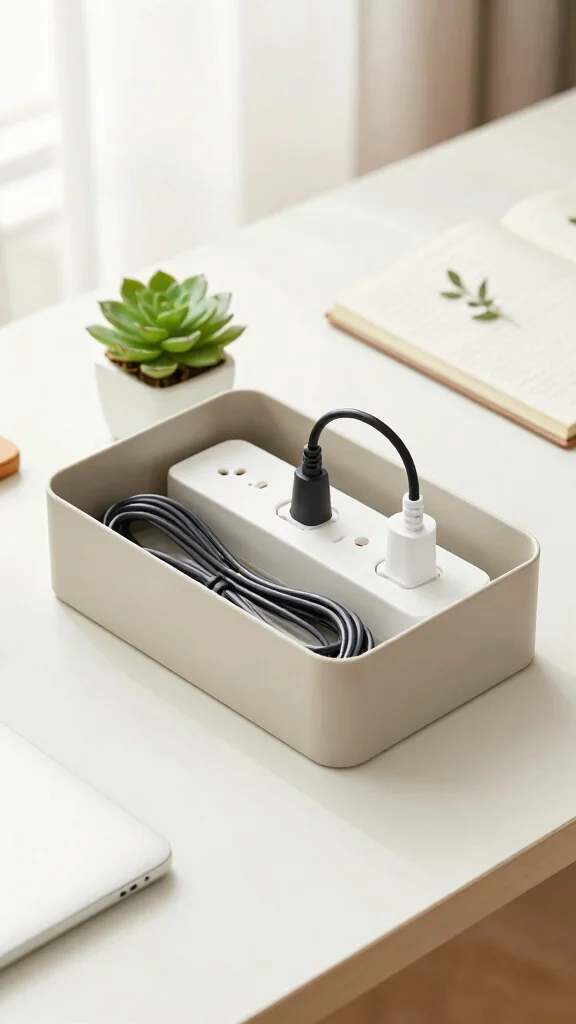
Cable management boxes are an ingenious way to conceal messy cords and power strips, turning chaos into a stylish feature of your home office. These boxes come in various designs, from rustic wood to sleek modern styles, effortlessly blending into your workspace.
Choosing a cable management box can enhance safety by eliminating trip hazards while keeping your cords organized. Many designs include ventilation holes to keep electronic devices cool. Select a box that complements your decor for a cohesive look that elevates your entire setup.
Here are some tips for effectively utilizing cable management boxes:
– Choose boxes that match your decor style.
– Place them under desks to hide unsightly cords.
– Use boxes with multiple compartments for better organization.
– Consider size and capacity to fit all your cables.
A well-chosen box can transform your workspace into a neat and stylish environment.
Fun fact: smart cable organization ideas can cut desk clutter by up to 40%. A sleek cable management box hides cords and power strips, reducing trip hazards while keeping devices cool and your workspace looking tidy.
Utilize Cable Management Boxes
Editor’s Choice
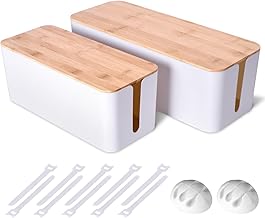
2 Pack Large Cable Management Box – Wooden Style Cord Organizer and Cove…

LiTY Acacia Wood Cable Management Box, Wooden Cord Hider & Organizer for…

BROWNLILY Cable Management Box, Rattan Style Cord Organizer for Desk Cor…

ZhiYo Cable Management Box Black, 2Pack Cord Organizer Box – Extra Large…

Cable Organizer Box Set of Three, Power Cover Cord Holder Surge Protecto…
📹 Related Video: This Cable Management Box WILL FIX Your Cable Mess
4. Go for a Wall-Mounted Solution
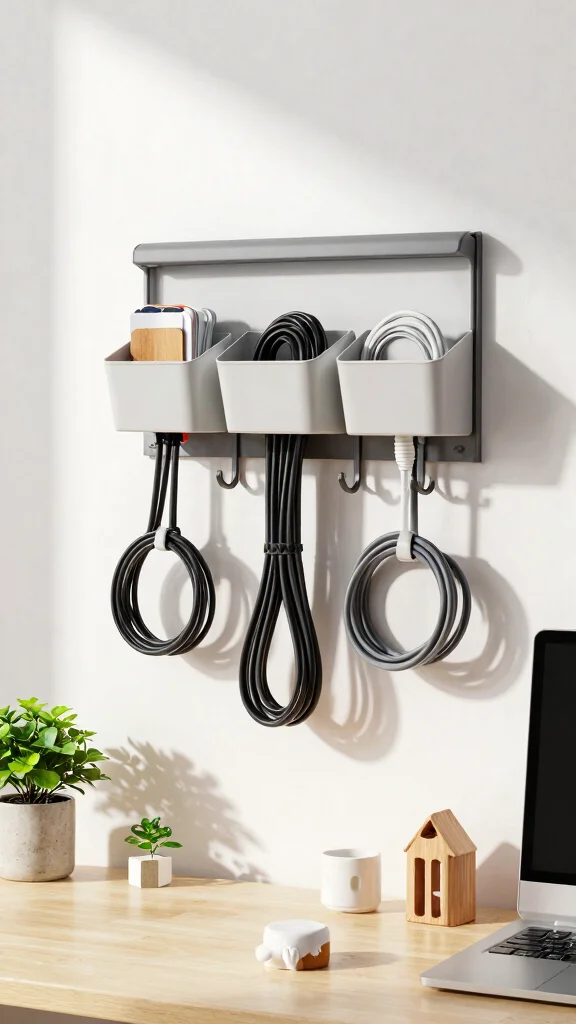
Wall-mounted cable organizers are perfect for maximizing space while keeping cords tidy and accessible. This solution is especially beneficial for smaller desks or those who prefer an airy workspace.
When considering wall-mounted options, you have choices ranging from simple adhesive hooks to more elaborate cable shelves. This approach encourages utilizing vertical space effectively, which is often underused. Decorative wall-mounted organizers can enhance your decor while providing practical benefits.
Here are some ideas for implementing wall-mounted cable organization:
– Install hooks to hang cables neatly.
– Use decorative shelves designed for cable storage.
– Ensure easy access without cluttering your desk.
– Position organizers at eye level for convenient use.
Adopting wall-mounted solutions can create a stylish yet functional workspace, integrating organization with design.
Fun fact: wall-mounted cable organizers reclaim up to 40% of your desk space, turning tangled cords into a clean, accessible setup. It’s one of the smartest cable organization ideas: simple adhesive hooks or shelves create an airy, minimal workspace with fewer cable headaches.
Go for a Wall-Mounted Solution
Editor’s Choice

BASEPORT in Wall Cable Management Kit – Hide Wires Wall Mount TV Kit wit…

Cord Hider, Wire Cover, Cord Covers Wall Mounted TV, Cable Hider, 315 in…

Cable Management Box with Included Mounting Hardware – ABS Cord Organize…

2 Pack 19 Slots Wall mountable Cable Hanger and Organizer,Cable Holder,C…

Beeveer 4 Pcs 10 Slots Wall Mountable Cable Hanger, Cable Rack Organizer…
📝 Organize Your Space Creatively
Transform your home with creative ideas that make minimalism beautiful and functional for a tidy desk.
5. Incorporate Decorative Baskets

Decorative baskets are a beautiful way to keep your cables organized while adding a stylish touch to your office. They blend functionality with aesthetics, making them a perfect choice for cable management.
To make the most of your baskets, select ones that align with your color scheme and decor style. Utilize varying sizes to categorize different types of cables, and place them strategically under your desk or on shelves to keep your workspace tidy. Consider using baskets with lids for a more refined appearance.
Here are some tips for effectively incorporating baskets:
– Choose baskets that match your overall decor style.
– Use various sizes to group cables efficiently.
– Position them where they’re easy to access but out of sight.
– Look for covered baskets to hide cables completely.
Thoughtfully arranged decorative baskets can turn your cable storage into an attractive feature rather than an eyesore.
6. Use Desk Grommets
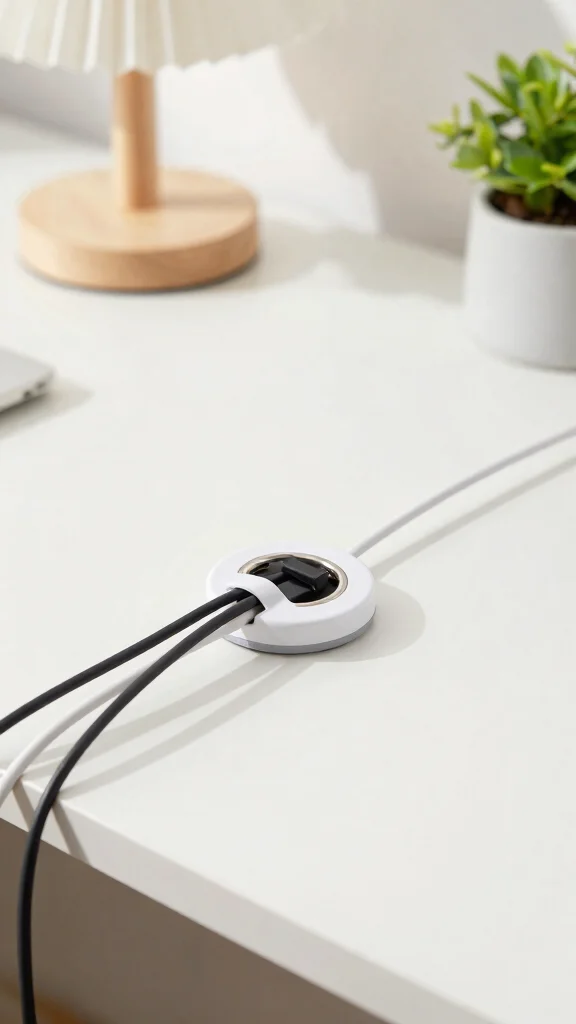
Desk grommets provide a sleek solution for managing cables that connect your devices to power sources. Ideal for desks placed centrally in a room, they help maintain a clean and organized appearance.
Grommets offer several advantages, including creating unobtrusive openings for cables, preventing tripping hazards, and ensuring easy access to your cords. Choose grommets in finishes that match your desk for a polished look.
Consider these points when using desk grommets:
– Install grommets in locations that enhance accessibility.
– Ensure they fit snugly into your desk design.
– Opt for grommets with additional features like covers for extra neatness.
– Select designs that are easy to install and maintain.
Incorporating desk grommets can elevate the sophistication of your workspace while ensuring functionality.
Use Desk Grommets
Editor’s Choice
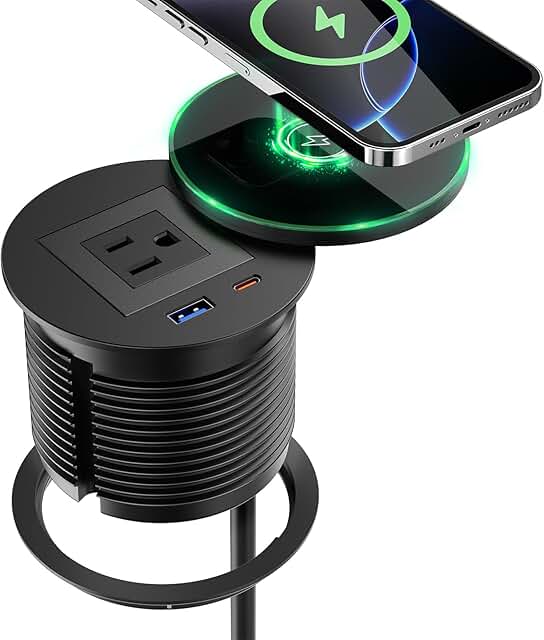
QBA Recessed Power Grommet with 15W Wireless Charger, PD 30W USB-C Port,…
EUREKA ERGONOMIC Metal 316 PCS Cable Management Organizer Kit Cable Race…

Univivi No Drill Under Desk Cable Management Tray, 36″ Cord Organizer fo…

StarTech.com 15′ (4.6m) Cable Management Sleeve – Flexible Coiled Cable …
7. Try Cable Ties for Flexibility
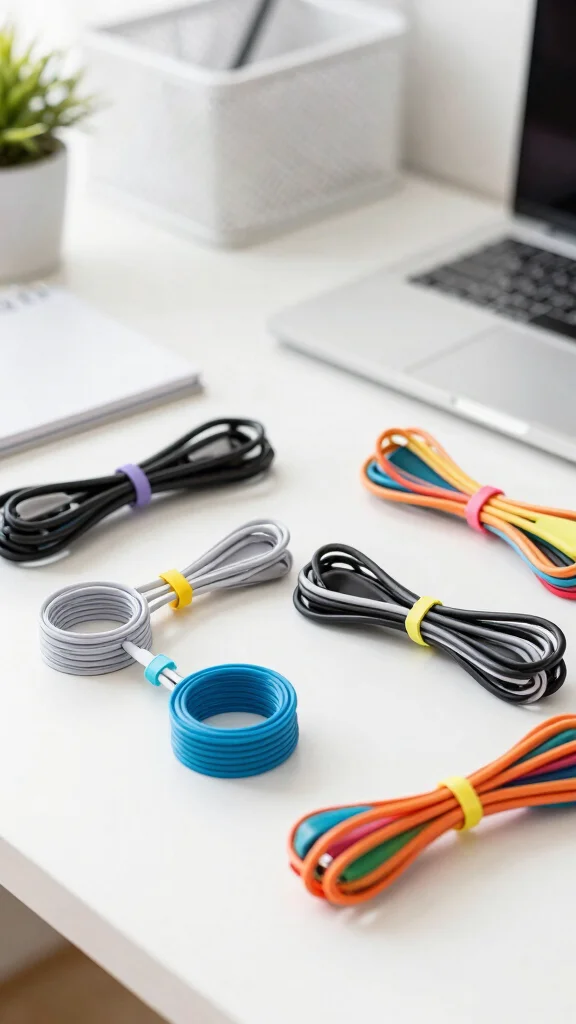
Cable ties are a flexible and practical solution for bundling cords quickly and easily. Available in various materials, lengths, and colors, they cater to minimalist preferences and tight budgets.
Using cable ties allows for effective management of loose cords, with the added benefit of easy rearrangement. They are an economical choice, often sold in bulk for added savings. Opt for reusable ties to promote sustainability.
Here are some suggestions for using cable ties effectively:
– Bundle similar cables together for a neat appearance.
– Use color-coded ties for quick identification.
– Cut or loosen ties when rearranging your setup.
– Keep ties visible but organized on your desk.
With cable ties, maintaining an orderly workspace becomes simple and affordable.
Fun fact: a desk with tangled cables wastes up to 30 minutes a week—undermining your cable organization ideas. Cable ties keep cords tidy in seconds and fit minimalist budgets. Reusable ties add sustainability without sacrificing flexibility.
8. Create a Personal Charging Station
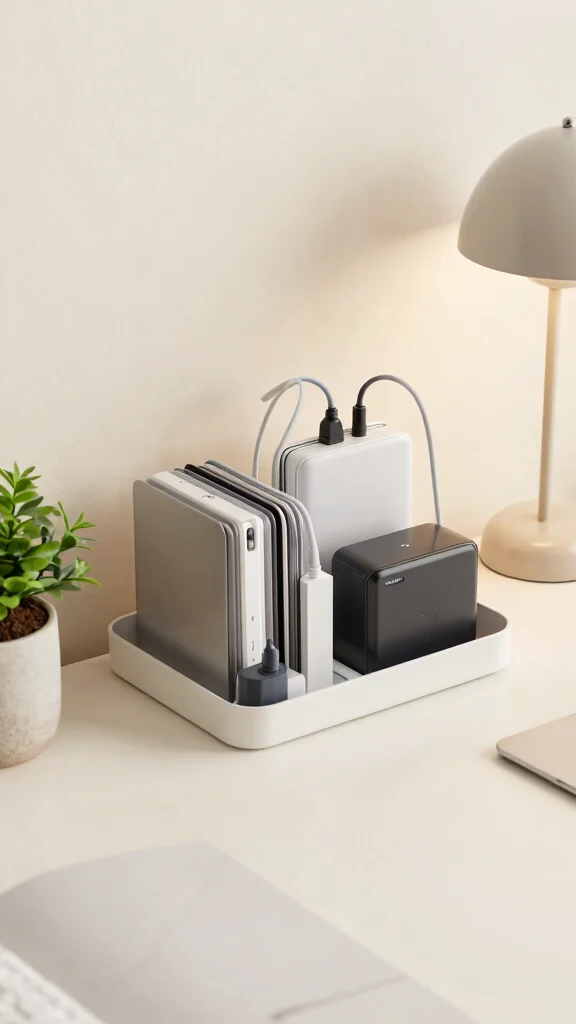
Creating a personalized charging station helps keep your tech essentials organized and within reach in an attractive manner. This setup is ideal for anyone who frequently uses multiple devices at their desk.
To design your charging station, utilize a designated box or tray to gather all charging cables and devices. Label your cables to clarify which belongs to each device, and integrate a power strip for easy access to outlets while maintaining a clean desk. Make sure the station is positioned for convenience without dominating your workspace.
Here are a few tips for setting up your charging station:
– Use a stylish box that complements your decor.
– Label cables clearly for quick identification.
– Keep cords organized and tangle-free.
– Ensure the station is easily accessible.
A dedicated charging station enhances your workspace’s efficiency while keeping it stylish and organized.
Create a Personal Charging Station
Editor’s Choice

Kakyanill 100W Charging Station, 6 AC Outlets 8 USB Power Strip with 200…

Extension Cord with USB Ports- 5 FT Power Strip with USB, 1625W Multi Ou…

YUANYE Cable Management Box Cable Management Kit for Power Strip to Hide…

D-Line Cable Management Box, Power Strip Holder, Floor Outlet Hiders, De…

DYMO LetraTag LT-100H Handheld Aesthetic Label Maker, ABC Keyboard Label…
9. Embrace a Minimalist Approach
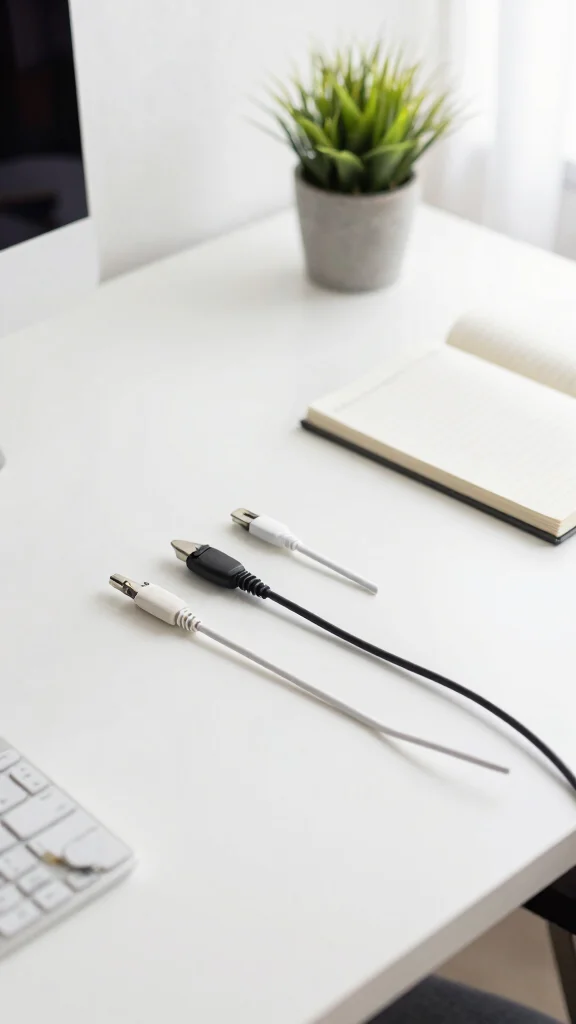
Adopting a minimalist mindset is one of the best strategies for effective cable organization. By evaluating the cords necessary for your daily tasks, you can eliminate any that are excess or unused.
Here are some minimalist cable organization strategies:
– Remove chargers and cables you no longer need.
– Invest in multi-functional devices to reduce cord count.
– Regularly declutter your workspace to maintain tidiness.
– Aim for simplicity to create a calm environment.
Embracing a minimalist approach not only leads to a clutter-free desk but also fosters a serene and focused workspace.
Key Trade-offs & Our Top Pick
Option 1: Cable Clips
– Pros:
✔ Keeps cables secure and in place.
✔ Offers a neat appearance on your desk.
✔ Affordable and easy to install.
– Cons:
🚫 May not hold thicker cables effectively.
🚫 Limited to specific areas where you can attach them.
– Best for: Individuals who want an inexpensive and simple solution for managing light cables.
Option 2: Cable Sleeves
– Pros:
✔ Hides multiple cables in one flexible sleeve.
✔ Reduces clutter and tangling.
✔ Comes in various colors and materials for personalization.
– Cons:
🚫 Can be tricky to install if you have many cables.
🚫 Might not fit very thick cables or connectors.
– Best for: Users with multiple cables looking for a clean and uniform look.
Option 3: Cable Management Boxes
– Pros:
✔ Encloses cords and power strips for a tidy appearance.
✔ Acts as additional decor for your workspace.
✔ Available in different sizes to suit your needs.
– Cons:
🚫 Can take up extra desk space.
🚫 Some models may be pricey.
– Best for: Those needing a stylish solution to hide a bunch of cords and power strips.
Option 4: Wall-Mounted Solutions
– Pros:
✔ Frees up desk space by utilizing wall areas.
✔ Can be customized to fit different setups.
✔ Great for creating a dedicated charging station.
– Cons:
🚫 Requires installation skills.
🚫 If you move, it may leave marks or holes on the wall.
– Best for: People with limited desk space or those who want to create a clutter-free environment.
Expert Recommendation:
Best Overall: Cable Management Boxes
Cable management boxes strike a perfect balance between aesthetics and functionality. They hide unsightly cords while serving as decorative pieces in your home office. Their versatility allows you to accommodate different lengths of cables, making them a fantastic choice for most setups. You can easily find them in various styles and materials to match your home office decor, ensuring long-term durability.
Why We Picked This:
While cable management boxes are great for hiding and organizing cables, you might prefer cable clips if you have fewer cords or need a quick fix. For those who want a seamless look without taking up much space, cable sleeves could be ideal. Wall-mounted solutions are best for anyone willing to invest in their setup while maximizing desk real estate. Choose based on your specific needs and workspace style!
Conclusion
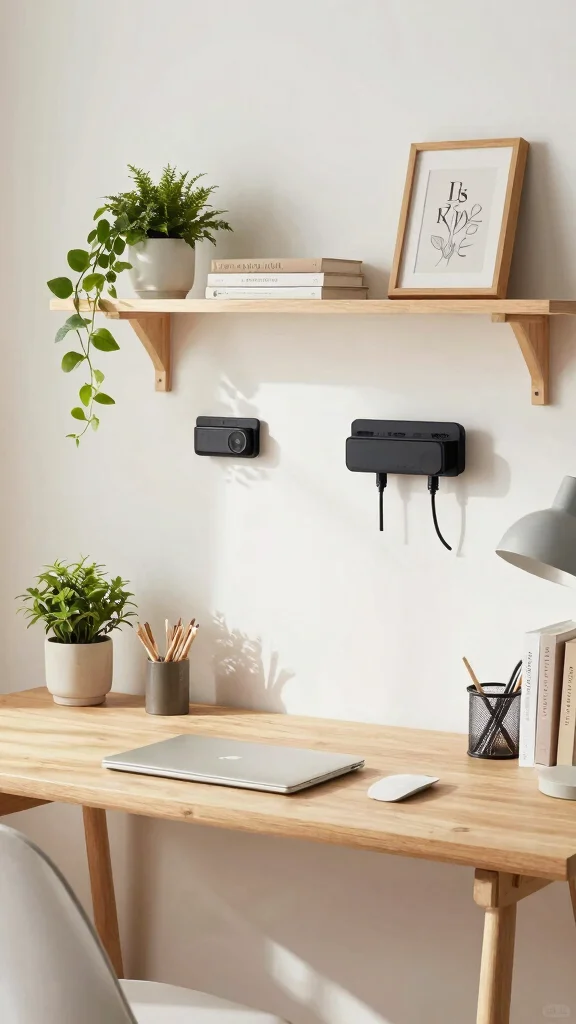
Implementing these cable organization ideas can transform your workspace into a tidy and efficient haven. By integrating stylish storage solutions, you not only improve functionality but also enhance your home office decor.
Keep experimenting with different methods until you discover what works best for you. A clutter-free desk is just a few innovative cable management hacks away! Don’t forget to share your office transformation with us!
Note: We aim to provide accurate product links, but some may occasionally expire or become unavailable. If this happens, please search directly on Amazon for the product or a suitable alternative.
This post contains Amazon affiliate links, meaning we may earn a small commission if you purchase through our links, at no extra cost to you.
Frequently Asked Questions
What are the easiest cable organization ideas for a tidy desk?
The easiest place to start is a quick audit of all cords on your desk.
Group by function, label each group, and pick a dedicated home for them.
Use cable clips and adhesive cable organizers along the desk edge to guide cords, and run the rest under the desk with a cable sleeve or cable raceway to conceal the mess.
Add a cable management tray for power strips and small adapters.
Finish with a minimalist touch by keeping only essential devices on the desk to match tidy workspace solutions and clutter-free desk ideas.
This approach is a practical take on cable organization ideas you will love.
How can I hide cables behind my monitor without sacrificing accessibility?
To hide cables behind your monitor without losing accessibility, start with a monitor with built-in cable management or attach a small clip-on cable channel to the stand.
Route cords along the back edge of the desk using a cable raceway or under-desk cable tray, and power the monitor from a strip mounted under the desk.
Bundle cables with Velcro ties so you can easily unplug when needed.
Keep a single charging hub out in view so you know where every cord belongs, contributing to desk organization tips, tidy workspace solutions, and cable organization ideas.
What are practical desk organization tips to reduce clutter and boost productivity?
Practical desk organization tips to reduce clutter and boost productivity start with designating zones for work, charging, and peripherals.
Start by choosing a single charging hub and a discreet cord bundle.
Use desk organization tips like a small cable tray under the desk, a tidy workspace solutions approach, and a minimalist setup that reflects clutter-free desk ideas.
Try a weekly 5-minute tidy ritual to coil slack and return cords to their home, keeping your space focused and calm.
Which cable management hacks work well for a minimalist home office decor?
Minimalist home office decor can feel effortless with the right hacks. Use a single color for all cables and select flat or braided cables to stay sleek.
Mount slim cable channels or a wall-mounted cable raceway that matches your wall color for a seamless, home office decor look.
Use magnetic clips or a slim under-desk tray to hold adapters out of sight, keeping the surface free for a clean, clutter-free desk ideas vibe.
These ideas pair well with cable management hacks to maintain order.
How can I achieve clutter-free desk ideas in a small space?
Small-space solutions start with measurement and mindset.
Measure desk depth and wall space, then choose vertical organizers, a monitor arm with integrated cable management, and a slim power strip under the desk.
Route cables through the arm’s grommet and keep extras tucked in a cable tray.
Finish with a simple routine: label, coil, and tuck cords away after use to sustain tidy workspace solutions and clutter-free desk ideas.
This is a practical way to implement cable organization ideas even in tight spaces.
Related Topics
home decor
cable organization
minimalist design
desk organization tips
clutter-free workspace
DIY cable management
home office decor
easy hacks
workspace solutions
tidy desk
organization ideas
minimalist workspace