
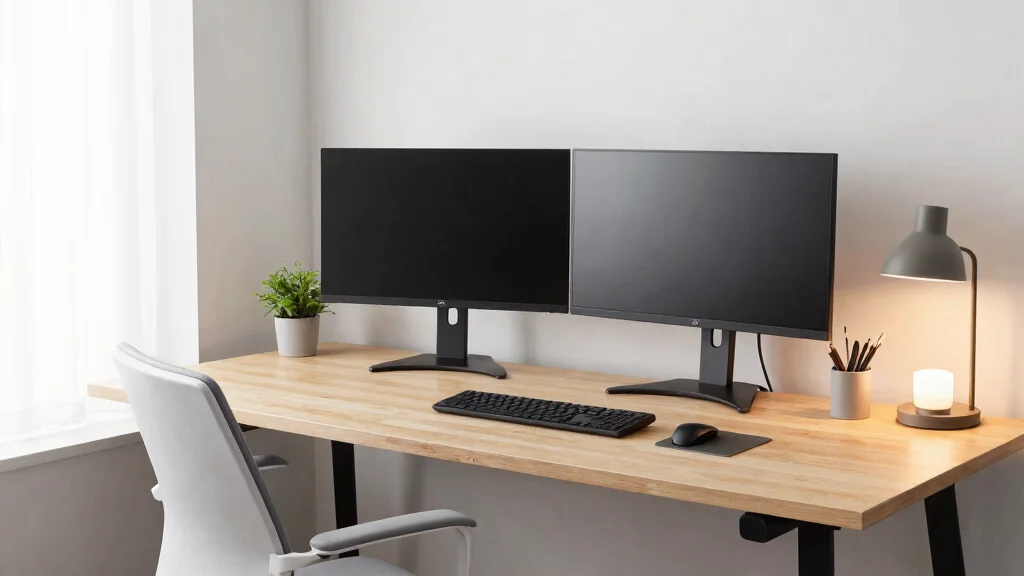
Creating a dual monitor desk setup is more than just a tech upgrade; it’s a lifestyle enhancement. These workstations can boost your productivity and make your workspace a seamless blend of efficiency and style. If you’ve ever felt cramped or distracted in your office, you know how important it is to have a workspace that inspires focus. This post is designed to share eye-catching and functional dual monitor desk setup ideas, sparking your creativity while organizing your workspace.
Whether you are a remote worker, student, or gamer, this guide will resonate with you. If you’re passionate about workspace organization and stylish office decor, these setups cater to both function and aesthetics. You’ll discover 10 unique designs that perfectly balance work and play, making your environment not just productive but also inviting. From minimalist approaches to playful designs, I’ve pulled together ideas that reflect various tastes and needs.
Each setup is crafted to enhance your daily routine, whether you’re diving into spreadsheets or leveling up in a video game. You’ll find practical tips for creating ergonomic desk solutions that prioritize your health while adding a splash of personality to your space. Get ready to transform your workspace into a haven for both productivity and leisure.
Key Takeaways
– Variety of Setups: Explore 10 distinct dual monitor desk setups, each catering to different styles and needs, from minimalist designs to bold, colorful spaces.
– Workspace Organization: Learn how to optimize your workspace with smart storage solutions and layouts that keep your essentials within reach and your desk clutter-free.
– Ergonomic Focus: Discover tips for ergonomic desk solutions that prioritize your comfort and health, reducing strain during long hours of work or gaming.
– Stylish Office Decor: Find inspiration on how to incorporate stylish office decor into your dual monitor setup, balancing functionality with visual appeal.
– Productivity Enhancements: Understand how the right desk configuration can foster productivity, making your work or play time more enjoyable and efficient.
Recommended Products

Fits 21” to 32” Monitors - Dual monitor mount fitting two screens up to 32” in size and 22 lbs in weight (each) with VESA 75x75mm or 100x100mm mounting holes. Installing your monitors is a simple process with detachable VESA brackets, and we provide hardware for wood stud installation. --Patented--

Full Motion Adjustments - Adjustable dual monitor wall mount offers +90° to -90° tilt, 180° swivel and 360° rotation. The monitor arm can be extended up to 21.6", giving you a better viewing angle for more comfortable working
1. The Floating Desk Dream
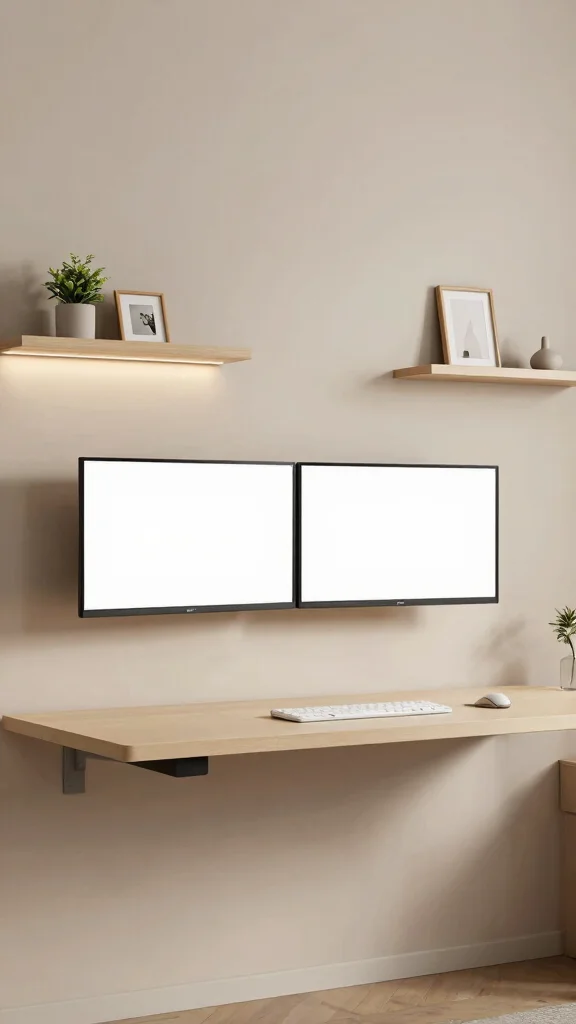
Imagine a dual monitor setup that appears to float effortlessly, giving your space an open and airy feel. This design is not only visually striking but creates a sense of freedom, allowing for a clean and uncluttered environment. Wall-mounted desks paired with two monitors above create a sleek line of sight, enhancing your workspace’s overall aesthetic. You can accent this setup with floating shelves that offer organization without sacrificing style, perhaps featuring a small plant or a cherished photo that brings warmth to the area.
To bring this floating desk idea to life, consider these practical tips:
– Choose minimalist wall brackets to reduce visual clutter.
– Use cable sleeves to neatly conceal wires.
– Incorporate LED strip lights beneath the desk for added ambiance.
This design not only enhances your workspace but also emphasizes a modern flair, balancing style with functionality.
Recommended Products

Keep Your Desk Organized: By lifting 2 screens off the desktop, this computer monitor arm opens up valuable space for your keyboard, notebook, docking station or a simple, clutter-free work area. Built-in cable management guides wires along the arms, keeping cords out of sight and out of the way. Enjoy a tidy, modern workstation that looks as good as it feels to use.

Fits 13" to 30" Screens - Dual monitor mount fitting two screens 13” to 30” in size and up to 22 lbs in weight each with VESA 75x75mm or 100x100mm backside mounting holes. Cable management clips are provided along the arms and center pole.

Compatible with Wide Screens: The ErGear heavy-duty dual monitor arm is designed to fit most 13″–32″ flat or curved monitors, supporting up to 19.8 lbs, and it's compatible with VESA mounting patterns of 75x75mm or 100x100mm. Be sure to verify your monitor’s VESA pattern, size, and weight before purchasing to ensure a perfect fit.
The Floating Desk Dream
Editor’s Choice

MOUNT PRO Dual Monitor Wall Mount for 13 to 32 Inch Screens, Wall Monito…


4pcs Wall Shelf Brackets Heavy Duty Floating Shelf Bracket Hidden,Invisi…

Hook and Loop Cable Sleeve by Wrap-It Storage – 48″ x 4.5″ (2-Pack) Blac…

Univivi No Drill Under Desk Cable Management Tray, 36″ Cord Organizer fo…

PAUTIX COB LED Strip Light,LED Lights 16.4ft,UL Listed Warm White 2700K …
Dimensions & Size Guide
Creating the perfect dual monitor desk setup involves careful planning and precise measurements. From desk size to monitor dimensions, understanding these elements will help you create a workspace that looks great and functions well. Let’s dive into what you need to consider.
Standard Sizes & Measurements:
When planning your dual monitor desk setup, here are some common sizes to keep in mind:
– Desk Width: Most desks range from 48 inches to 72 inches wide. A width of at least 60 inches is ideal for two monitors. This allows ample space for both monitors and any additional workspace.
– Desk Depth: A depth of at least 24 inches is needed to ensure you have enough room for monitors and other office essentials. If you’re using large monitors (27 inches or more), aim for a depth of 30 inches for comfort.
– Monitor Size: Dual monitor setups typically use screens ranging from 24 inches to 32 inches diagonally. Make sure to check the width of your monitors, as two 27-inch monitors can take up significant space.
– Monitor Height: Consider the height of your monitors, especially if you plan to use monitor stands or mounts. The top of the screen should be at eye level when seated to reduce neck strain.
Quick Reference Table:
Here’s a simple comparison showing different sizes and their best uses:
Size/Dimension – Best for: [use case], Minimum space needed: [measurement]
– 48-60 inches wide – Best for: Compact workspaces, Minimum space needed: 48 inches width
– 60-72 inches wide – Best for: Full dual monitor setups, Minimum space needed: 60 inches width
– 24-30 inches deep – Best for: Standard use with peripherals, Minimum space needed: 24 inches depth
– 27-32 inch monitors – Best for: Gaming and design work, Minimum space needed: 60 inches width and 30 inches depth
Space Planning Tips:
To successfully measure and plan your workspace, consider the following tips:
1. Measure Your Room First: Before purchasing a desk, measure the available space in your home or office. This will help you choose a desk that fits well without crowding the room. ✔
2. Leave Extra Room: Always allow for extra space around your desk. Ideally, you should have at least 3 feet of clearance on all sides to move comfortably. 🏃♂️
3. Height Matters: Pay close attention to the height of your desk. The standard height is around 28 to 30 inches. If you’re taller or shorter than average, consider an adjustable desk or a chair that fits your height. 👩💻
4. Consider Cable Management: Make space for cables and cords. Use cable trays or clips to keep everything organized and avoid clutter. This not only looks better but also keeps your workspace functional. ⚡
5. Think About Lighting: Ensure your setup has good lighting. Position your desk near a window or invest in a desk lamp. This helps reduce eye strain during long work sessions. 💡
Pro Tip: The most important measurement is the desk width. Ensure it accommodates your monitors side by side while leaving room for any other essentials. A minimum of 60 inches is a safe choice for a comfortable and organized workspace. 🛠️
Recommended Products

Size: Diameter: 1/2"| Length: 10 Feet | Color: Black. Our wire loom is split and easy to load wires. Once loaded, our cable sleeve will close on itself and perfect wire wrap

Cable Management Kit: 4pcs Cable Sleeves( 20 in L x 0.4 in w), 20pcs reusable wire ties,35Cable Clips 11 Cord Holders, 2 Self Adhesive Cable Tie Rolls(The length of each roll is 118 in), 20Pcs Cable Zip Tie Mounts(3.54L*1.1in W),100 Cable Fastening Ties (size of every : 7.87in L x0.12in W)

Set of 4, each 19-20" long, 1.2" diameter when zipped up. Flexible neoprene cable sleeve with zip-up solution manages and conceals cables while providing easy access
2. L-Shaped Desk for Functionality
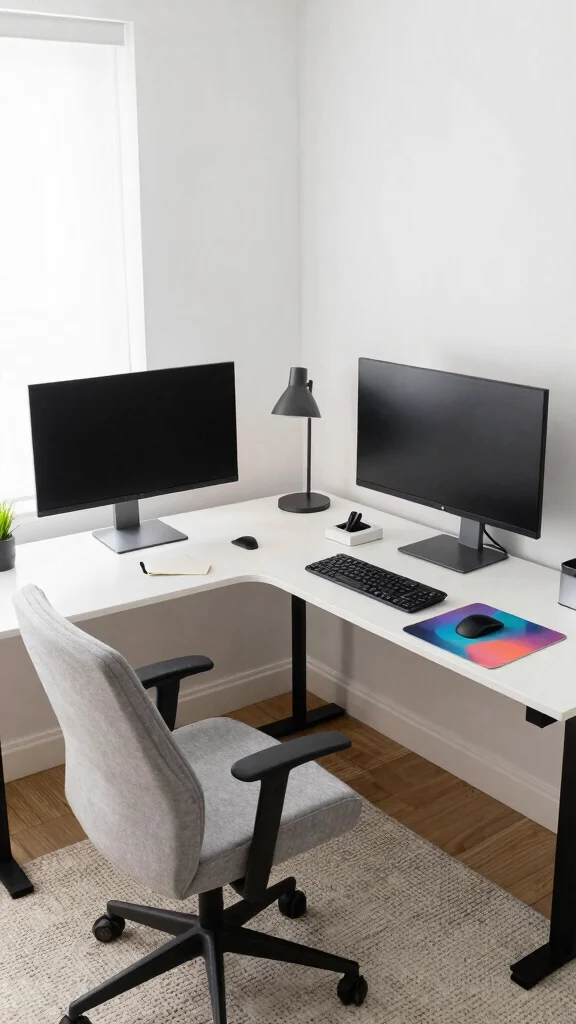
An L-shaped desk setup is more than just a practical choice; it’s a stylish centerpiece for your home office. This configuration allows you to maximize your workspace, making it easy to switch from focused work to leisurely gaming. One side can be dedicated to your work monitors, while the other can be a cozy spot for relaxation, complete with a comfortable chair. Personalize the desk with your favorite items, such as a vibrant mouse pad or a unique lamp that showcases your personality.
To make the most of your L-shaped desk, consider these tips:
– Keep one side clear for essential items while decorating the other side.
– Use a cable management box to hide unsightly wires.
– Layer with a soft rug beneath your feet to enhance comfort.
This setup is ideal for those needing extra space for creativity and organization.
Recommended Products

Screen Compatibility: This single-arm mount fits screens that weigh up to 22 lbs with backside mounting (VESA 75x75mm or 100x100mm). This covers most monitors on the market between 13” and 32”, as well as ultrawide monitors up to 38”. Please verify VESA compatibility before purchasing

【2 Height Adjustable Clear Acrylic Footing】Size:15.7"L X 7.9 "W X 3.35"H/2.16"H;Different base installation orientations allow for adjustable monitor stand height.Provides strong support and an ergonomic viewing position for your screen, with a total weight capacity of 45 lbs.

[𝑫𝒖𝒓𝒂𝒃𝒍𝒆 & 𝑺𝒂𝒇𝒆 𝑪𝒐𝒏𝒔𝒕𝒓𝒖𝒄𝒕𝒊𝒐𝒏]This floating desk for small spaces is crafted from 36”W × 22”D engineered wood with folding mounting hardware, supporting up to 200 lbs for your computer, dual monitors, and peripherals. The rounded corners and fold-down stability make it safe for homes with kids/pets, while the minimalist floating design saves floor space without sacrificing sturdiness.
L-Shaped Desk for Functionality
Editor’s Choice

Cable Management, 25.3” Under Desk Cable Management Tray No Drill, Meta…

Cable Management Box, Large Cord Organizer Box to Hide Power Strip & Und…

D-Line Cable Management Box, Power Strip Holder, Floor Outlet Hiders, De…

Wooden Cable Management Box – Modern Wire Organizer Box & Power Strip Co…

5×7 Area Rug Living Room Rug: Washable Modern Abstract Soft Thin Rug Ind…
3. Minimalist Compact Corner Setup
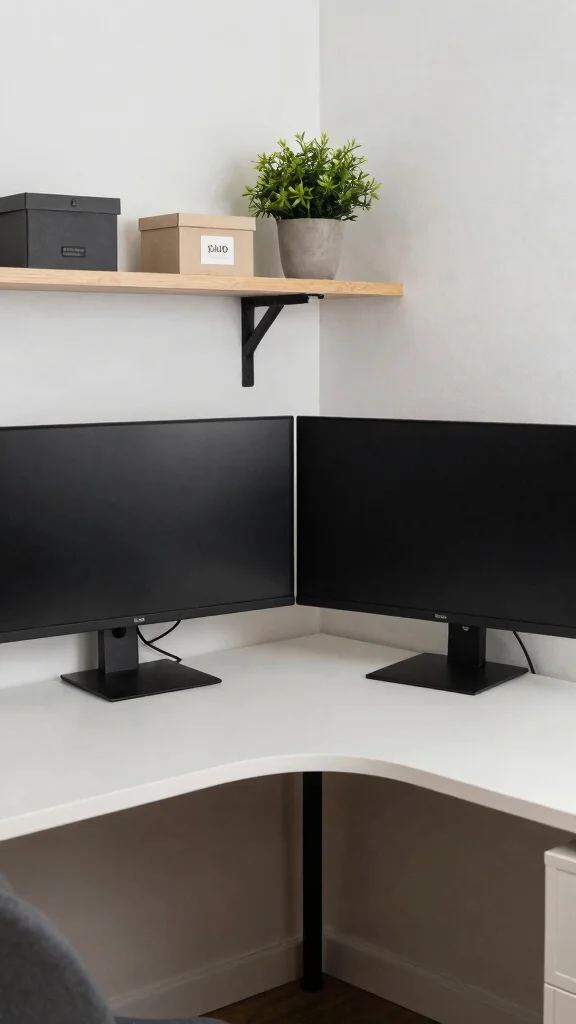
Small spaces can still shine with a chic dual monitor setup. A compact corner desk is perfect for optimizing limited areas while maintaining a sleek aesthetic. By stacking two monitors efficiently, you can enjoy an organized workspace that doesn’t compromise on style. A small floating shelf above the desk can provide additional storage and decor while decorative boxes can add character without cluttering your area.
To create your ideal compact corner, keep these ideas in mind:
– Opt for a corner desk that maximizes vertical space.
– Choose monitors with thin bezels for a streamlined appearance.
– Incorporate a few personal items on the shelf for added charm.
This corner solution is perfect for those who want a simple yet stylish workspace that remains highly functional.
Recommended Products
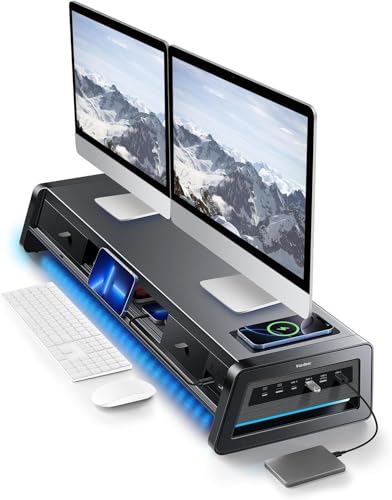
13-in-1 Dual Monitor Stand Riser: Vaydeer multifunctional stand featuring a dual monitor riser, wireless charging pad, 8 USB ports (4 fast charging, 4 data transfer), LED light strip, and storage drawers. Made from durable metal, it supports up to 50kg, helping you stay organized while reducing eye and neck strain for a more efficient workspace,1000mm (L) x 283mm (W) x 140mm (H)
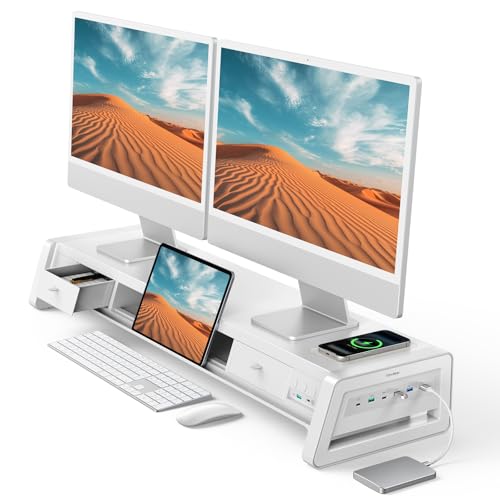
13-in-1 Dual Monitor Stand Riser: Vaydeer multifunctional stand featuring a dual monitor riser, wireless charging pad, 8 USB ports (4 fast charging, 4 data transfer), LED light strip, and storage drawers. Made from durable metal, it supports up to 50kg, helping you stay organized while reducing eye and neck strain for a more efficient workspace,1000mm (L) x 283mm (W) x 140mm (H).

13-in-1 Dual Monitor Stand Riser: Vaydeer multifunctional stand featuring a dual monitor riser, wireless charging pad, 8 USB ports (4 fast charging, 4 data transfer), LED light strip, and storage drawers. Made from durable metal, it supports up to 50kg, helping you stay organized while reducing eye and neck strain for a more efficient workspace,1000mm (L) x 283mm (W) x 140mm (H).
🖼️ Personalize Your Workspace Today
Transform your dual monitor setup with creative ideas that reflect your unique style and enhance productivity.
4. Nature-Inspired Workspace
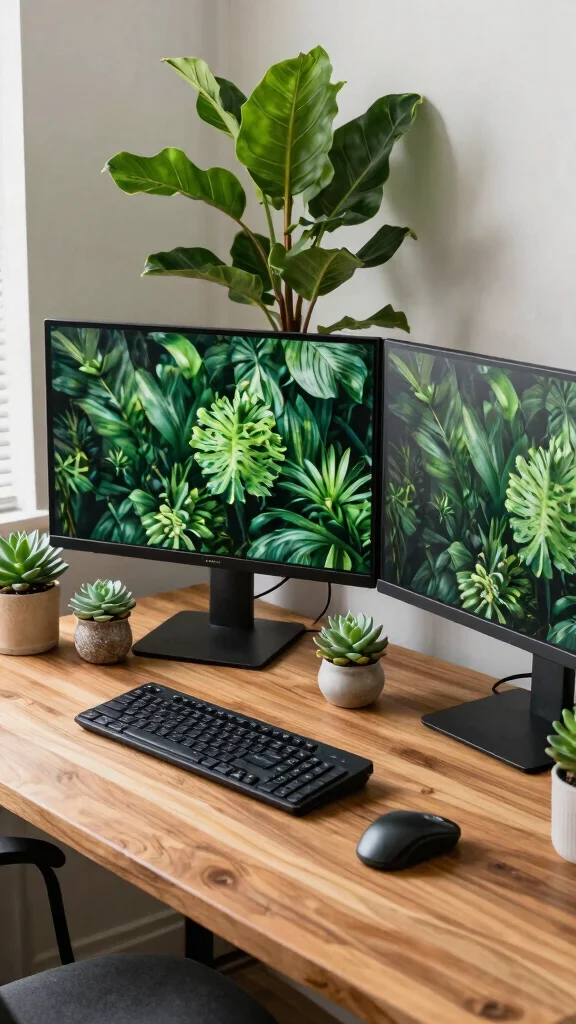
Transforming your dual monitor desk setup into a nature-inspired retreat is both refreshing and uplifting. By incorporating plants and natural materials, you can boost your mood and productivity. A wooden desk adds warmth, creating a seamless connection to nature in your workspace. Surrounding your monitors with greenery—such as succulents or a terrarium—brings life to your desk without creating clutter. Earthy decor elements will also enhance the overall aesthetic while maintaining a minimalist vibe.
To embrace a nature-inspired setup, remember these tips:
– Mix different plant sizes for an engaging look.
– Use light wood for the desk to maintain a cohesive feel.
– Keep decor simple to let your plants and monitors shine.
This setup not only looks stunning but also fosters a calm and creative atmosphere.
Recommended Products

Universal Monitor Wall Mount - The dual monitor wall mount fits most flat or curved computer screens up to 32", each arm holds 4.4-19.8lbs, support pc display with VESA pattern 75x75mm and 100x100mm. Designed for wood studs, brick, and concrete walls. NOTE: Not for dry wall alone application.

Dual Monitor Wall Mount:The mount fits two monitors 13- 27”, support weight up to 22lbs per arm

Wall Mount: The dual arm can be mounted on concrete/brick walls only, helping you to fix two screens at the same time. Compared with a straight wall, the curved design of the arm can optimize the visual limitation on the basis
📹 Related Video: How To Setup Dual Monitor Wallpaper (Span Across) – Full Guide
5. Industrial Chic Setup
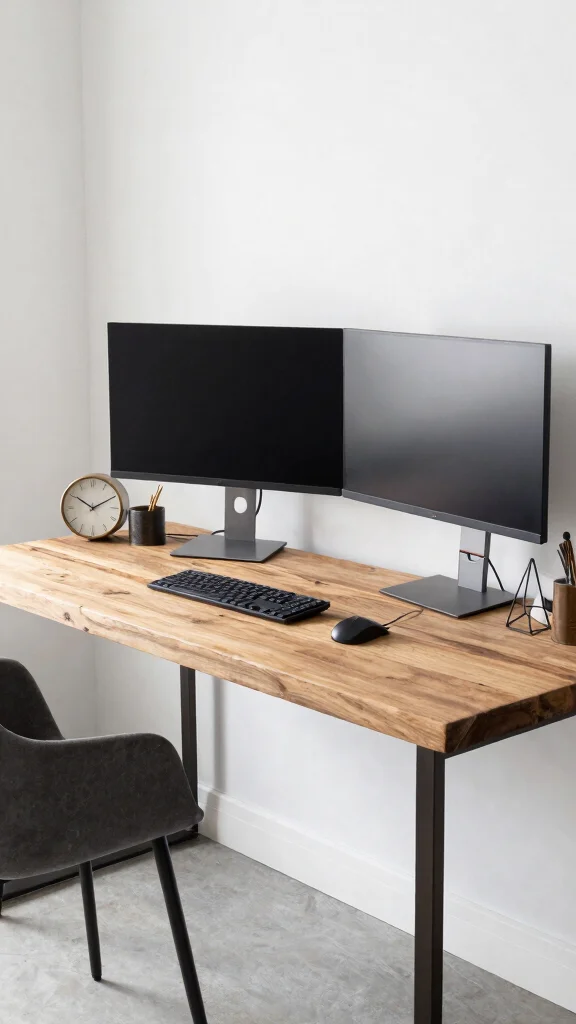
For those who appreciate a bold aesthetic, an industrial chic dual monitor setup offers a unique and exciting solution. Combining raw materials like metal and wood infuses character into your workspace while retaining a minimalist approach. With exposed metal legs on the desk and open shelving, you create a striking contrast with sleek monitors, ensuring an organized yet visually captivating environment. Accent your space with a few industrial-style decor items, such as a vintage clock or geometric organizers.
To achieve the industrial look, consider these ideas:
– Choose a desk with a metal frame for added interest.
– Use muted colors to balance raw materials.
– Incorporate practical decor that complements the workspace’s style.
This design brings a distinctive edge to your workspace, merging functionality with flair.
Recommended Products

Fit for Your Monitors - Ensure Compatibility Before Purchase Your monitor must meet all three conditions to be compatible with our stacked monitor mount: 1. Size: Each monitor arm supports screens up to 32 inches maximum. Monitors exceeding this size are not compatible. 2. VESA Mounting: Your monitor must have VESA mounting holes of either 75x75mm or 100x100mm. If your monitor lacks these mounting holes, this stand will not be compatible. 3. Weight: The monitor must weigh between 4.4 lbs and 19.8 lbs to ensure secure and stable support.(To avoid compatibility issues, we strongly recommend verifying these details before making your purchase.)
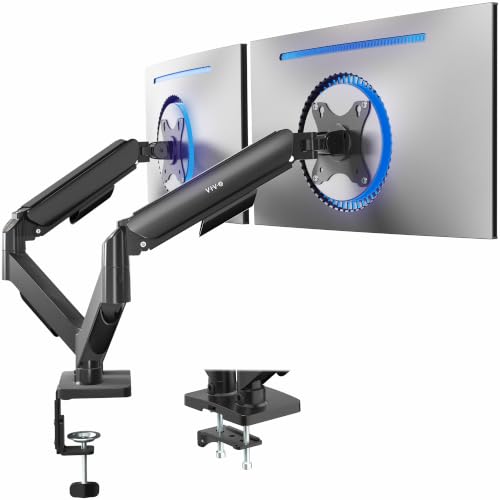
Screen Compatibility: Universally compatible with most 17-inch to 32-inch flat and curved screens weighing from 4.4 lbs to 19.8 lbs each with VESA 75x75mm or 100x100mm mounting patterns
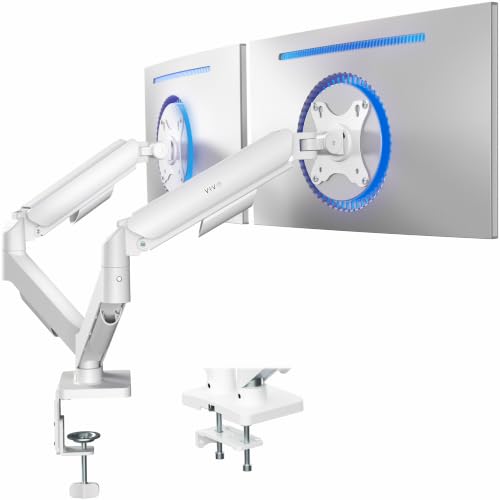
Screen Compatibility: Universally compatible with most 17-inch to 32-inch flat and curved screens weighing from 4.4 lbs to 19.8 lbs each with VESA 75x75mm or 100x100mm mounting patterns
6. Color Pop Office
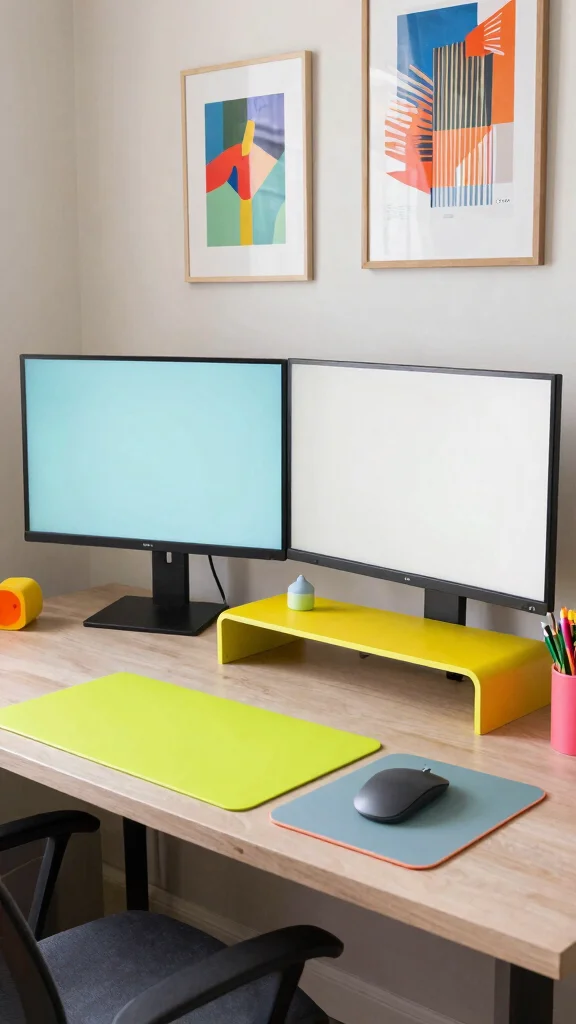
If you’re looking to add a splash of fun to your workspace, a color pop office design is the perfect choice. A simple dual monitor setup can come alive with vibrant accessories and decor. Start with a neutral-toned desk and brighten it up with colorful mouse pads, monitor stands, and stationery. Bright artwork or lively wall decals can further enhance the atmosphere while keeping your workspace organized.
Here are some tips for adding color:
– Use bold colors sparingly to maintain a minimalist feel.
– Select one or two accent colors to create a cohesive look.
– Incorporate fun shapes in accessories for a playful touch.
This setup is fantastic for those who thrive in creative environments filled with inspiration.
Fun fact: a color pop office can boost mood and focus—even with a simple dual monitor desk setup. Bright accessories act as visual anchors, while small, deliberate pops of color keep clutter at bay and productivity climbing throughout the day.
Recommended Products

Size: Diameter: 1/2 Inch; Length: 10 Feet. Our wire sleeves can simply be cut with scissors to any length to meet the needs of your cable management project.

Set of 4, each 19-20" long, 1.2" diameter when zipped up. Flexible neoprene cable sleeve with zip-up solution manages and conceals cables while providing easy access
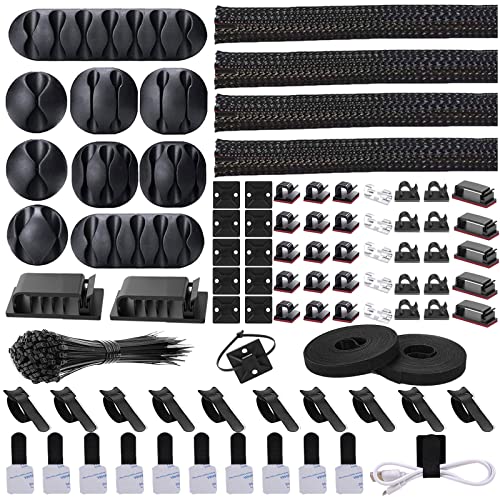
Cable Management Organizer Kit: This comprehensive kit includes a variety of solutions including 4pcs Cord Protector( 20 inch l x 4 inch w), 10pcs reusable wire ties, 36 Self Black Adhesive Cord Holders, 2 Self Adhesive Cable Tie Rolls(The length of each roll is197 inch), 100 nylon wire ties (size of every : 7.9 inch L x0.12 inch w)
Color Pop Office
Editor’s Choice

BONTEC Dual Monitor Stand Riser with Smartphone Holder, Adjustable Lengt…

BONTEC Wooden Monitor Stand Riser, 2-Tier Desk Shelf with Storage Organi…
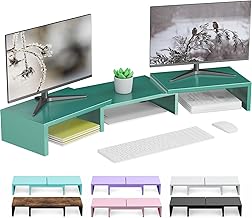
Dual Monitor Stand for Desk, Metal Computer Stand, Desk Shelf Riser,Desk…

Large Keyboard Mouse Pad Set, Extended Mouse Pad+Keyboard Wrist Rest Sup…

Large Colorful Rainbow Wall Decals, Insparational Peel and Stick Fabric …
7. Understated Elegance
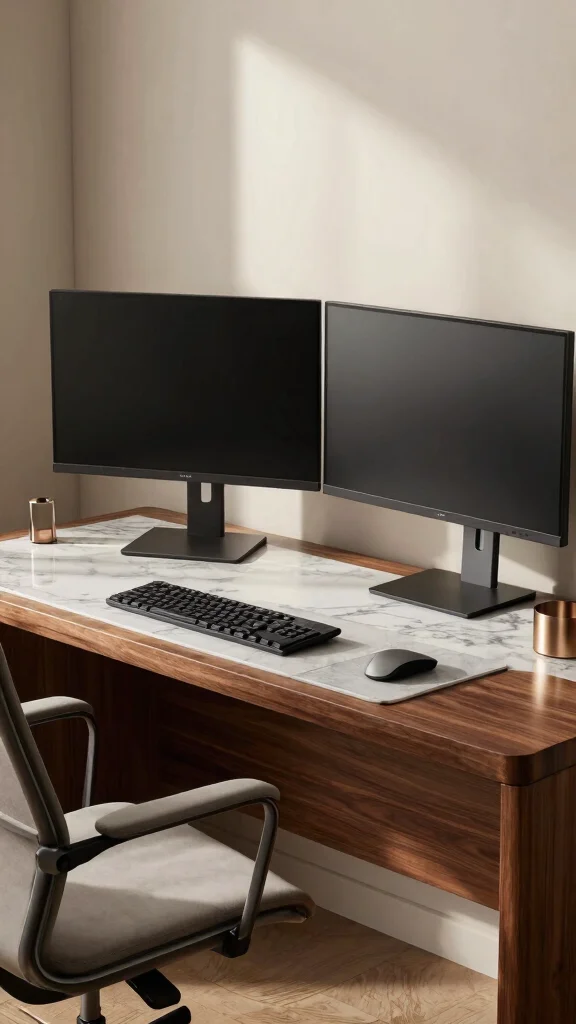
Embracing the philosophy of ‘less is more,’ an understated elegance approach to a dual monitor desk setup focuses on timeless designs and subtle luxury. Select high-quality materials like marble or rich wood for your desk, and pair it with minimalist decor elements. A sleek monitor stand and an ergonomic chair can elevate the entire setup. Accentuate the space with soft metallic touches—such as a gold pen holder or a silver desk lamp—to introduce sophistication without overwhelming the design.
To create an elegant workspace, keep these tips in mind:
– Maintain minimal decor to showcase the quality of materials.
– Use neutral colors with one or two metallic accents for flair.
– Choose functional organizational tools that are also stylish.
This setup conveys professionalism and class, ideal for anyone who values a refined workspace.
Recommended Products

Universal Monitor Mount: Our single monitor arm perfectly fits most flat or curved LCD/LED screens ranging from 19" to 34", with a max load capacity of 19.8 lbs, suitable for VESA patterns of 75x75mm & 100x100mm. Compatible with ASUS, Acer, Samsung, LG, AOC, Dell, etc., not limited to 34 32 30 28 27 25 24 23 22 21 20 19 inch screen, but not compatible with 1000R/1500R/1800R curved screens.

Fits 17" to 49" Screens: Single monitor desk mount supports most flat, curved, and ultrawide displays up to 44 lbs (20 kg); compatible with VESA 75x75 mm, 100x100 mm, 200x100 mm, or 200x200 mm mounting patterns.
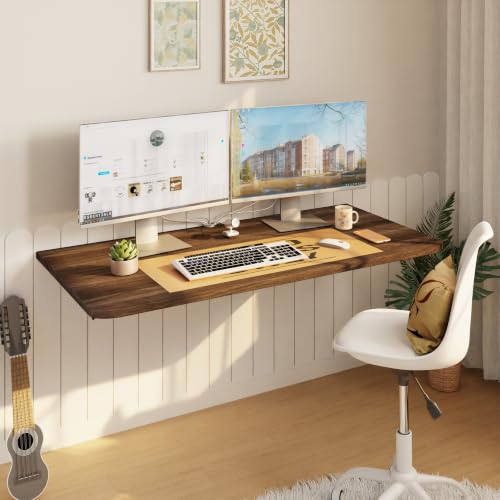
[𝑫𝒖𝒓𝒂𝒃𝒍𝒆 & 𝑺𝒂𝒇𝒆 𝑪𝒐𝒏𝒔𝒕𝒓𝒖𝒄𝒕𝒊𝒐𝒏]This floating desk for small spaces is crafted from 36”W × 22”D engineered wood with folding mounting hardware, supporting up to 200 lbs for your computer, dual monitors, and peripherals. The rounded corners and fold-down stability make it safe for homes with kids/pets, while the minimalist floating design saves floor space without sacrificing sturdiness.
8. Tech-Savvy Setup
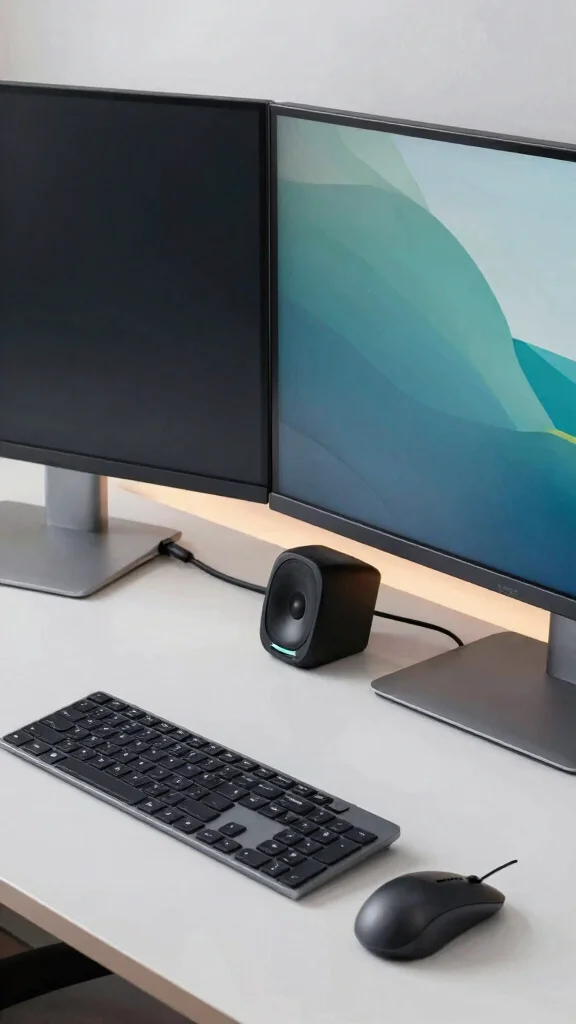
For the tech enthusiast, integrating smart technology into your dual monitor desk setup can enhance both functionality and style. Consider a desk equipped with built-in charging ports or wireless charging options for your devices. Modern monitors featuring built-in speakers and USB ports simplify connectivity. To elevate the experience, incorporate smart lighting that you can control through your phone, making the transition from work to play seamless.
Here are some tech-savvy ideas:
– Utilize cable management solutions to keep cords tidy.
– Invest in a wireless keyboard and mouse for a cleaner appearance.
– Include smart speakers that can play music or assist with tasks.
This setup appeals to those who enjoy merging productivity with cutting-edge technology, creating an efficient and stylish workspace.
Recommended Products

【Dual Monitor Eye-Protection LED Light】: This dual monitor stand is equipped with an adjustable LED strip light, supporting 3 color light modes and 10 levels of brightness adjustment. The 2 monitor mount can easily meet the needs of different scenarios. The LED Desk Light arm supports height adjustment and folding storage, providing precise and comfortable lighting for your desktop and reducing the harm of blue light.

【RGB LED lights】KAFRI RBG Headphone Stand can display 9 lighting effects modes, up to 16.8 million colors to creat an amazing gaming atmosphere at your preference. that can be selected merely by pressing a Touch switch. Great christmas gifts for Son,Boy,Men,Husband and Boyfriend.

【3-Level Height Adjustment】Telescopic legs with 3 precise positions (20mm spacing, 118.5mm-158.5mm range) lets you set the screen at eye level. Cuts down on cervical spine pressure so you work/study comfortably all day.
Tech-Savvy Setup
Editor’s Choice

Logitech MK270 Wireless Keyboard and Mouse Combo for Windows, 2.4 GHz Wi…

No-Screw Under Desk Cable Management Tray – Self-Adhesive Installation, …

Hook and Loop Cable Sleeve by Wrap-It Storage – 120″ x 4.5″ Black – Cut …

Logitech MX Keys S Wireless Keyboard, Low Profile, Fluid Precise Quiet T…

Amazon Echo Dot (newest model) – Vibrant sounding speaker, Designed for …
9. Bright and Airy Scandinavian Vibe
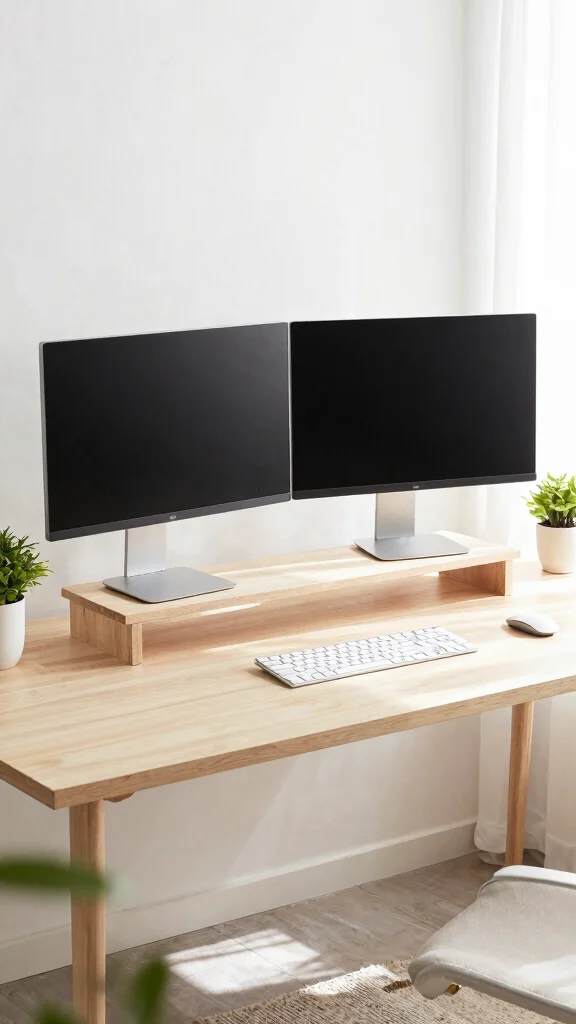
Scandinavian design is celebrated for its simplicity and functionality, making it an excellent choice for a dual monitor desk setup. Choose a light wood desk with clean lines and complement it with white or pastel decor elements. Position your monitors at eye level using a simple stand, and invite natural light into the space with sheer curtains. Add small potted plants and soft textiles to create a cozy yet airy atmosphere.
To achieve a Scandinavian setup, consider these tips:
– Utilize light colors to foster an inviting workspace.
– Select functional storage solutions that keep things tidy.
– Mix textures like wood, metal, and fabric for visual interest while staying minimal.
This setup encourages productivity while maintaining a calm and serene environment, ideal for focused work or relaxation.
Bright, airy spaces make the dual monitor desk setup feel larger—keep lines clean, use light wood and white accents, and place monitors at eye level. A Scandinavian vibe invites natural light for focus and calm. Minimal clutter means maximal productivity.
10. Playful Gaming Station
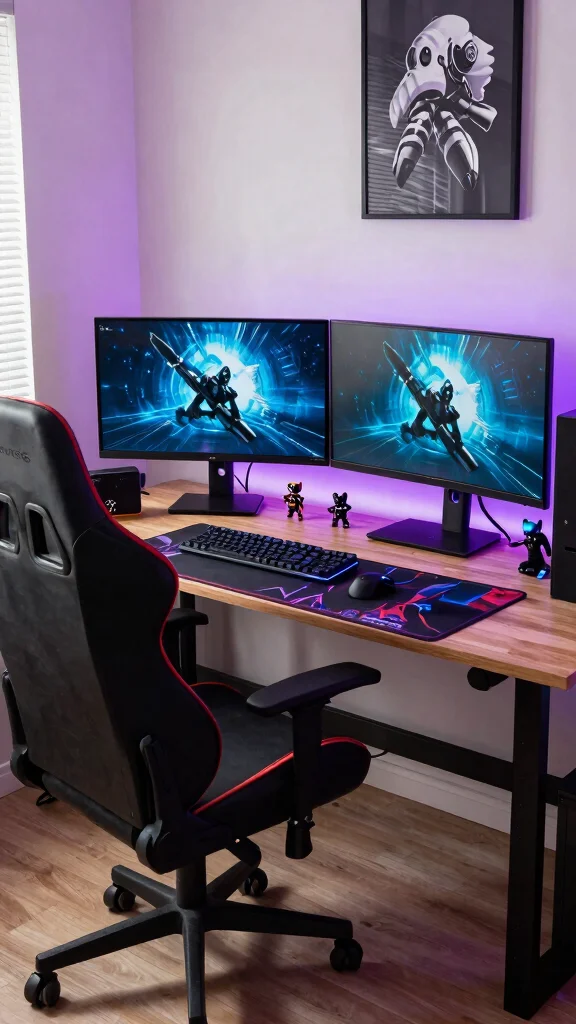
If you want to seamlessly blend work and play, a playful gaming station is the way to go. This dual monitor setup is designed to look great for professional tasks while creating an immersive gaming environment. Incorporate RGB lighting strips around the monitors or beneath the desk for a vibrant effect. Choose a gaming chair that is both stylish and ergonomic, ensuring comfort during those long hours of work and play. Personalize your space with tech-inspired decor, such as gaming figurines or dynamic wall art.
Consider these tips for designing your gaming station:
– Invest in a sturdy desk that accommodates both monitors and gaming gear.
– Use RGB lights to create an energetic atmosphere.
– Keep organized with a custom gaming mat and effective cable management solutions.
This setup caters to gamers and professionals alike, creating a stylish yet functional workspace.
Fun fact: A well-designed dual monitor desk setup can cut task-switching time by up to 20%. When you add RGB accents and an ergonomic chair, focus stays steady for hours. Small tweaks make big work–play gains.
Playful Gaming Station
Editor’s Choice

Grandder 55×32 Extra-Deep Electric Standing Desk, Wide Desktop Fits 49″ …

Amazon Basics Adjustable Dual Monitor Desk Mount, Supports up to 32 inch…

N-GEN GAMING Video Gaming Chair with Footrest Lumbar Support for Home Of…

Govee RGBIC Gaming Light Bars H6047 with Smart Controller, Wi-Fi Smart L…

Govee RGBIC Gaming Lights, 10ft Neon Rope Lights Soft Lighting for Gamin…
Conclusion
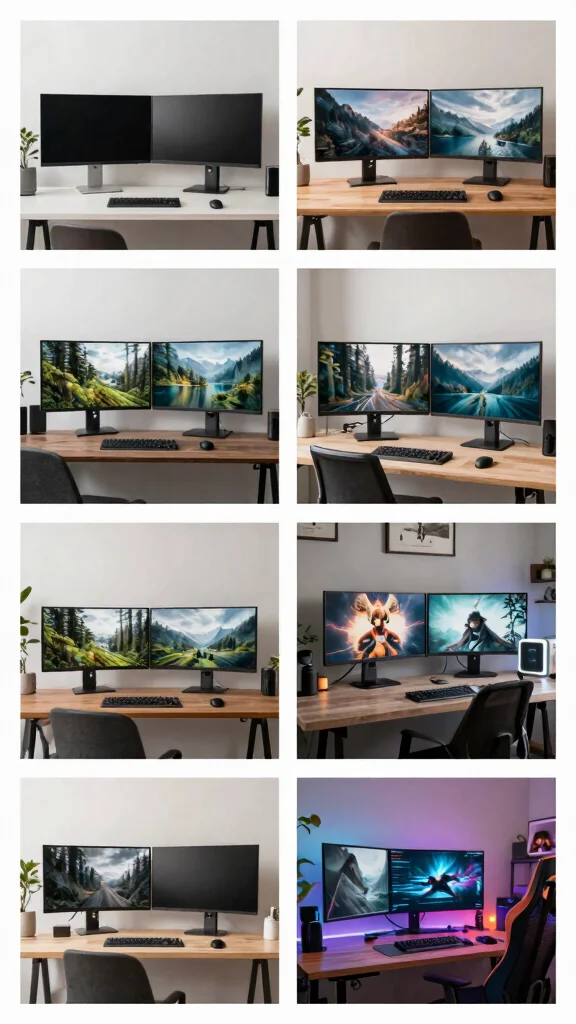
Creating the perfect dual monitor desk setup can dramatically enhance both productivity and enjoyment in your workspace.
Whether you prefer a minimalist approach or a vibrant, tech-savvy environment, there’s a configuration that will inspire you to work and play effectively.
Consider the ideas shared here as a starting point to tailor your own workspace to fit your unique style and needs.
Note: We aim to provide accurate product links, but some may occasionally expire or become unavailable. If this happens, please search directly on Amazon for the product or a suitable alternative.
This post contains Amazon affiliate links, meaning we may earn a small commission if you purchase through our links, at no extra cost to you.
Frequently Asked Questions
What is the best minimalist dual monitor desk setup for a small space?
For a compact, minimalist look, aim for a dual monitor desk setup that keeps only essentials on the surface. Start with a slim, neutral-toned desk and two slim monitors mounted on ergonomic monitor arms to free desk space. Place the monitors side by side at eye level, with the top of the screens about 1-2 inches below your natural eye line. Use a simple cable management system and a slim under-desk tray for accessories. Add a small plant and a low-profile lamp to maintain a calm, cohesive vibe. This setup supports workspace organization and stylish office decor while enhancing productivity enhancements without clutter, and still works as a gaming desk setup when you want a neutral aesthetic.
How can I improve workspace organization for a dual monitor desk setup?
Start by carving your desk into zones: a primary monitor zone, a keyboard/trackpad zone, and a small accessories shelf. Use cable management to route cords behind a monitor arm, and add a under-desk tray for bulk USB hubs and adapters. Choose a wireless keyboard and mouse to cut clutter. Add a desk mat to protect surfaces and make transitions smooth. This approach directly boosts workspace organization and supports ergonomic desk solutions for long work sessions, while keeping your setup visually stylish office decor.
What ergonomic considerations should I prioritize in a dual monitor desk setup?
Make the monitors sit at eye level and about an arm’s length away, with both screens aligned to reduce neck strain. The keyboard should be at elbow height, and the chair should support a tall, upright posture. If possible, use a standing desk or sit-stand converter to vary positions. Keep wrists straight while typing, and take quick breaks every 30 minutes. Good ergonomics boost productivity enhancements and are essential for any dual monitor desk setup.
How can I style my minimalist dual monitor desk setup without sacrificing function?
Stick to a neutral color palette and clean lines, then add texture with a single plant, a wood grain accent, or matte black hardware. Hide cables with a ridge cover or cable sleeve so the surface stays uncluttered. Use symmetric monitor placement and a low-profile lamp to create balance. A slim desk mat and minimal accessories keep the look calm while preserving easy access to your gear. This approach blends stylish office decor with practical workspace organization.
Which accessories boost productivity and gaming experiences on a dual monitor desk setup?
Invest in ergonomic desk solutions like adjustable monitor arms and a sit-stand work surface to support comfort during long sessions. A high-quality gaming desk setup often relies on two well-aligned displays, a reliable USB hub, and cable management to keep clutter down. Add a responsive keyboard, comfortable mouse, and good desk lighting to reduce eye strain. With smart placement and thoughtful accessories, you’ll see clear productivity enhancements without sacrificing style or stylish office decor.
Related Topics
dual monitor desk setup
minimalist design
workspace organization
ergonomic solutions
stylish office decor
gaming desk setup
productivity enhancements
home office ideas
easy setups
budget friendly
modern workspace
remote work essentials