
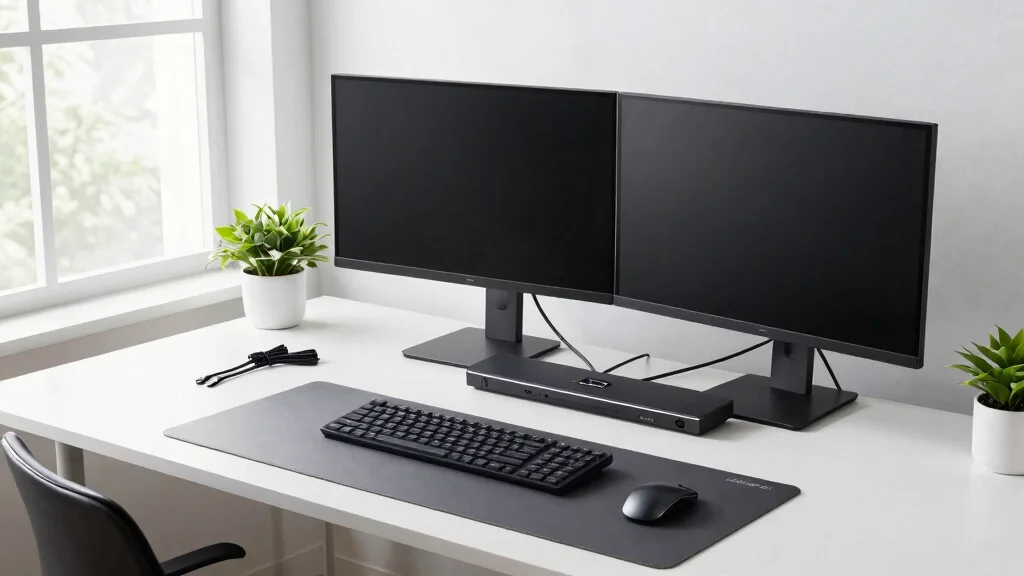
Setting up a multi-monitor workspace can be a game changer for productivity. If you’ve ever found yourself juggling between screens, you know how crucial it is to have the right tools to make your work smoother. That’s why I created this post on the 7 best docking stations for a multi-monitor setup. These devices are not just accessories; they’re essential for anyone looking to enhance their home office experience.
If you’re someone who relies on multiple displays for tasks like design work, coding, or even gaming, this guide is tailored for you. You’ll discover docking stations that work seamlessly with your laptops, featuring various ports and capabilities. Together, we’ll explore options that promise to turn your workspace into an ergonomic haven while ensuring all your devices are connected and functioning flawlessly.
In this article, you’ll find detailed reviews on the top docking stations available, addressing their features, strengths, and any potential drawbacks. Each section is designed to give you the insights you need to make an informed choice. By the end of your read, you’ll feel confident in selecting a docking station that not only meets your needs but also elevates your workspace to a new level of efficiency and comfort.
Key Takeaways
– The right docking station can significantly enhance your multi-monitor setup, making it easier to manage tasks and improve productivity.
– Each docking station on our list offers unique features, catering to different needs and budgets.
– Many of these docking stations support USB-C connectivity, ensuring compatibility with the latest laptops and devices.
– An ergonomic workspace encourages better posture and reduces strain, making a good docking station an investment in your health.
– Reading through reviews and ratings can help you make a well-rounded decision based on user experiences and expert insights.
Recommended Products

The Anker Advantage: Join the 50 million+ powered by our leading technology.

14-in-1 Connectivity: Bring together all your devices with a 14-in-1 solution, perfect for charging, transferring data quickly, and managing dual displays.
1. CalDigit TS3 Plus
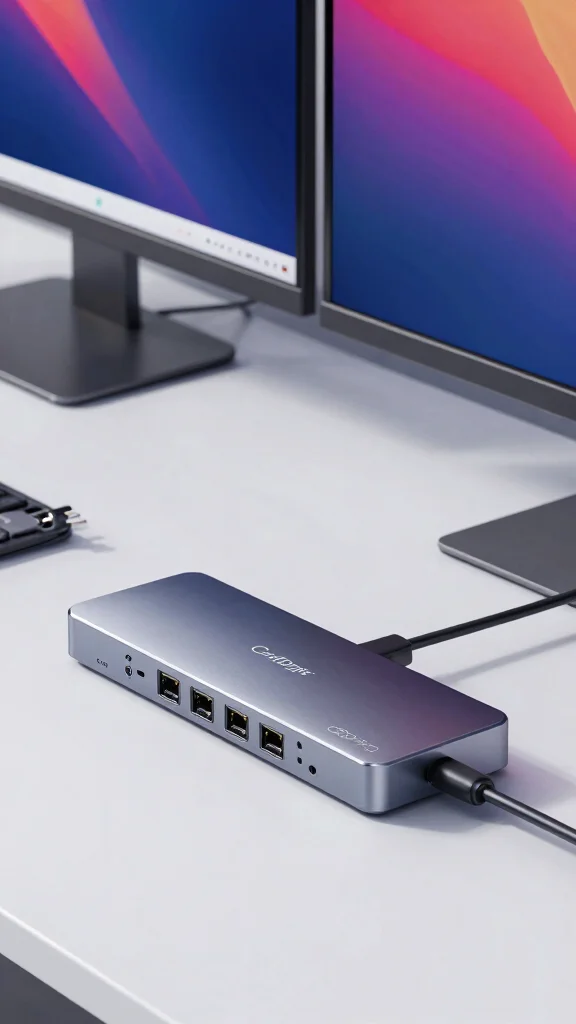
When you want a docking station that blends style with functionality, the CalDigit TS3 Plus shines brightly. Its sleek aluminum finish adds elegance while offering an impressive 15 ports, including USB-A, USB-C, and HDMI. This means you can effortlessly connect multiple monitors and devices, making it perfect for creative work or heavy multitasking.
Its ability to support dual 4K displays ensures your visuals are sharp and vibrant, ideal for design tasks that require precision. This combination of aesthetics and performance creates a workspace that is both inspiring and efficient.
Consider these key actions to elevate your setup:
– Pair with two 4K monitors for stunning visuals
– Install on a dedicated desk for easy access
– Use USB-C ports for quick device connections
– Incorporate cable management solutions for a tidy look
Embracing the CalDigit TS3 Plus not only enhances your productivity but also elevates your workspace’s aesthetic. The mix of textures and materials brings a sophisticated touch to your home office.
“Fun fact: the CalDigit TS3 Plus packs 15 ports and supports dual 4K displays. That’s what makes it the best docking station for a multitasking, multi-monitor setup—clean cables, crisp visuals, and serious productivity in one sleek package.”
Recommended Products

【9-in-1 USB-C Docking Station】This Acer laptop docking station includes 2 HDMI(4K@60Hz), 3 USB-A (5Gbps), 1 USB-C (5Gbps), 100W PD charging, and SD/MicroSD slots (104Mbps). 📌Note: 𝐏𝐥𝐞𝐚𝐬𝐞 𝐞𝐧𝐬𝐮𝐫𝐞 𝐲𝐨𝐮𝐫 𝐥𝐚𝐩𝐭𝐨𝐩 𝐡𝐚𝐬 𝐚 𝐔𝐒𝐁-𝐂 𝐩𝐨𝐫𝐭 𝐰𝐢𝐭𝐡 𝐯𝐢𝐝𝐞𝐨 𝐨𝐮𝐭𝐩𝐮𝐭 (𝐃𝐢𝐬𝐩𝐥𝐚𝐲𝐏𝐨𝐫𝐭 𝐀𝐥𝐭 𝐌𝐨𝐝𝐞) 𝐬𝐮𝐩𝐩𝐨𝐫𝐭.

USB C Docking Station 8 IN 1: HoDo USB C Docking Station with Dual HDMI 4K (1*60HZ & 1* 30HZ), 1*4K@60HZ DisplayPort, 1*1080P VGA,3* USB 2.0,USB C Power Charging Port (max 100W). Please Note: on MacOS system, the screens of external monitors are the same, no matter they are displayed in mirror mode or extended mode
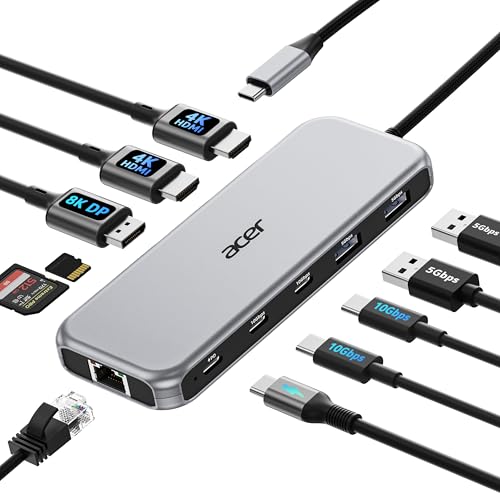
【All in one Docking Station】This Acer laptop docking station includes 2 HDMI(4K@60Hz), 1 DP(8K@30Hz), 2 USB-C (10Gbps), 2 USB-A (5Gbps), Ethernet(1 Gbps), PD charging(100W) , and SD/MicroSD slots (104Mbps)-enabling seamless multi-display setup and efficient device connectivity for work and entertainment.. 📌Note: 𝐏𝐥𝐞𝐚𝐬𝐞 𝐞𝐧𝐬𝐮𝐫𝐞 𝐲𝐨𝐮𝐫 𝐥𝐚𝐩𝐭𝐨𝐩 𝐡𝐚𝐬 𝐚 𝐔𝐒𝐁-𝐂 𝐩𝐨𝐫𝐭 𝐰𝐢𝐭𝐡 𝐯𝐢𝐝𝐞𝐨 𝐨𝐮𝐭𝐩𝐮𝐭 (𝐃𝐢𝐬𝐩𝐥𝐚𝐲𝐏𝐨𝐫𝐭 𝐀𝐥𝐭 𝐌𝐨𝐝𝐞) 𝐬𝐮𝐩𝐩𝐨𝐫𝐭.
CalDigit TS3 Plus
Editor’s Choice

TS5 Thunderbolt 5 Dock – 15 Port, 140W Charging, 80Gb/s TBT 5 x 4, USB-C…


TS5 PLUS – Thunderbolt 5 Dock – 20 Port, 10Gb Ethernet, 140W dedicated h…

TS4 18 Port Thunderbolt 4 Dock, 98W Charging, 3X TBT4 (40Gb/s), 3X USB-C…

16-in-1 Thunderbolt 4 Dock – Dual 4K Monitors for M4/M5 MacBook Air/Pro,…

Thunderbolt 4 Dock with 100W Charging, Thunderbolt Certified, Laptop Doc…
2. Dell WD19TB
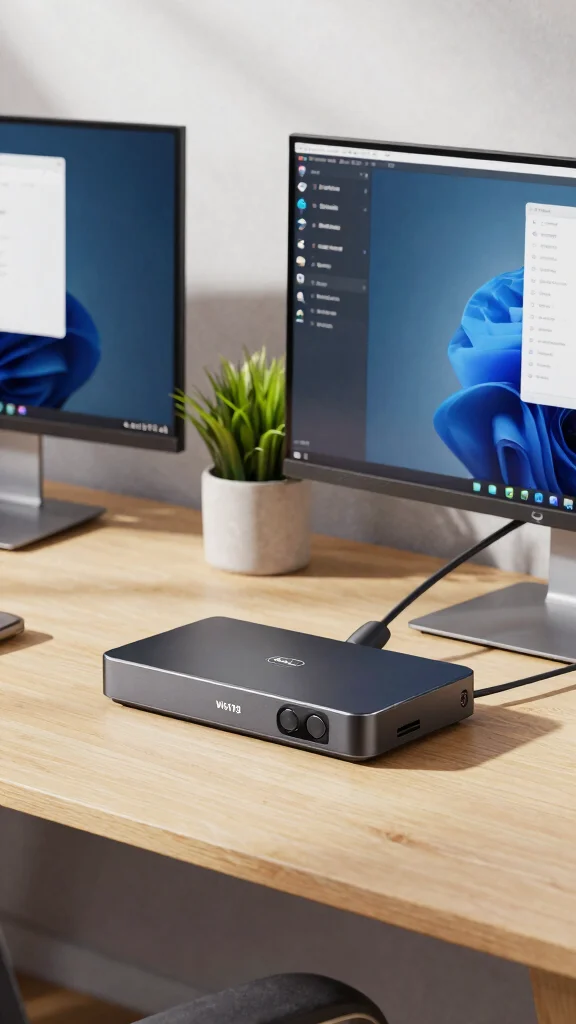
The Dell WD19TB is all about professional performance in your home office. Featuring robust Thunderbolt 3 connectivity, this dock allows for lightning-fast data transfer and supports up to three displays, making it an excellent choice for graphic designers or anyone needing expansive screen space.
This docking station’s sleek design fits seamlessly into modern setups, ensuring your workspace looks sharp and organized. With easy plug-and-play functionality, you can get started in seconds, enhancing both your productivity and workflow.
Take these steps to maximize your productivity:
– Connect multiple monitors for expansive views
– Install in a central location for easy access
– Use the USB ports for all your devices
– Pair with a high-quality monitor for best results
The Dell WD19TB brings a professional touch to any workspace, ensuring that your technology not only performs but also complements your home office design.
Did you know the Dell WD19TB can drive up to three 4K displays via Thunderbolt 3? It’s a top pick as the best docking station for a multi-monitor home office—plug-and-play and ultra-clean desk setup.
Recommended Products
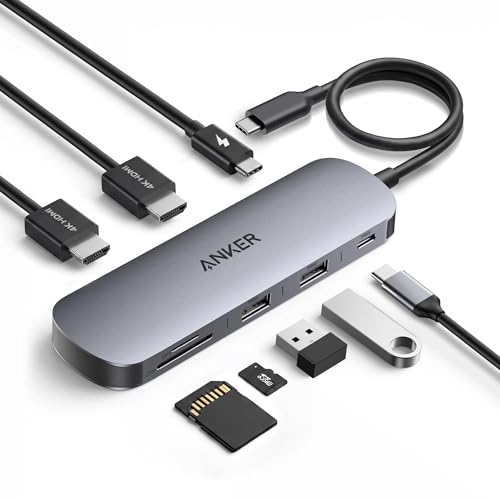
Versatile 8-in-1 Connectivity: Includes a USB-C upstream plug with 85W max output and 10 Gbps data transfer, a 100W max USB-C PD input port, a 10 Gbps USB-C data port, two 10 Gbps USB-A data ports, two HDMI ports supporting up to 4K@60 Hz, and SD / TF 3.0 card slots with transfer speeds up to 104 MB/s.

7 in 1 USB C Laptop Docking Station: UGREEN Docking station comes with 2 HDMI, 2x10Gbps USB A ports, 2x10Gbps USB C portsand, a PD 100w charging transfer port. To achieve the full capabilities of hub, ensure your laptop's USB-C port is a full-function or Thunderbolt 3/4 port and Ensure that the cables you are using are compatible with the interface

Detachable 2-in-1 Design for Desk & Travel — Features a 13-in-1 desktop docking station with a detachable 6-in-1 portable hub that snaps off for on-the-go use. One docking station replaces two, covering both your home office setup and mobile work needs without buying separate devices.
Dell WD19TB
Editor’s Choice

Belkin Thunderbolt 3 Dock Pro w/ Thunderbolt 3 Cable – USB-C Hub – USB-C…

TobenONE DisplayLink Docking Station 3 Monitors with 120W Power Adapter,…

UGREEN Thunderbolt 4 Dock 8-in-1 40Gbps TB4 Hub 3 x TB 4 Dual 4K@60Hz or…

OWC 14-Port Thunderbolt Dock, 85W charging, (2) Thunderbolt 40 Gb/s (USB…

Corsair TBT100 DP Thunderbolt™ 3 Dock with DisplayPort – 2X DisplayPort …
3. Anker PowerExpand Elite
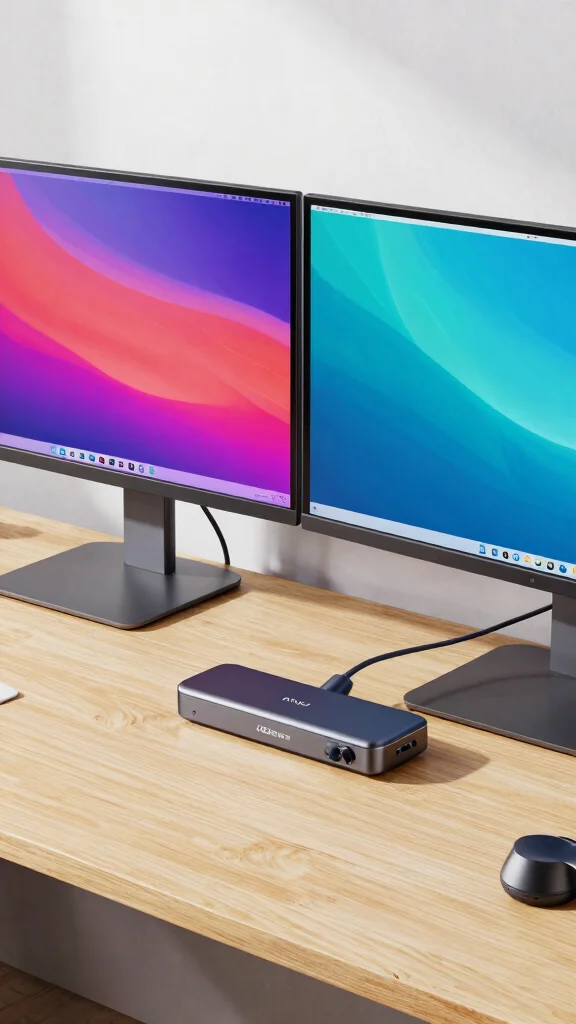
If versatility is what you seek, the Anker PowerExpand Elite is your go-to solution. With 13 ports, including HDMI, USB-C, and Ethernet, it supports dual 4K displays and fits perfectly into a variety of workspaces. Its compact design ensures you can take it anywhere without hassle.
This docking station is perfect for those who need to work on the go, providing all essential connections in a lightweight package. Its functionality meets style, making it a favorite among professionals who prioritize both aesthetics and performance.
Explore these practical applications:
– Pair with dual 4K monitors for immersive experiences
– Install on a mobile workstation for versatility
– Use USB ports to connect peripherals easily
– Incorporate during travel for productivity on the move
The Anker PowerExpand Elite enhances your workspace with its sleek design and reliable functionality, ensuring you stay connected wherever you are.
Did you know the Anker PowerExpand Elite packs 13 ports into a compact chassis? It powers dual 4K displays and fast Ethernet, giving you a clutter-free, on-the-go workstation that still covers every essential connection.
Recommended Products

Laptop Docking Station: Note: For macOS, this adapter only supports mirror mode (repeated display). Cannot achieve the expansion mode of displaying different screens! With this USB C hub multiple adapter you can easily extend your laptop from one type c/Thunderbolt 3/4/5 port into 8 ports, you get 2*4K HDMI, 4K DisplayPort, 2*USB 3.0 ports, USB C 3.0 port(up to 5Gbps), PD Port(Up to 100W), Gigabit Ethernet(1Gbps). USB C to Dual HDMI Adapter widely applicable for Windows

Adjustable Stand for Tailor-Made Comfort: The docking station has a stand composed of two foldable panels. Therefore, the back panel no longer blocks the heat dissipation outlet of the gaming consoles, greatly enhancing the heat dissipation effect.

6 in 1 USB-C Hub: This USB C ethernent hub turns a single USB-C port into 6 ports with a 4K@30Hz HDMI, gigabit ethernet, PD 100W charging and 3x USB-A 3.0.
Key Trade-offs & Our Top Pick
CalDigit TS3 Plus
– Pros:
– Offers a total of 15 ports, including USB-A, USB-C, and Ethernet, providing extensive connectivity options.
– Supports dual 4K displays, making it ideal for visual professionals.
– Cons:
– Slightly more expensive than other options.
– May require a compatible power supply for maximum performance.
– Best for: Users who need high versatility and multiple connections for a dual-monitor setup.
Dell WD19TB
– Pros:
– Equipped with Thunderbolt 3 support for fast data transfer speeds.
– Capable of powering your laptop while connecting multiple monitors.
– Cons:
– Limited to Dell laptops for full functionality.
– The design might not fit all aesthetic preferences.
– Best for: Dell laptop users who want seamless integration and fast charging.
Anker PowerExpand Elite
– Pros:
– Provides a solid number of ports, including HDMI and USB-C.
– Compatible with both Windows and Mac devices.
– Cons:
– Lacks built-in display support for multiple monitors, limiting its use for those needing multiple screens.
– Can get warm during heavy use.
– Best for: Users who want a budget-friendly option with decent versatility but don’t need multiple display outputs.
Plugable USB-C Triple Display Dock
– Pros:
– Allows for three external displays, perfect for heavy multitaskers.
– Supports both HDMI and DisplayPort connections.
– Cons:
– May require some technical setup for optimal performance.
– Can be bulky compared to other options.
– Best for: Professionals who need a robust multi-monitor setup for complex tasks.
j5create JCD381
– Pros:
– Compact design makes it easy to travel with.
– Supports HDMI and VGA outputs for diverse display options.
– Cons:
– Limited power delivery capabilities.
– May not support high-resolution displays efficiently.
– Best for: Users who need a portable solution for occasional multi-monitor use.
Hiearcool USB-C Hub
– Pros:
– Very affordable, making it accessible for many users.
– Compact and lightweight for easy transport.
– Cons:
– Limited number of ports compared to others.
– Not ideal for power users needing multiple monitors or high data transfer.
– Best for: Casual users who need extra ports for basic tasks and light multitasking.
Kensington SD4780P
– Pros:
– Offers a clean, professional design suitable for home offices.
– Supports 4K displays and multiple connections.
– Cons:
– Higher price point may not suit all budgets.
– Some users report connectivity issues with certain devices.
– Best for: Users who want a stylish docking station for a permanent home office setup.
Best Overall: CalDigit TS3 Plus
The CalDigit TS3 Plus stands out as the top choice for most users. Its 15 ports provide ample connectivity options while supporting dual 4K displays. This versatility makes it perfect for professionals, whether you’re a designer, developer, or someone who juggles multiple tasks.
Why We Picked This: The CalDigit TS3 Plus is great for users who need many connections and high performance. If you’re looking for something more budget-friendly, the Anker PowerExpand Elite is a solid choice. For casual users, the Hiearcool USB-C Hub keeps things simple without breaking the bank.
Recommended Products

High-Performance 100Hz Quad HD IPS Display: Maximize your workspace with this 27 Inch 2K (2560 x 1440) LED monitor featuring a smooth 100Hz refresh rate; the IPS panel provides superior detail and expansive screen real estate for demanding professional workflows

Ultra-Wide Curved Display: 34-inch WQHD (3440x1440) 1500R Curvature with 178 wide viewing angle panel for immersive viewing experience

FSC-Certified: Monitor Stand Riser's all components are made of FSC-Certified wood.
4. Plugable USB-C Triple Display Dock
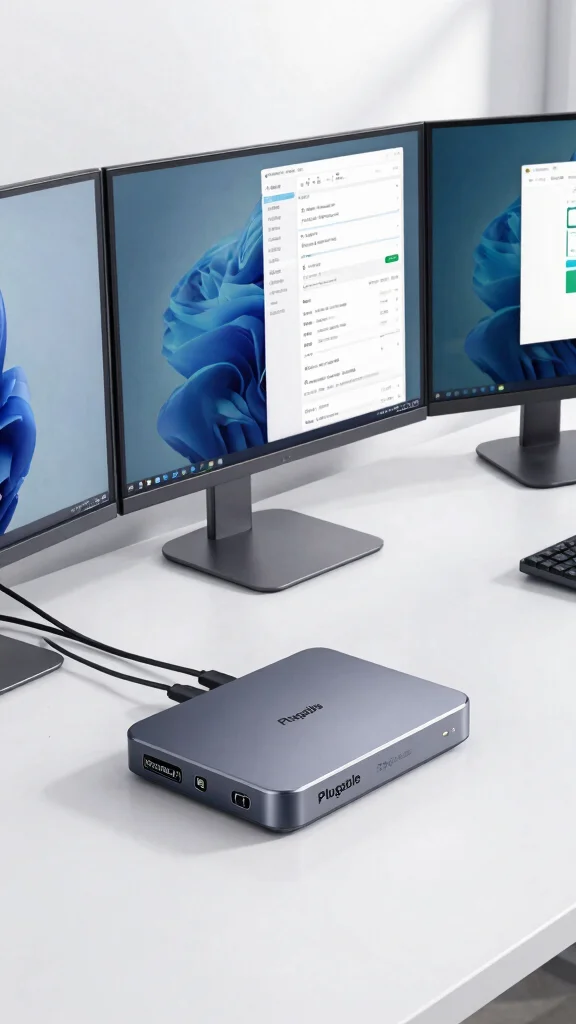
To truly optimize your screen space, the Plugable USB-C Triple Display Dock is an essential tool. This station allows you to connect up to three monitors, making it ideal for multitaskers who thrive on having multiple applications visible at once.
Its simple setup means you can dive into work immediately, enjoying the benefits of increased productivity. This dock is compatible with both Windows and macOS, ensuring versatility for various users.
Consider these helpful tips:
– Support triple displays for enhanced multitasking
– Install in a clutter-free area for maximum efficiency
– Use USB ports for additional devices
– Pair with ergonomic monitors for comfort
The Plugable USB-C Triple Display Dock significantly amplifies your efficiency while maintaining a clean and organized workspace, making your home office more functional and appealing.
Recommended Products

【9-Port Expansion】With a single USB-C connection, this docking station expands your laptop into a complete workstation. It combines 2× HDMI monitor, gigabit ethernet, 3× USB-A 3.0, 1× USB-C 2.0, a 3.5mm audio jack, and a USB-C power delivery port, helping streamline desk setups for office, remote work, and hybrid environments.

Docking Station 14 in 1:This usb c docking station could extend your laptop from one usb c/thunderbolt 3/4/type c port into 14 ports:2 HDMI port(4K),Display Port(4K),100W USB C Power Delivery port,Ethernet(1Gbps), 1 USB C port and 2 USB A 3.1 ports(10Gbps), 1 USB C 2.0 and 2 USB 2.0(480Mbps),SD/Micro SD card reader,and 3.5mm Mic/audio.NOTE: Not all USB-C device is compatible with the hub,the incompatible device cannot use theHDMI orDP of this usb c dock

【Does not support MST on Mac OS 】This KOZYC USB-C adapter features 2x HDMI port, 1x USB 3.0 port, and 1x100W PD charging port, Note: Android system only supports AAA mode(mirror mode); macOS supports AAA, and ABB mode (does not support MST ABC mode); Windows OS supports AAA, ABB, ABA, and ABC mode.
Plugable USB-C Triple Display Dock
Editor’s Choice

Plugable USB C Triple Display Docking Station | 100W PD, 3x HDMI (1x 4K …

Plugable USB-C Triple Monitor Docking Station: 13-in-1 Laptop Dock with …

Plugable 13-in-1 USB C Docking Station 4K Triple Monitor with 100W Power…

Plugable 12-in-1 USB C Triple Monitor Docking Station, Triple 4K Display…
🖊️ Personalize Your Home Office
Transform your workspace with creative ideas that enhance productivity and reflect your unique style.
5. j5create JCD381
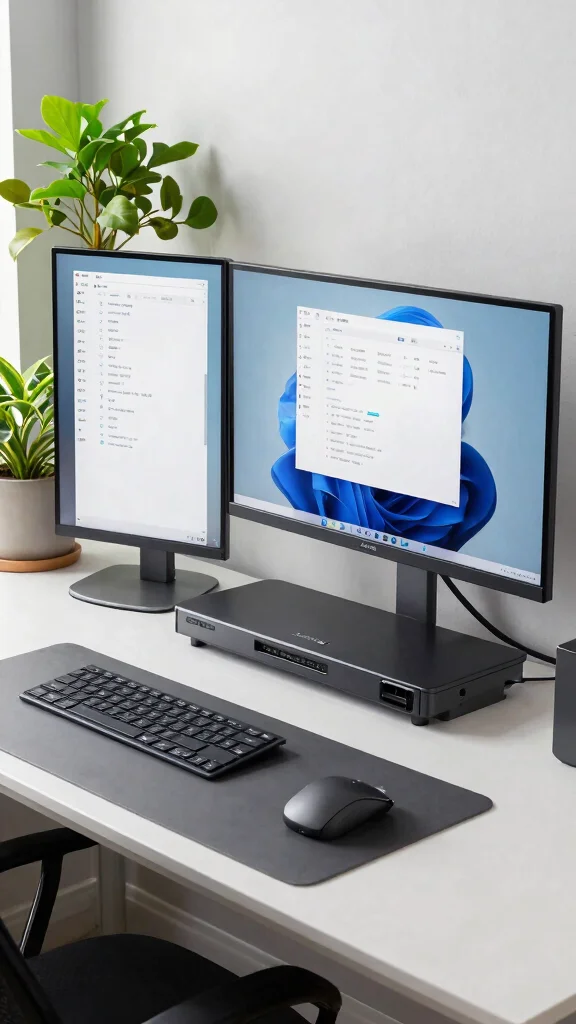
The j5create JCD381 stands out as a complete workstation solution, offering support for dual HDMI monitors. This ensures you can keep all your essential applications visible, enhancing your workflow significantly.
Its compact and lightweight design makes it perfect for both home use and when you’re on the go. With multiple USB ports and Ethernet connectivity, staying connected is effortless, no matter where you are.
Implement these strategies for optimal use:
– Connect dual HDMI monitors for a broader view
– Install in a flexible workspace for easy access
– Use additional USB ports for various devices
– Incorporate during travel for seamless work sessions
The j5create JCD381 balances functionality and portability, ensuring you stay productive in any environment while looking stylish at the same time.
Recommended Products

10-in-1 USB C Docking Station: Inspire more potential of your laptop's USB-C port with 2xHDMI ports, a 100W USB-C PD port, a 5Gbps USB-C port, a USB A 3.0, 2xUSB A 2.0, RJ45 and SD/Micro SD card reader

18-in-1 Expansion: TobenONE usb c docking station packs 18 ports (9 USB/PD/HOST/3HDMI/RJ45/SD/microSD/3.55mm audio included) to turn your laptop into a powerhouse—dual/triple 4K@60Hz displays make multitasking a breeze for working from home or design - related tasks. 18 ports eliminate cable clutter, keeping your desk neat and orderly while maximizing your device's potential.

Universal Compatibility: This TV dock works with Nintendo Switch 2, the original Switch, and Switch OLED (not for Switch Lite). It includes a 4K@60Hz HDMI port, a USB-C charging port, two USB 2.0 ports, one USB 3.0 port, and an RGB light switch. Note: Package includes dock only. Charger and cables not included. For best performance, use the official Nintendo Switch charger.
6. Hiearcool USB-C Hub
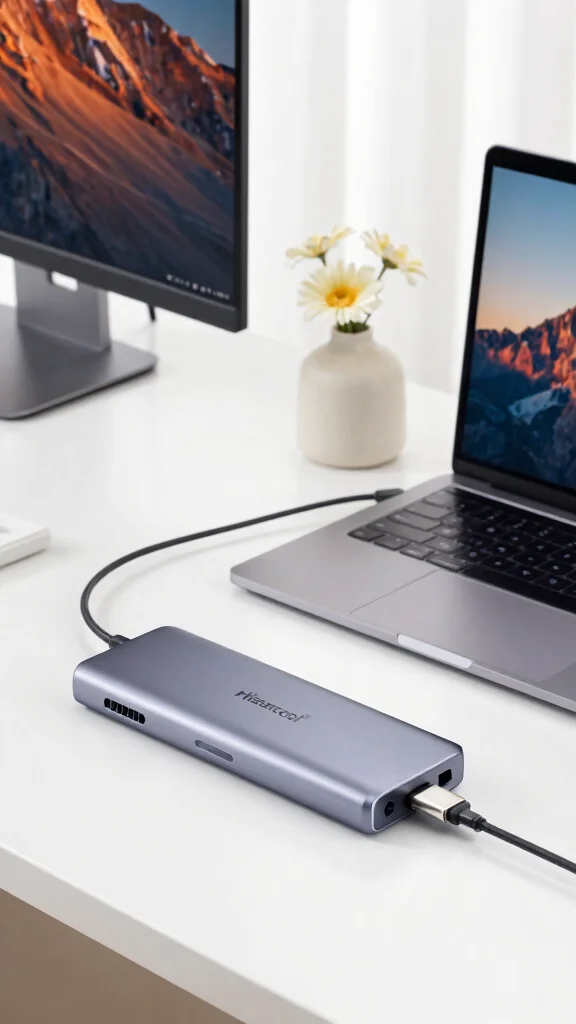
The Hiearcool USB-C Hub offers a compact yet powerful solution for your connectivity needs. Its minimalist design is packed with multiple USB ports, allowing for easy connections while supporting 4K video output, making it great for high-definition displays.
This hub is an excellent choice for users who prioritize portability, easily fitting into your laptop bag for on-the-go convenience. It’s also budget-friendly, making it accessible for anyone looking to enhance their home office without overspending.
Utilize these practical features:
– Support 4K video output for clear visuals
– Install for quick access to multiple devices
– Use for high-speed data transfer
– Incorporate in a travel kit for versatile use
The Hiearcool USB-C Hub combines affordability with quality, making it a fantastic addition to any home office setup without compromising style or functionality.
Recommended Products

Enhanced Expansion Connection: This universal docking station can expand to 4 displays and features 20 ports, equipped with 4 HDMI, 4 DP, 3 USB 3.2, 2 USB C 3.2, 1 USB 2.0, along with SD/micro SD card slots, Ethernet, and audio ports. It also has a power button that controls all external devices. Quad monitor docking station is suitable for professional multitasking, meeting all your needs for connecting high-speed peripherals and optimizing workflow, effortlessly enhancing work efficiency

Turn your laptop into a desktop workstation with 13 ports: 2× HDMI, DisplayPort, 3× USB-C (85W host, 18W PD, 10Gbps data), 3× USB-A 5Gbps, Gigabit Ethernet, SD/microSD, 3.5mm audio, and DC-IN — all through a single cable.

Lightning-Fast Connectivity: Enjoy the speed and convenience of Thunderbolt 4 ports that let you transfer data, stream media, and charge your devices in a flash.
Hiearcool USB-C Hub
Editor’s Choice

USB C Mobile Hub, 4-in-1 USB C Multiport Adapter, 4K HDMI, 100W Pass-Thr…

Lemorele 7-in-1 USB-C Hub Docking Station, USB-C DP Alt Mode 4K Video Ou…

USB C Hub, 8in1 USB-C to 4K 60Hz HDMI Docking Station, USBC Ethernet Mul…

USB C Hub Ethernet 8-in-1, 4K@60Hz USB-C to HDMI Multiport Adapter with …

USB C Hub, 8 in 1 USB C Hub Multi-Port Adapter with Gigabit Ethernet, US…
📹 Related Video: Review: USB C Hub Ethernet, Hiearcool USB C 4K@60Hz HDMI Adapter,8 IN1 Multiport Type C Adapter
7. Kensington SD4780P
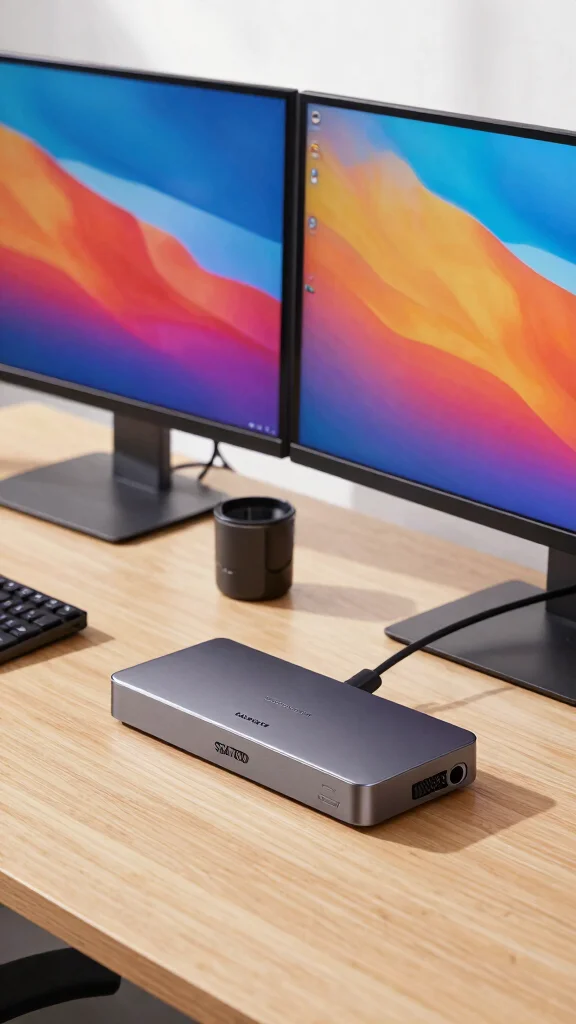
The Kensington SD4780P truly excels with its advanced features, supporting dual 4K displays while offering a variety of ports, including USB-C, USB-A, and Ethernet. Its ergonomic design makes it ideal for extended work-from-home sessions.
This dock not only meets your tech needs but also enhances the aesthetic of your workspace, making it a valuable investment for your home office. With its solid build quality, it stands out in both functionality and style.
Enhance your workspace by:
– Using the ergonomic design for comfort
– Connecting dual 4K displays for stunning visuals
– Installing additional peripherals with ease
– Incorporating stylish accessories to complement the dock
The Kensington SD4780P enriches your work environment, ensuring you have everything at your fingertips while enjoying a well-organized and visually appealing space.
Recommended Products

【Cost-Effective】 UtechSmart USB C Hub has a 1000M Ethernet port, a 4K HDMI port, 3 USB 3.0 up to 5 Gbps and a USB C charging port with 100W power delivery to make a perfect all-in-one solution for your connectivity needs.
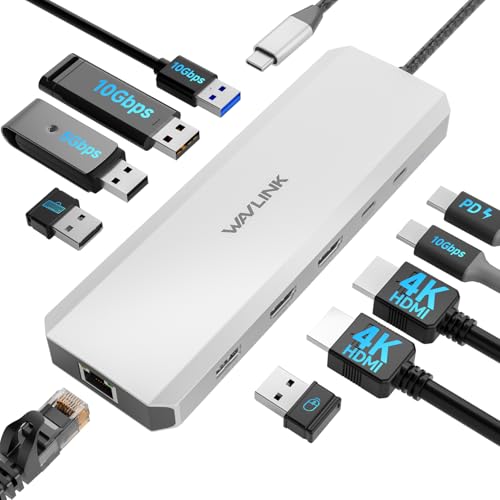
Laptop Docking Station dual monitor - How to make your computer desk clean and tidy? Try this! WAVLINK 10-in-1 laptop docking station. It contains dual HDMI, 100W PD IN, 2*10Gbps USB-A 3.2, 10Gbps USB-C 3.2, 2*USB-A 3.0, USB2.0, Gigabit Ethernet. Expand the screen, charge, and quickly transfer data. This is the ultimate solution!

【6-in-1 USB C Hub】Expand one USB-C port into 6 essential ports—including 4K@60Hz HDMI, Gigabit RJ45 Ethernet (1000Mbps), 100W PD charging, 2× USB-A 3.1 Gen1 (5Gbps), and USB-C 3.1 Gen1 data port (5Gbps). Built for seamless multitasking, this all-in-one USB C to USB adapter lets you charge, transfer data, and connect external displays at the same time.
Kensington SD4780P
Editor’s Choice

SD4780P Displaylink USB-C Docking Station for Windows, MacBooks ane Surf…

Kensington SD4781P USB-C & USB-A DisplayLink Docking Station, Dual 4K Di…

SD4750P USB-C Displaylink Docking Station for Windows, MacBook, Surface …

SD4850P USB-C Docking Station for Dell, HP, Lenovo, Surface, PixelBook, …

SD4790P USB-C Quad 4K Displaylink Docking Station, 100W Charging, 3 x Di…
Conclusion
Upgrading to one of these top-rated docking stations can drastically improve your multi-monitor setup, elevating your home office’s functionality and style. Each option offers unique features to cater to different needs, ensuring you find the perfect fit for your workspace. Embrace the productivity boost that comes with a well-equipped office setup and enjoy the seamless connection these devices provide.
Investing in a quality docking station is investing in your productivity. It’s time to elevate your workspace.
Note: We aim to provide accurate product links, but some may occasionally expire or become unavailable. If this happens, please search directly on Amazon for the product or a suitable alternative.
This post contains Amazon affiliate links, meaning we may earn a small commission if you purchase through our links, at no extra cost to you.
Recommended Products
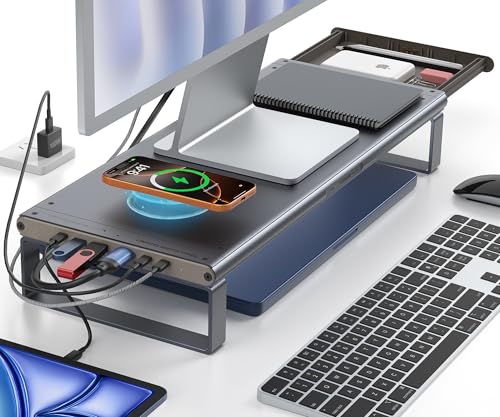
Premium 6-in-1 Docking Station & Wireless Charging:Maximize efficiency with a studio desk shelf featuring a 6-in-1 docking station (4K@60Hz HDMI, USB3.0, PD100W) and 15W Wireless charger(Max). Streamline your desk organizer setup while charging laptops, phones, and peripherals simultaneously

【Broad Compatibility】: The monitor stand riser has a universal size design that is compatible with printers, computers, Telephone and laptops. It features a ventilated design to prevent overheating. The non-slip rubber pads provide stability during use.
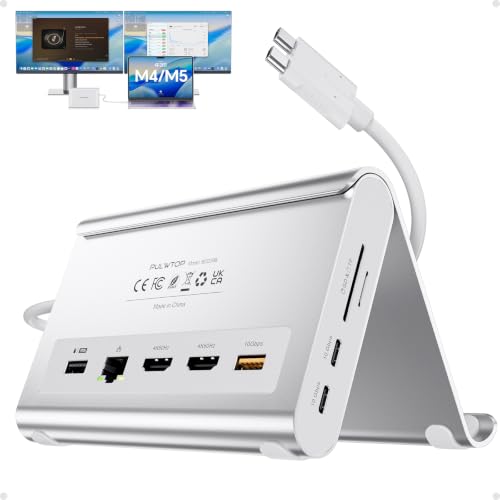
【Dual 4K@60Hz Display & Plug-and-Play】This macbook docking station dual monitor delivers crystal-clear visuals via 2x HDMI ports. No drivers needed, just plug in and expand your workspace instantly. Whether editing footage or presenting to clients, this MacBook air m5 docking station ensures smooth, lag-free to transforms your MacBook into a professional workstation in seconds.
Frequently Asked Questions
What is a docking station and why is it ideal for a multi-monitor setup?
A docking station is a central hub that lets you connect a laptop to multiple monitors, keyboard, mouse, and charger with a single cable setup. It’s ideal for a multi-monitor setup and helps create an ergonomic workspace solutions that looks clean and professional. It’s often the best docking station option for simplifying cables and keeping you charged while you work.
Look for models with multiple video outputs (HDMI and/or DisplayPort), USB-C PD charging, and enough USB ports for peripherals. Make sure your laptop supports video over USB-C or DisplayPort Alt Mode, and pick a dock with the right wattage to keep your laptop charged during long work sessions.
How do I choose the best docking station for a home office with a multi-monitor setup?
To choose the best docking station for a home office with a multi-monitor setup, start with your display needs: how many monitors, what inputs they have, and the required resolutions. Check that the dock offers the right video outputs (USB-C with DisplayPort/HDMI), sufficient Power Delivery for your laptop, and enough USB ports for accessories. Read docking station reviews to gauge reliability and support, and consider your best accessories for home office budget and space. Also confirm OS compatibility and whether you need daisy-chaining or standalone displays.
Finally, think about cable management and the dock’s footprint to keep your desk tidy.
Are USB-C docking stations the best option for ergonomic workspace solutions and productivity?
USB-C docking stations can be the best accessories for home office for a sleek, ergonomic workspace solutions because they can deliver data, video, and power with a single cable. They pair well with newer laptops and make your multi-monitor setup easier to manage. But verify that your USB-C port supports video output (Alt Mode) and enough power delivery. Some setups may need a dock with dedicated DisplayPort or HDMI outputs to reach your ideal resolutions.
Also consider future laptop upgrades and whether the dock supports your expected needs.
What should I know about setting up a multi-monitor setup with a docking station, including tips for cable management and docking station reviews?
Plan monitor placement for comfort: keep monitors at the same height and eye level, and align bezels for a seamless view. Configure your OS to extend the desktop and test color consistency across displays. When choosing a dock, look for the right USB-C docking stations and enough video outputs for your multi-monitor setup. Read docking station reviews to catch common issues like driver conflicts or power delivery limits. Finally, tackle cable management with clips or a desk organizer to keep your workspace neat and productive.
How can I maintain and future-proof my docking station setup for a smart home office?
Keep your docking station setup fresh by updating firmware and drivers, and re-evaluating your needs whenever you upgrade your laptop or monitors. Choose a dock with ample Power Delivery (think high wattage) and extra video outputs so you can future-proof your best accessories for home office. Regularly check compatibility with new peripherals and reorganize cables for easy swaps, ensuring your multi-monitor setup remains smooth and ergonomic.
Related Topics
best docking station
multi-monitor setup
USB-C docking stations
home office accessories
ergonomic workspace
productivity tools
tech gadgets
workspace organization
smart home office
docking station reviews
advanced setups
remote work essentials