
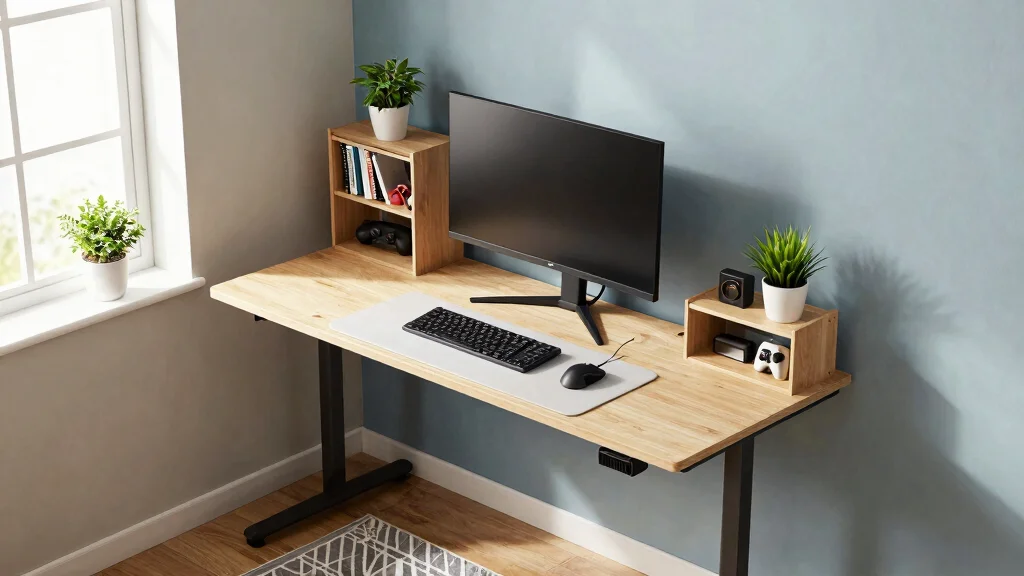
If you’re living in a tight space, the struggle to create a cozy gaming corner is all too real. You might find yourself dreaming of a dedicated gaming setup only to face the harsh reality of limited room. This post is here to help you overcome those challenges. I created this guide because I know how frustrating it can be to juggle gaming gear and comfort in small rooms.
If you’re a gamer or simply someone who loves video games but is short on space, this post is for you. You care about creating an environment that feels right for gaming while maintaining that minimalist vibe. Here, you’ll find eight small gaming desk setup ideas that are practical, stylish, and perfect for your snug space. Each idea is designed to maximize your room’s potential, making your gaming experience enjoyable and organized.
Get ready to discover compact gaming furniture options, clever gaming desk organization tips, and space-saving solutions that fit right into your lifestyle. From floating desks to multifunctional furniture, you’ll find inspiration to craft a setup that reflects your personality while keeping things tidy. Let’s jump in and make the most out of your gaming space!
Key Takeaways
– Floating Desks: These desks save floor space and give your setup a modern look. They can be mounted at any height, making them ideal for small rooms.
– Multi-Functional Furniture: Look for items that serve multiple purposes, like a desk that doubles as a storage unit. This helps keep your space organized while offering practical solutions.
– Corner Desk Configuration: Utilizing corners can free up valuable wall space. Corner desks fit snugly and can often provide more surface area than traditional setups.
– Vertical Storage Solutions: Maximize storage by using shelves and wall organizers. This keeps your games and accessories handy without cluttering your desk.
– Personal Touches: Don’t forget to add your personality! Use color coordination and decor to make your setup feel like home, making your gaming space enjoyable and unique.
Recommended Products

Dazzling Gaming Paradise: The gaming floating shelves is equipped with LED light strip that has 24 color options and 6 modes, infusing your gaming space with boundless energy and creating a personalized visual feast for you
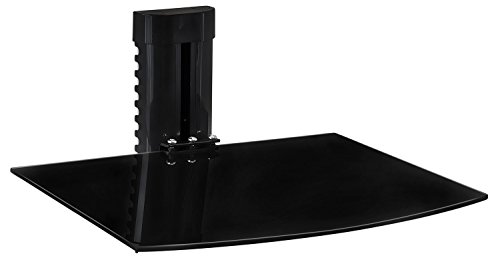
PLACE ANY DEVICE ON IT: Designed for use with DVD players, DVR, HD recorders, Cable boxes, MP3, Speakers, Gaming Consoles (Xbox, PlayStation, Nintendo, etc) and other audio video equipment.

【Professional Design】: Each acrylic wall shelf measures 9" L x 3.54" W x 2.36" H, Weight capacity is 12lb if installed by screws, and it can hold up to 5.0lb if installed by tapes.
1. The Floating Desk Setup
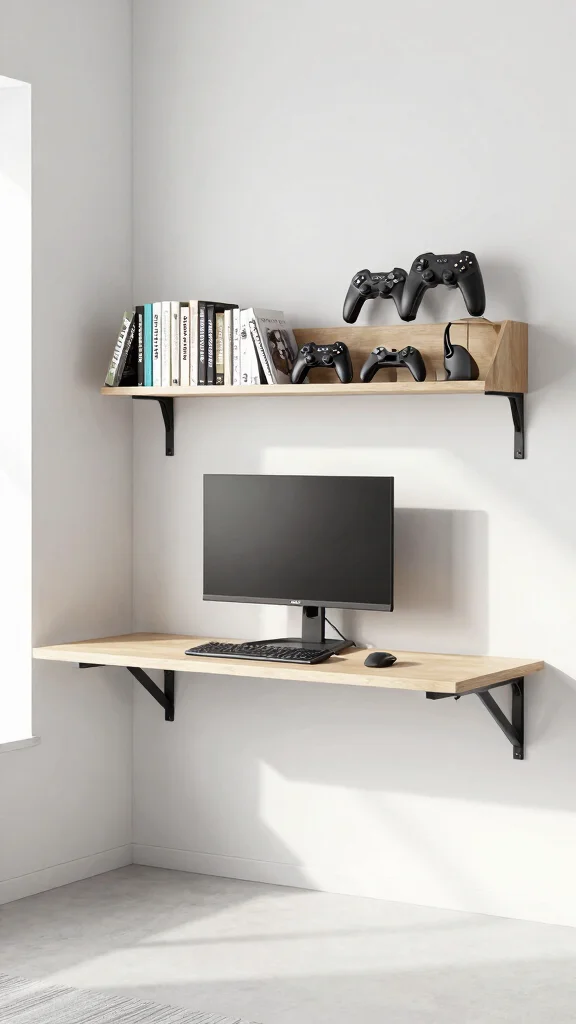
Creating a floating desk setup is an excellent way to save space while achieving a modern look. This design offers a unique advantage by attaching directly to the wall, giving the illusion of more floor area beneath. Imagine sleek lines and a clean aesthetic, making your room feel more open and inviting. Pair it with light-colored walls and natural wood accents for a fresh, airy vibe.
To implement this design, consider adding wall-mounted shelves above your desk for additional storage. This will help keep your gaming accessories organized without cluttering your workspace. You can also look for budget-friendly floating desks online or at local furniture stores. This minimalist approach aligns with current design trends that favor open spaces and functional elegance.
Consider these elements to maximize this setup’s potential:
– Pair floating shelves with sleek gaming monitors.
– Install LED strip lights underneath for ambient lighting.
– Use a compact gaming chair that slides under the desk.
This floating desk not only serves as a functional gaming area but also becomes a stylish focal point, enhancing the overall aesthetic of your room.
Recommended Products

【Built-In Power Strip】This desk features a built-in power strip with 2 AC outlets and 2 USB ports (120V/12A, 5V/2A) and a 6.6FT power cord, making it easy to charge your PC, monitor, phone, or gaming gear. Ideal for gaming setups, home office workstations, and compact bedroom spaces
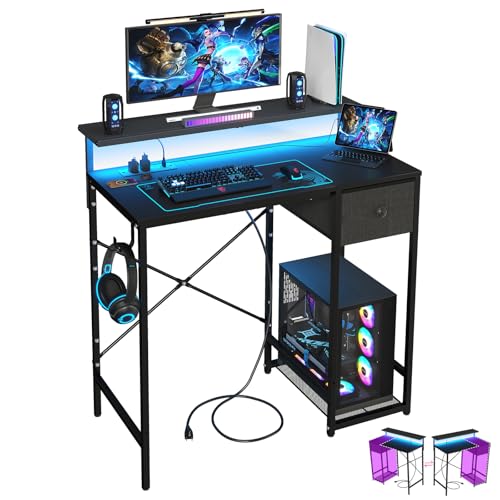
[ All-in-One Compact Gaming Desk ]: 33.5 inch space-saving gaming desk integrates 6 essential features: ✅ Remote RGB LED lights (256 colors) ✅ 3-in-1 power hub (2 AC + USB/Type-C) ✅ Ergonomic monitor stand (used as monitor stand or storage shelf) ✅ Fabric storage drawer (hidden compartment) ✅ Reversible CPU stand (fits PC case, books) ✅ Headphone hooks. Perfect as a small desk for home office or gaming desk for bedroom corners.

Carbon fibre texture: Our PC gaming desk is made from MDF with a carbon fibre textured finish, giving a smooth, scratch-resistant surface that feels great to the touch and is easy to clean
📝 Personalize Your Gaming Space!
Transform your tight gaming area into a stylish escape with creative tips and ideas tailored for renters.
2. Multi-Functional Furniture
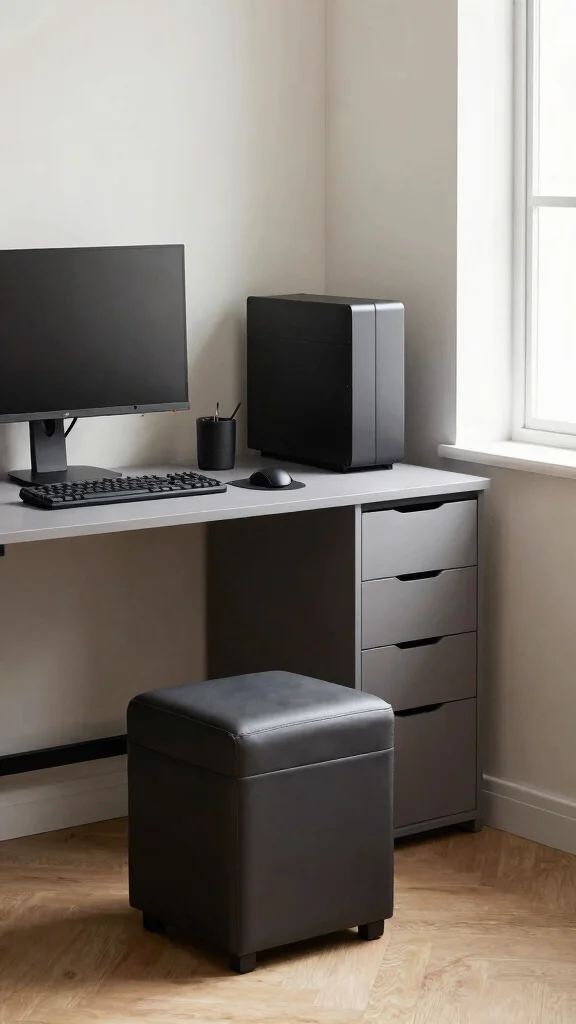
Why limit your gaming experience to a traditional desk when you can choose multi-functional furniture? This innovative approach is perfect for small spaces, offering versatility without sacrificing style. Imagine a desk that doubles as a storage unit, keeping your gaming essentials close while maintaining a tidy environment. Look for pieces that blend aesthetics with smart design for a seamless fit in your room.
To make the most of multi-functional furniture, consider desks with built-in storage or foldable components. This not only helps with organization but also caters to broader design trends that prioritize practicality. You can often find stylish options at thrift stores or online marketplaces, making it easy to stay within budget.
Here are a few ideas to maximize your space:
– Incorporate a desk with a pull-out shelf for extra workspace.
– Use a decorative storage ottoman as a stylish chair.
– Opt for a compact dining table that transforms into a gaming area.
These versatile pieces not only optimize space but also elevate your room’s design, creating a harmonious look.
Fun fact: using multi-functional furniture in a small gaming setup can free up up to 20% more floor space. Choose desks with built-in storage to keep essentials close and clutter-free. It’s practical, stylish, and makes a tight room feel bigger.
Recommended Products

-9-in-1 Wall Mount Pegboard:This multi-functional storage comes with a phone holder, 5 headphone & controller hanger, 2 different sized of storage box,5 hooks and a rgb usb led light strip, so that you can easily store headphones, controllers, phone, pens, keys and cable etc.. The gaming pegboard not only keeps your desk tidy, but also makes it easy for you to quickly find what you need

Upgraded Storage Solution: This peg board kit provides ample space and flexible layouts for organizing your gaming setup accessories, making your gaming room more efficient and clutter-free.

MODULAR DESIGN: Create personalized layouts with this modular wall-mounted gaming pegboard by connecting panels together with fasteners, offering multiple combination options for customization.
Multi-Functional Furniture
Editor’s Choice

Bamboo Folding Desk with Storage Shelves, Space Saving Mid Century Moder…


Casart Multi-Function Computer Desk, Wall Mounted Fold Out Table, Conver…

LAUSAINT HOME Wall Mounted Foldable Desk, Space Saving Hidden Desk with …

Folding Desk with Storage and Charging Station, Pull-Out Desk Cabinet wi…

Transformer Table – Dining Table to Computer Desk, Work-from-Home Office…
3. Corner Desk Configuration
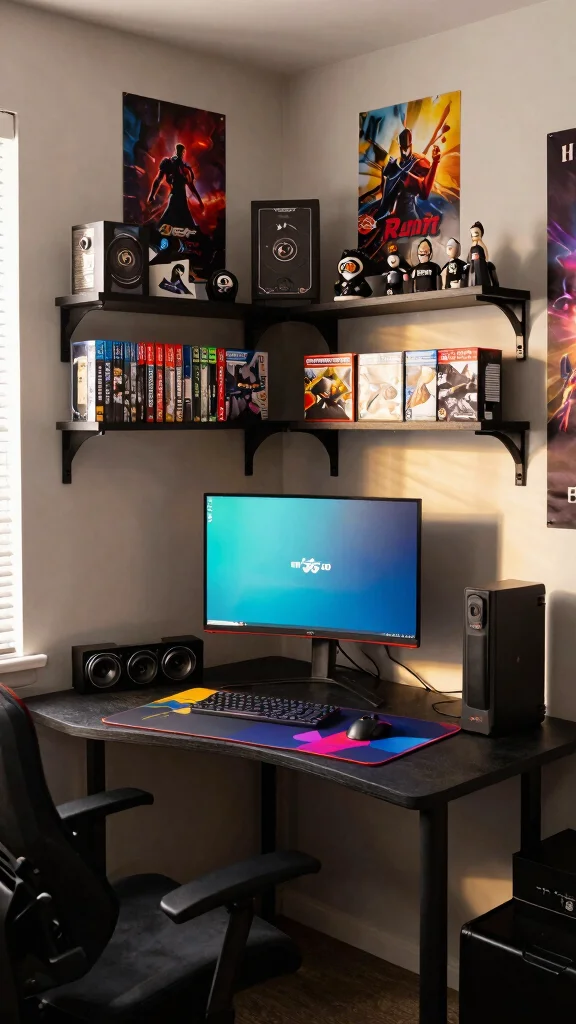
Utilizing a corner desk configuration can transform unused space into an efficient gaming area. This setup allows you to maximize your room’s layout while offering a unique perspective for your monitors and gear. With the right design, you can create a modern gaming nook that feels both spacious and stylish. Consider pairing this setup with vibrant decor elements to enhance the atmosphere.
To achieve the best results with a corner desk, look for models that fit snugly into the space, ideally with rounded edges to save room. Installing shelves above the desk can keep your games and accessories within easy reach while adding visual appeal. Incorporate playful decor, like LED lights, to create an inviting environment that energizes your gaming sessions.
Here’s how to create an optimal corner desk setup:
– Choose a desk that fits perfectly in the corner.
– Install wall shelves for easy access to your gear.
– Add colorful decorations like posters or LED lights.
A corner desk configuration not only utilizes otherwise wasted space but also infuses a contemporary flair into your room.
Recommended Products

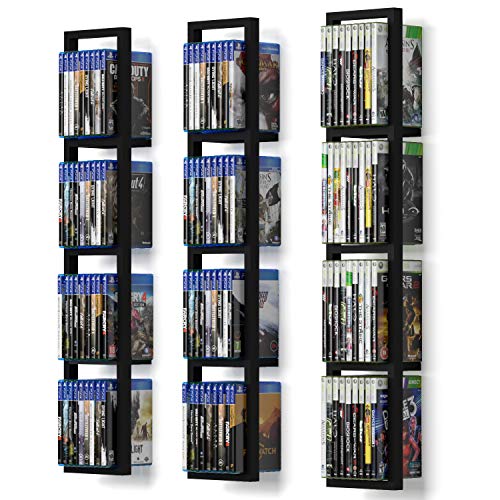
Warming Tips: Not sized to fit Xbox 360 game cases or DVDs. Slot Dimensions: 0.59 in Width × 6.85 in Height

High Quality Yoga Mat Holder: Our yoga mat storage with a floating shelves, which can store small objects such as yoga blocks, water cups, dumbbells and so on. The iron frame of yoga mat rack is specially treated and the paint surface will not easily peel off and deformed. The 3-layer design can store more, you can put yoga mats, foam roller, yoga bolster pillow and so on. Comes with 4 hooks to hang resistance bands, skipping ropes, stretch belts, etc.

Warming Tips: Not sized to fit Xbox 360 game cases or DVDs. Slot Dimensions: 0.59 in Width × 6.85 in Height
Corner Desk Configuration
Editor’s Choice

SEDETA 31.5″ Corner Desk with Drawers, Small Office Computer Desk with S…

SEDETA L Shaped Gaming Desk, Reversible 45.3” Small Corner Desk with Pow…

Korfile 40 Inch Gaming Desk with LED Lights & Power Outlet, L Shaped Com…
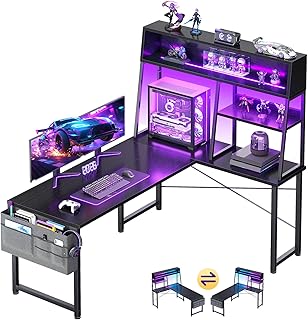
AODK L Shaped Gaming Desk with Led Lights, 51 Inch Reversible Gaming Com…

SEDETA L Shaped Gaming Desk, Home Office Computer Desk with 2 Drawer and…
4. Vertical Storage Solutions
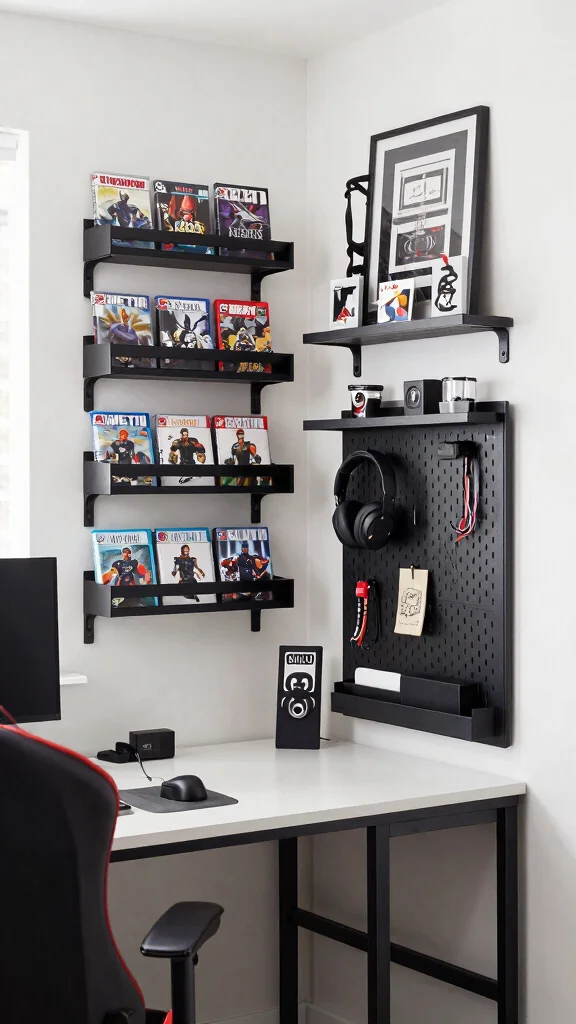
When space is tight, going vertical can be a game-changer for your gaming setup. By incorporating shelves or pegboards above your desk, you can keep essential items close while freeing up valuable desk space. This strategy offers not just practicality but also the opportunity to add personality to your gaming area. Think about how vertical elements can enhance organization while contributing to your room’s style.
To make the most of vertical storage, choose wall-mounted solutions that are both functional and visually appealing. Installing pegboards can display your favorite gaming gear, creating an organized yet artistic display. This approach aligns well with current design trends that emphasize creativity and efficient use of space.
Consider these vertical storage ideas:
– Use wall-mounted shelves to keep games accessible.
– Add a pegboard for displaying headsets and controllers.
– Install floating shelves at varying heights for visual interest.
With vertical storage, your small gaming setup remains stylish and organized, contributing to an open and inviting feel.
Did you know vertical storage can free up up to 30-40% of desk real estate? A pegboard or wall shelves keep essentials within arm’s reach, making your small gaming setup feel bigger without sacrificing style.
Recommended Products

All in One Design:Under-desk headphone stand + 3 USB charging hub(4A/20W) PD & QC3.0

All-in-One Desktop Organizer - Our 5-in-1 desktop storage stand can simultaneously store headphones, two controllers, cell phones, remotes, pens, scissors, and other items, which comprehensively improves space utilization and keep your gear and space organized.

【Super Spacious Desk】23.6" W desktop breaking the rules of the game. This desktop is not only spacious but also provides you with more workspace, allowing efficiency and comfort to coexist.
Vertical Storage Solutions
Editor’s Choice

KDD 9 in 1 RGB Gaming Wall Organizer Peg Board – DIY Pegboard Combinatio…

PEGZONE Controller and Headphone Holder Wall Mount, Modular Gaming Pegbo…

TORACK Pegboard Wall Organizer 4 ft. Garage Metal Pegboard Tool Organize…

HOOBRO Gaming Floating Shelves with LED Lights, 28.7″ LED Wall Mounted S…

HOOBRO Gaming Floating Shelf with LED Lights, 28.9″ LED Wall Mounted She…
Dimensions & Size Guide
When planning your small gaming setup, understanding dimensions and size is crucial for creating a comfortable and functional space. The right measurements ensure that your gaming desk fits well without overcrowding your room. Let’s break down standard sizes, space planning tips, and a quick reference table to help you set up your compact gaming area effectively.
Standard Sizes & Measurements:
– Gaming Desk Dimensions: Most compact gaming desks range from 40 to 60 inches in width. A depth of 20 to 30 inches is ideal for a comfortable workspace. The height is typically around 29 to 30 inches, which suits standard chair heights.
– Chair Dimensions: Ensure your gaming chair has an adjustable height of 16 to 20 inches from the ground. This range allows you to pair it comfortably with your desk without cramping your legs.
– Screen Height: When considering monitor size, aim for screens that are 24 to 32 inches wide. The top of your monitor should be at eye level to avoid strain. If you plan to use multiple monitors, ensure they’re spaced out appropriately within your desk space.
– Minimum Requirements for Proper Fit: For a small gaming setup, you need at least 3 feet of space in front of your desk for chair movement. Allow another 2 feet on either side for added comfort and accessibility.
– Space Planning Considerations: Visualize your gaming setup in the room by marking out the dimensions on the floor. This helps prevent any surprises when you start placing furniture.
Quick Reference Table:
Size/Dimension – Best for: [Small room gaming desk], Minimum space needed: [4 ft x 2 ft]
Size/Dimension – Best for: [Dual monitor setup], Minimum space needed: [5 ft x 3 ft]
Size/Dimension – Best for: [Single monitor with peripherals], Minimum space needed: [4 ft x 2.5 ft]
Size/Dimension – Best for: [Compact gaming chair], Minimum space needed: [3 ft x 2 ft]
Size/Dimension – Best for: [Corner desk setup], Minimum space needed: [5 ft x 5 ft]
Space Planning Tips:
1. Measure Your Space First: Before shopping for a desk, measure your room. Knowing the exact dimensions helps you choose furniture that fits well without making the space feel cramped.
2. Leave Room for Movement: Always leave at least 3 feet of space in front of your desk for easy access. This space allows you to move your chair freely.
3. Consider Cable Management: Plan where your power outlets are located. Make sure your gaming desk has space to accommodate power strips, and consider using cable organizers to keep things tidy.
4. Avoid Overcrowding: Don’t fill every corner of your room with furniture. Leave some open space to create a lighter feel. This approach helps your gaming area feel less cluttered and more inviting.
5. Test Before You Buy: If possible, try out the desk and chair in-person. Sit in the chair and see how it feels with the desk height. A comfortable fit is essential for long gaming sessions.
Pro Tip: The most important measurement is the height of your gaming desk. Always make sure it pairs well with your chair height. A perfect match ensures that your wrists stay straight while you game, reducing fatigue over time.
Recommended Products

【Wall Mounted Shelf】 Add Extra Space to Any Room. Whether it's in your office, bedroom, or living room as a compact workstation, in your kitchen as an extra countertop for cooking and dining, in your laundry room, on your balcony, or even in your camper or RV, this shelf is designed to adapt to your needs.

【Wall Mounted Shelf】 Add Extra Space to Any Room. Whether it's in your office, bedroom, or living room as a compact workstation, in your kitchen as an extra countertop for cooking and dining, in your laundry room, on your balcony, or even in your camper or RV, this shelf is designed to adapt to your needs.

❥【Premium Material for Durability】The wall mounted drop-leaf Table was mainly made of premium plywood, which is environmental-friendly, durable material with max weight capacity up to 40kg. The odorless paint contains no harsh chemicals.
5. Minimalist Aesthetic
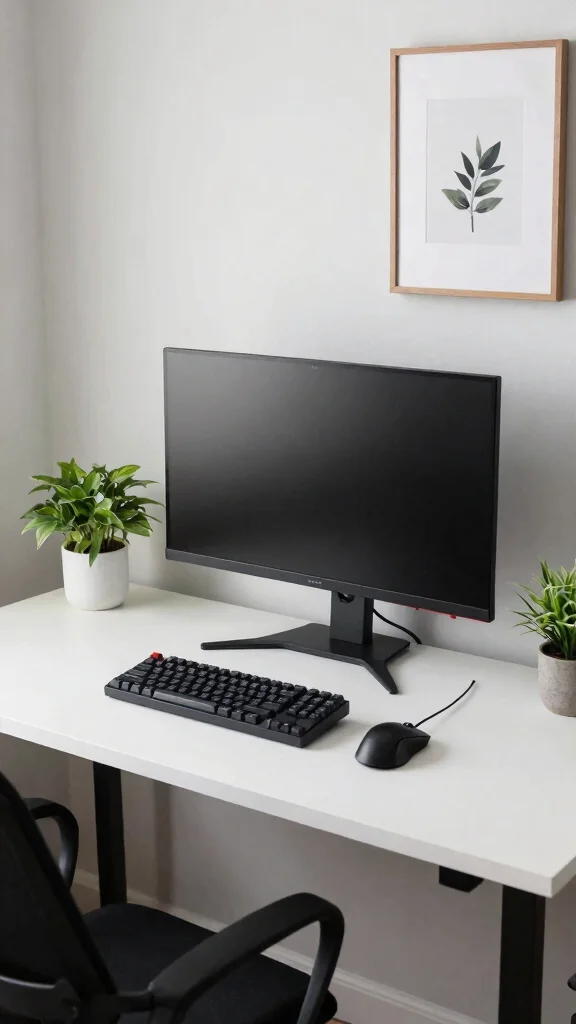
Embracing a minimalist aesthetic can work wonders in small spaces, creating a serene gaming environment that feels both spacious and inviting. By opting for simple desk designs in neutral colors, you can maintain focus on your gaming experience without the distraction of clutter. Imagine a clean workspace with just a few key accessories that enhance functionality while keeping the atmosphere calm.
To adopt a minimalist approach, consider choosing a single large monitor instead of multiple screens. Prioritize quality over quantity by selecting essential gaming peripherals that resonate with your style. Keeping decor minimal, featuring just a couple of plants or art pieces, adds a personal touch while maintaining simplicity.
Here are some tips for a minimalist setup:
– Choose a single large monitor for a clean look.
– Invest in quality gaming peripherals that you truly need.
– Keep decor minimal with a few meaningful items.
This aesthetic ensures your gaming setup remains functional and exudes a tranquil vibe, perfect for long gaming sessions.
Minimalist Aesthetic
Editor’s Choice

Samsung 32-Inch Flat Computer Monitor, 75Hz, Borderless Display, AMD Fre…

Aibiju Solid Wood Desk with Drawers, 47inch Computer Desk for Modern Min…

IBF Solid Real Wood Desk, Minimalist 60” Natural Wood Computer Desk, Rus…

OLIXIS 47 Inch Computer Office Desk for Small Spaces, Writing Gaming Wor…

EnHomee 40″ Computer Desk with Drawer & Storage Shelves, Gaming Desk wit…
📹 Related Video: My simple and budget friendly desk makeover 2025
6. Color Coordination
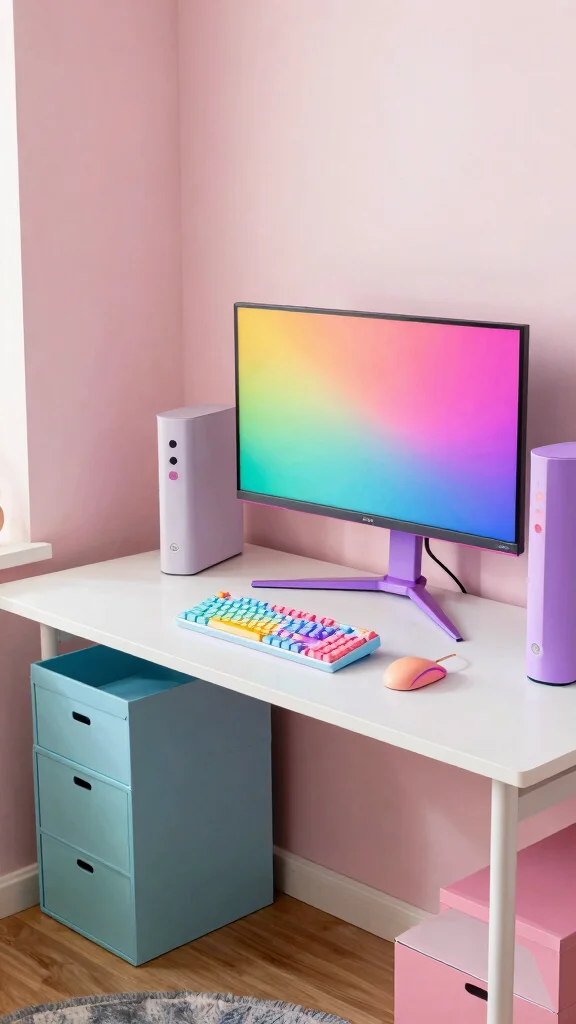
Injecting color into your gaming setup can significantly enhance its energy and personality. Selecting a color scheme that reflects your style not only beautifies your space but also aids in organization. Imagine a vibrant workspace where each color serves a purpose, making your gaming area feel more cohesive and lively.
To achieve effective color coordination, match your gaming peripherals with your desk and room colors for a harmonious look. You can also use colorful storage boxes to keep your gear neatly tucked away yet easily accessible. Accentuate your walls with a bold paint or wallpaper that creates a stunning backdrop for your gaming zone.
Consider these tips for coordinating colors:
– Match peripherals to your overall color scheme.
– Use colorful organizers to keep gear tidy.
– Accentuate walls with bold colors or patterns.
A well-coordinated color scheme makes your gaming space inviting and organized, contributing to a more enjoyable experience.
Color Coordination
Editor’s Choice

SONGMICS Storage Cubes, Set of 6 Odorless Foldable Storage Boxes, 10.2 x…

Sorbus 11 Inch Fabric Storage Cubes – Sturdy Collapsible Bins With Handl…
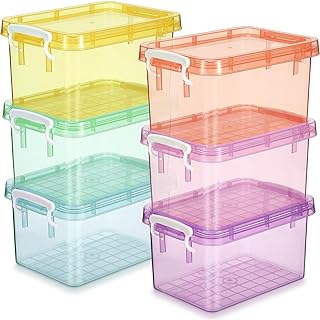
Wenqik 6 Pack Colorful Plastic Storage Bins with Lids 4 Quart Small Stor…

8 Pack Colorful Storage Bins with Lids for Shelves, Classroom Storage Bi…

GAMENOTE 6 Quart Storage Bins with Lids, Plastic Latching Box for Classr…
7. Personal Touches
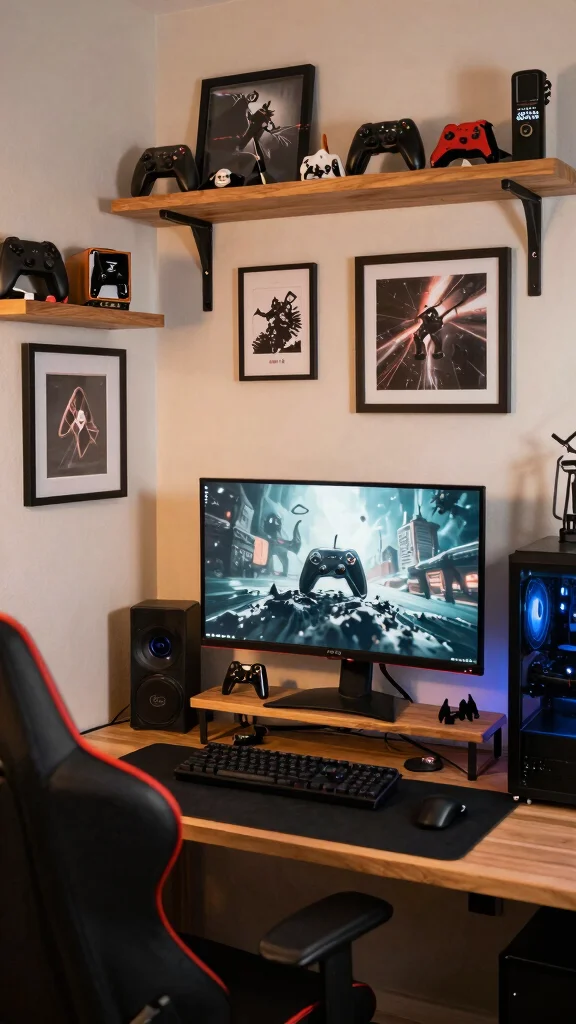
Your gaming space should be a true reflection of your personality. Adding personal touches not only makes your setup unique but also creates a comforting atmosphere. Think about how incorporating items that resonate with your interests can transform a standard gaming area into your personal oasis.
To personalize your space, consider framing photos or artwork that inspires you and displaying them around your desk. Including collectibles from your favorite games can add character and flair. Themed desk mats or accessories can further enhance your gaming experience and showcase your style.
Here are some ideas to add personal touches:
– Frame inspiring artwork and display it nearby.
– Include collectibles as decorative accents.
– Use themed accessories that reflect your gaming interests.
Personalizing your setup creates a welcoming atmosphere, making it perfect for long gaming sessions.
Personal touches turn a small gaming setup into your own corner of calm. Frame favorite game art and keep well-loved collectibles within reach—these small details make minimalist spaces feel welcoming and uniquely yours.


Conclusion
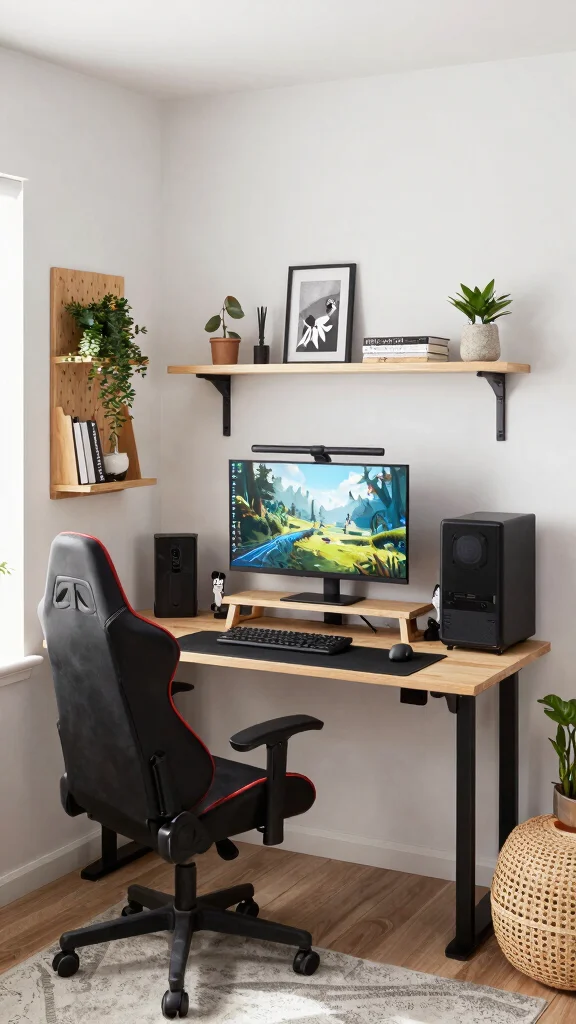
Creating a small gaming desk setup in tight rooms doesn’t have to be a challenge.
By implementing these ideas, you not only enhance your gaming experience but also beautify your living space.
Whether through clever storage solutions, minimalist decor, or personal touches, the possibilities are endless. Embrace creativity and functionality as you design your perfect gaming oasis.
Note: We aim to provide accurate product links, but some may occasionally expire or become unavailable. If this happens, please search directly on Amazon for the product or a suitable alternative.
This post contains Amazon affiliate links, meaning we may earn a small commission if you purchase through our links, at no extra cost to you.
Recommended Products

All-in-One Desk Organizer - Combining headphone holder, controller stand, device slot and drawer in one, effortlessly covering your diverse storage needs for gaming and daily items. The four functions work together to eliminate desktop clutter, keeping your desk surface neat and efficient, truly multi-purpose.

【6 Drawers Computer Desk】With 6 spacious fabric drawers, this home office desk is perfect for keeping your home office or gaming items organized. Drawer Size: 16.5 x 17.7 x 3.7 Inch; 11.4 x 17.7 x 6.8 Inch. Get a designated and divided spot for everything from books and files to gadgets. Whether you're working from home or gearing up for a gaming session, enjoy the benefits of a tidy, efficient space

360° Rotation - The KDD Controller Organizer is equipped with a flexible 360° rotating base, allowing users to easily rotate it to access controllers from different angles, providing a convenient and efficient experience.
Frequently Asked Questions
What are the best space-saving strategies for a small gaming setup?
For a small gaming setup in a tight room, start with a smart layout and the right furniture. Use a wall-mounted monitor arm, a compact desk, and space-saving gaming solutions that keep the surface clear. Choose compact gaming furniture with built-in cable management and slim margins to maximize floor space. Add vertical storage like shelves or hooks, and use a monitor stand or riser to free desk space for peripherals. Plan your cable routes, tuck power strips away, and pick a simple color palette to keep the room feeling open. With careful planning you can achieve a comfy, functional small gaming setup without crowding the room.
How can I improve gaming desk organization in a tiny room?
Start by defining zones: gaming, work, and storage, then consolidate gear in gaming desk organization solutions like a slim desk with built-in storage. Use vertical shelves, wall-mounted holders, and under-desk baskets to keep surfaces clear. Pick a compact monitor, and use cable clips to route wires neatly. Choose multi-purpose tools (a USB hub that sits on a tray, a magnetic cable strip) to reduce clutter. Regularly declutter and rotate accessories to keep the setup feeling open. This helps your small gaming setup stay tidy and efficient.
What pieces of compact gaming furniture should I consider for a minimalist gaming setup?
For a minimalist vibe, prioritize compact gaming furniture that hides cables and leaves breathing room. Look for a wall-mounted or corner desk, a slim desktop with a pull-out keyboard tray, and a monitor arm that frees desk space. Add a slim under-desk drawer or corkboard for essential tools. Choose pieces with clean lines, neutral tones, and hidden storage to keep space-saving gaming solutions in mind. With the right pieces, your minimalist gaming setup looks deliberate and uncluttered.
Any small room decor ideas that won’t overwhelm a small gaming setup?
Yes—keep decor light, cohesive, and scalable. Use a calm color palette, install a single accent art piece, and add floating shelves to display a few decorative items without crowding surfaces. Mirror panels or light furniture can help bounce light and expand the feel of the room. Integrate small room decor ideas like a compact lamp, a plant, or a cable concealer that blends into the wall. With smart decor choices, your small gaming setup stays inviting rather than cluttered.
How can I optimize for maximum productivity and comfort in a minimalist gaming setup in a tight space?
Start with ergonomic basics: adjustable chair, monitor at eye level, keyboard within easy reach, and a desk height that keeps wrists straight. Use a space-saving gaming solutions approach by choosing a stand that puts peripherals at accessible heights and a cable system that keeps cords tidy. Add good lighting, anti-glare, and a small footprint desk mat to protect surfaces. Create buffers between zones for focused tasks, and schedule breaks to prevent fatigue. A mindful setup makes your minimalist gaming setup both comfy and productive.
Related Topics
small gaming setup
compact gaming furniture
gaming desk organization
minimalist design
space-saving solutions
small room decor
budget friendly
DIY gaming desk
home office
minimalist gaming
tight spaces
beginner friendly